

Voice input lets you speak to QoderWork instead of typing. Whether you're describing a complex task, dictating a long message, or working hands-free, voice input makes it easy to communicate naturally with the AI assistant.
This is especially useful when your requirements are easier to explain out loud than to type — such as describing visual layouts, narrating multi-step workflows, or giving quick follow-up instructions while reviewing results.
Before using voice input, ensure the following:
Voice input works seamlessly alongside other QoderWork capabilities:
Voice + file attachment. Attach a file and then use voice to describe what you want done with it. For example, attach a PDF and say "Summarize the key findings and list any action items."
Voice for follow-up instructions. After QoderWork delivers a result, use voice to quickly give feedback or request changes: "Make the title bigger" or "Add one more section about risks."
Prerequisites
Before using voice input, ensure the following:
- Microphone permission: QoderWork needs access to your system microphone. Grant permission when prompted, or enable it manually in your system settings (System Settings > Privacy & Security > Microphone on macOS).
- System speech recognition: Voice input relies on your operating system's built-in speech recognition engine. Supported languages depend on which language packs are installed on your system.
How to Use
1
Start Recording
By default, hold the「Fn」key to start voice input without clicking anything; you can also click the microphone icon on the right side of the chat input box. The icon changes to indicate that recording is active.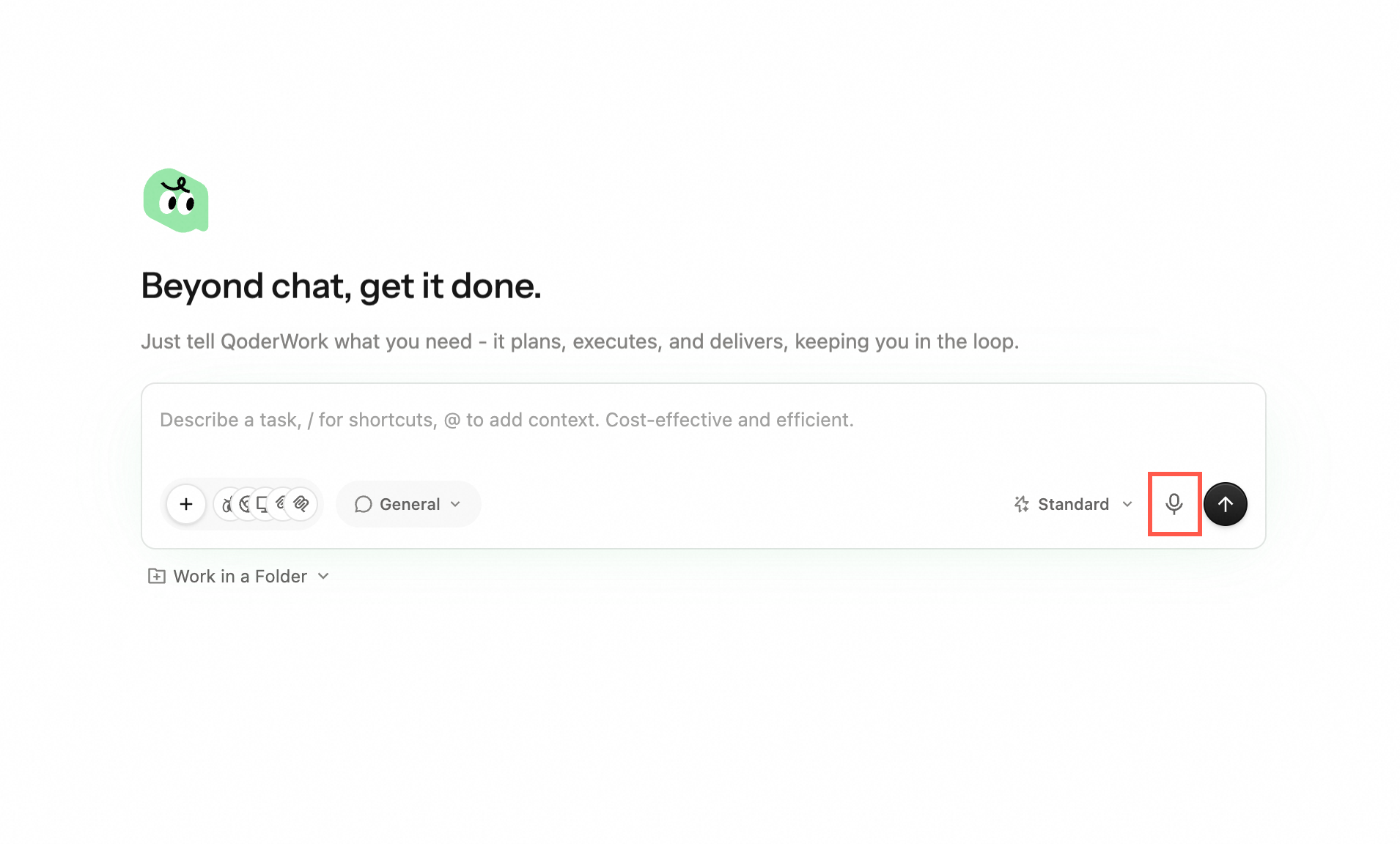
2
Speak Your Request
Speak clearly at a natural pace. Describe your task, ask a question, or dictate content. There is no strict time limit — speak as long as you need.
3
Review the Transcription
When you stop speaking, the audio is automatically transcribed into text in the input box. Read through it to check for accuracy.
4
Edit if Needed
You can freely edit the transcribed text — fix misheard words, add punctuation, or refine your phrasing before sending.
5
Send Your Message
Once you're satisfied with the text, press Enter or click Send. QoderWork processes the message the same way as typed input.
Best Practices
- Speak clearly and at a moderate pace. Rushing or mumbling can lead to transcription errors. A conversational speed works best.
- Pause briefly between sentences. This helps the speech recognition engine segment your words correctly and improves punctuation placement.
- Use voice for the first draft, typing for edits. Voice is great for getting ideas down quickly; switch to the keyboard for precise corrections.
- Ideal for longer descriptions. Voice input shines when you have a lot to say — multi-paragraph requirements, detailed instructions, or complex explanations are faster to speak than type.
- Minimize background noise. Use voice input in a reasonably quiet environment for the best transcription accuracy.
Use Case Examples
| Scenario | Example Voice Input |
|---|---|
| File organization | "Sort all the files on my Desktop into folders — PDFs in one, images in another, and documents in a third." |
| Document creation | "Create a project status report for Q2 with sections for progress, blockers, and next steps." |
| Browser task | "Go to the company intranet, find the latest expense form, download it, and put it in my Documents folder." |
| Data analysis | "Open the sales spreadsheet on my Desktop and create a chart showing monthly revenue trends for this year." |
| Quick follow-up | "Actually, make the chart a bar chart instead, and add labels on each bar." |