

Quick Start with Enterprise Plans.
Qoder offers Teams and Enterprise plans, specifically designed for businesses and teams. With the Enterprise plans, you get:
Qoder is certified to ISO/IEC 27001:2022 for its information security management system and has completed an independent SOC 2 Type II audit covering three Trust Services Criteria: Security, Confidentiality, and Availability. Enterprise plans also provide Privacy Mode controls, audit logs, and other capabilities to help you securely adopt AI-powered development across your organization.
See Enterprise plans pricing details.
Security and Compliance
Qoder is certified to ISO/IEC 27001:2022 for its information security management system and has completed an independent SOC 2 Type II audit covering three Trust Services Criteria: Security, Confidentiality, and Availability. Enterprise plans also provide Privacy Mode controls, audit logs, and other capabilities to help you securely adopt AI-powered development across your organization.
See Enterprise plans pricing details.
Get Enterprise Plans
1
Create organization
Visit www.qoder.com/pricing, select the Teams or Enterprise subscription plan, and follow the on-page guide to fill in your organization details.
Teams and Enterprise plans are independently isolated and do not support seamless upgrades/downgrades. Please choose based on your team size and needs.See pricing details for plan features and pricing comparison.
2
Set the number of seats
Qoder currently supports purchasing through the official website and the Alibaba Cloud Marketplace. Details for each channel: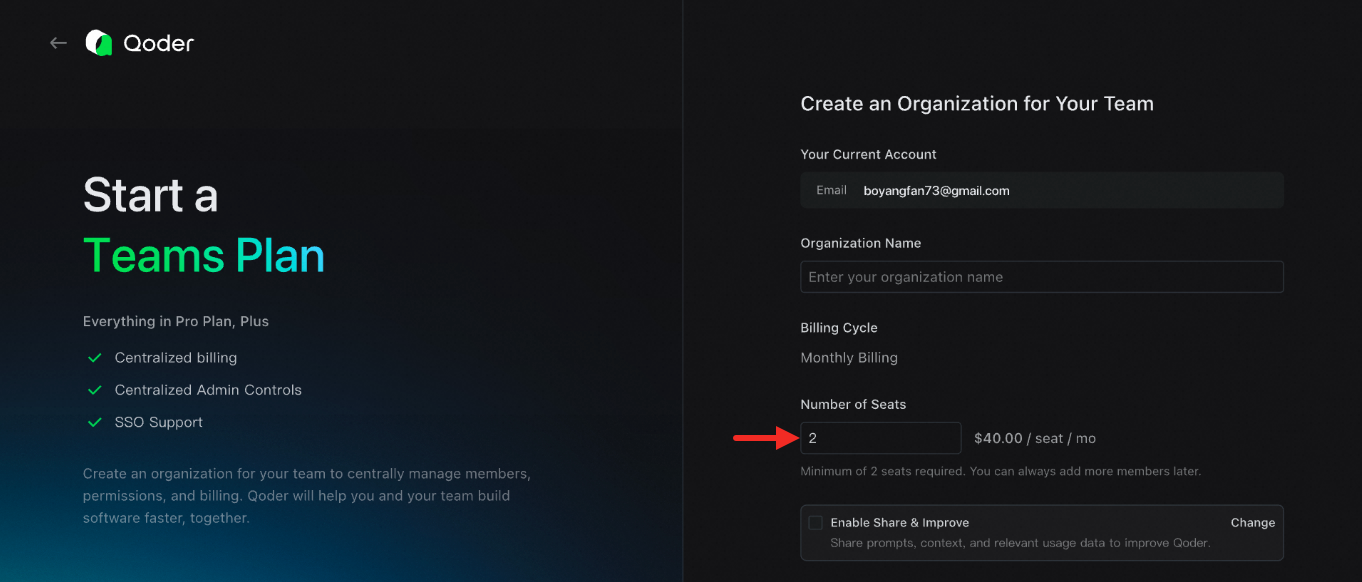
- Direct purchase on the official website:
- Purchase via Alibaba Cloud Marketplace: You need to purchase a redemption code from the cloud marketplace, which will be automatically redeemed to your created organization. See About Redemption Codes for details.
3
Add team members
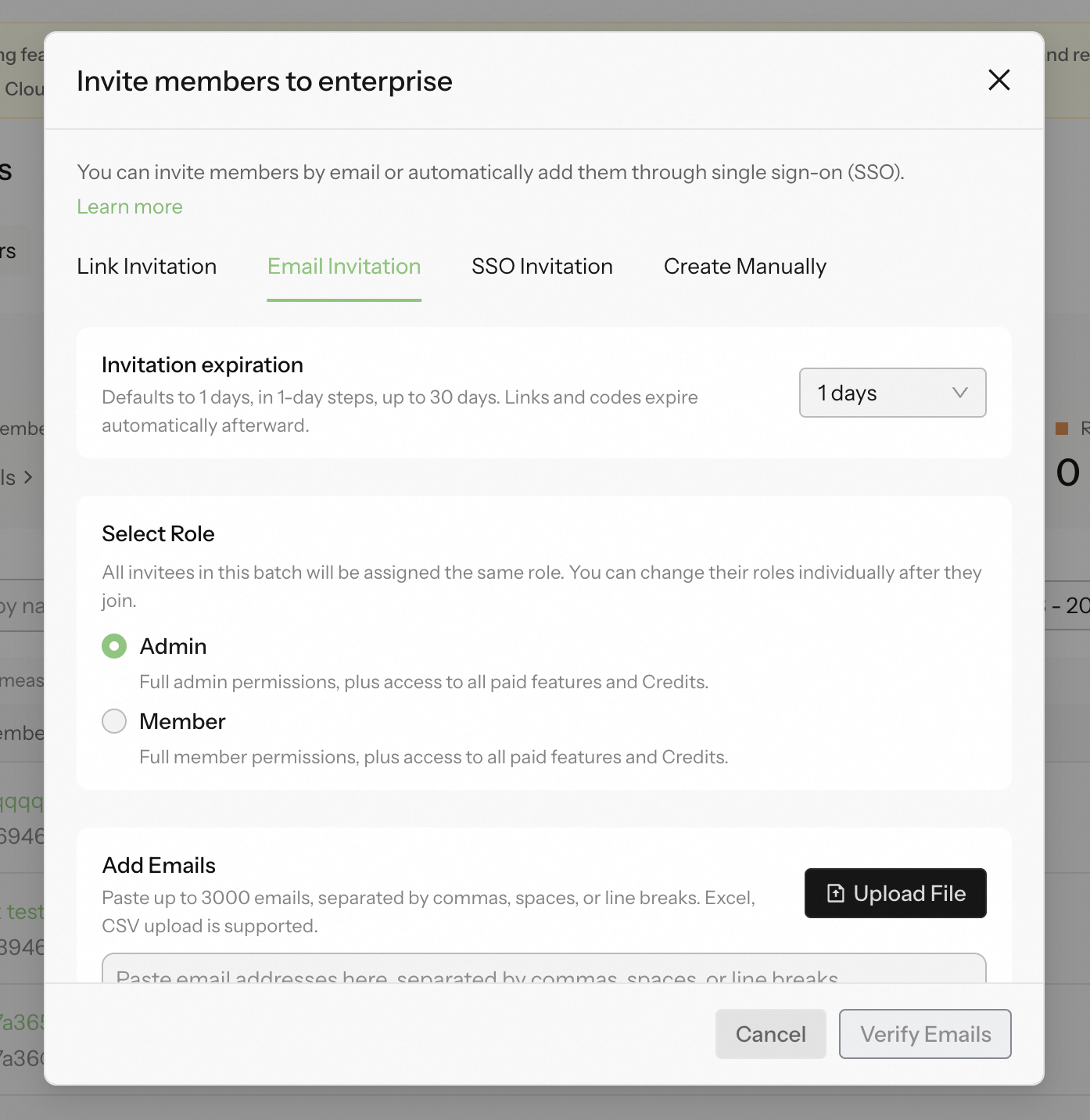
You can add members to your organization using multiple methods: invite link, email invitation, Single Sign-On, or manual creation (Enterprise only).Invite via LinkGo to Organization Settings, enable the invite link feature, and send the generated link to the users you wish to invite. See Invite via Link.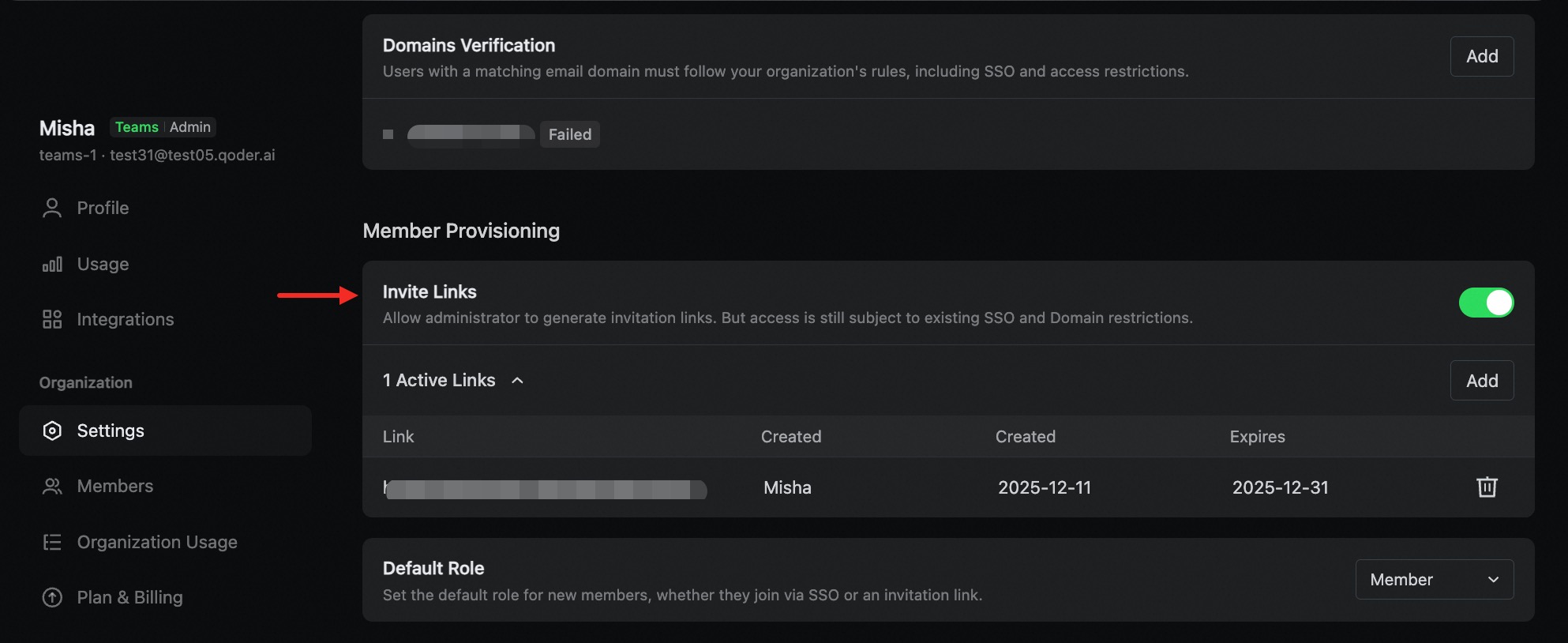 Email InvitationGo to the Members page, click Add Members, and enter the email addresses of the users you wish to invite. You can paste multiple email addresses at once for batch processing.
 Join via Single Sign-On (SSO)Go to Organization Settings and complete the SAML/OIDC configuration and domain verification. See SSO Documentation.
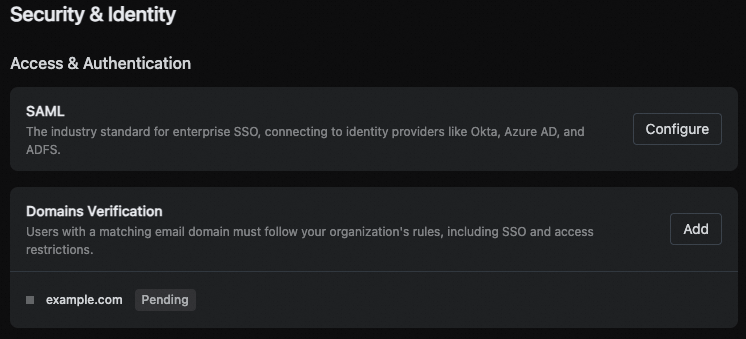 Manual Creation (Enterprise only)Admins can manually create members, provided domain verification is complete and SSO is enabled. Once created, the member will immediately occupy a seat.