

This article explains how to purchase and use shared add-on credits for your organization.
When the Credits included with seats are exhausted, administrators can replenish resources at any time by purchasing shared add-on credits for the organization, keeping the team productive.
Organization administrators can manage shared add-on credits by navigating to Organization Settings > Organization Usage.
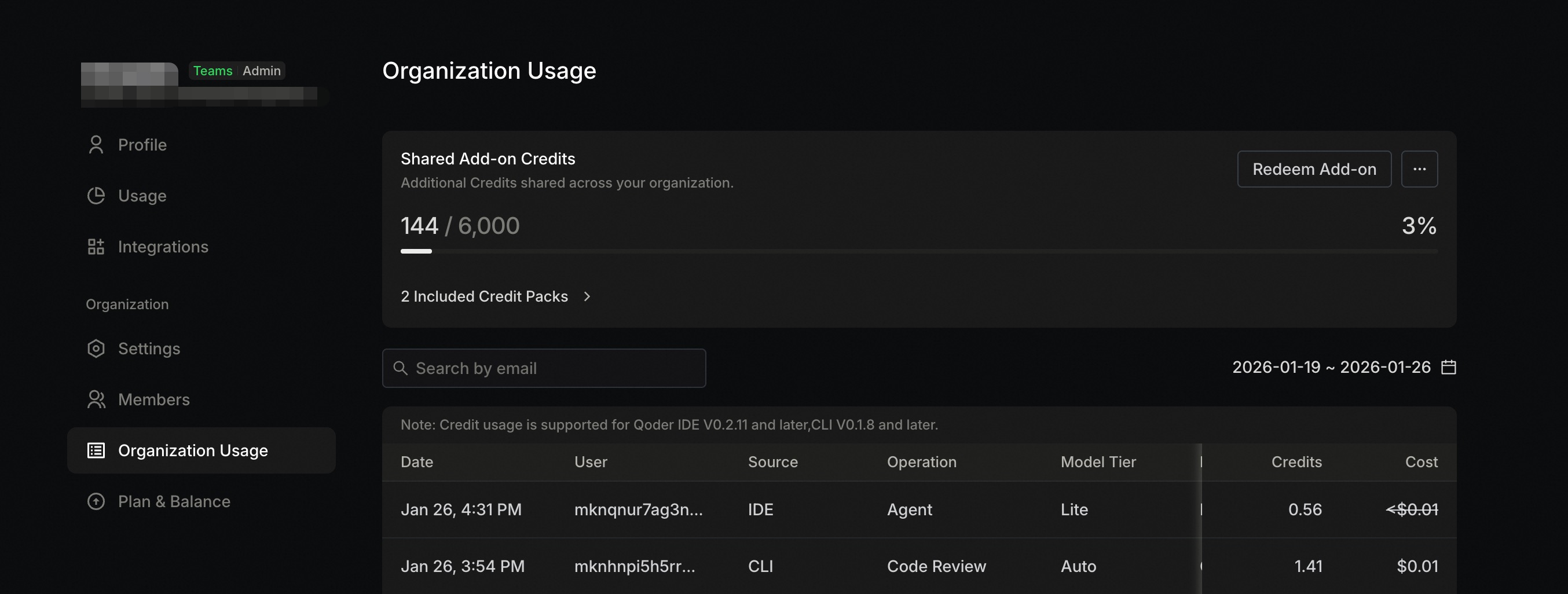
Purchase Credits from Alibaba Cloud Marketplace or Alibaba Cloud International Marketplace and redeem them. For cloud marketplace purchase instructions, see About Redemption Codes.If you already have a redemption code, go to the Organization Usage page and click the Redeem Add-on button to enter the redemption interface: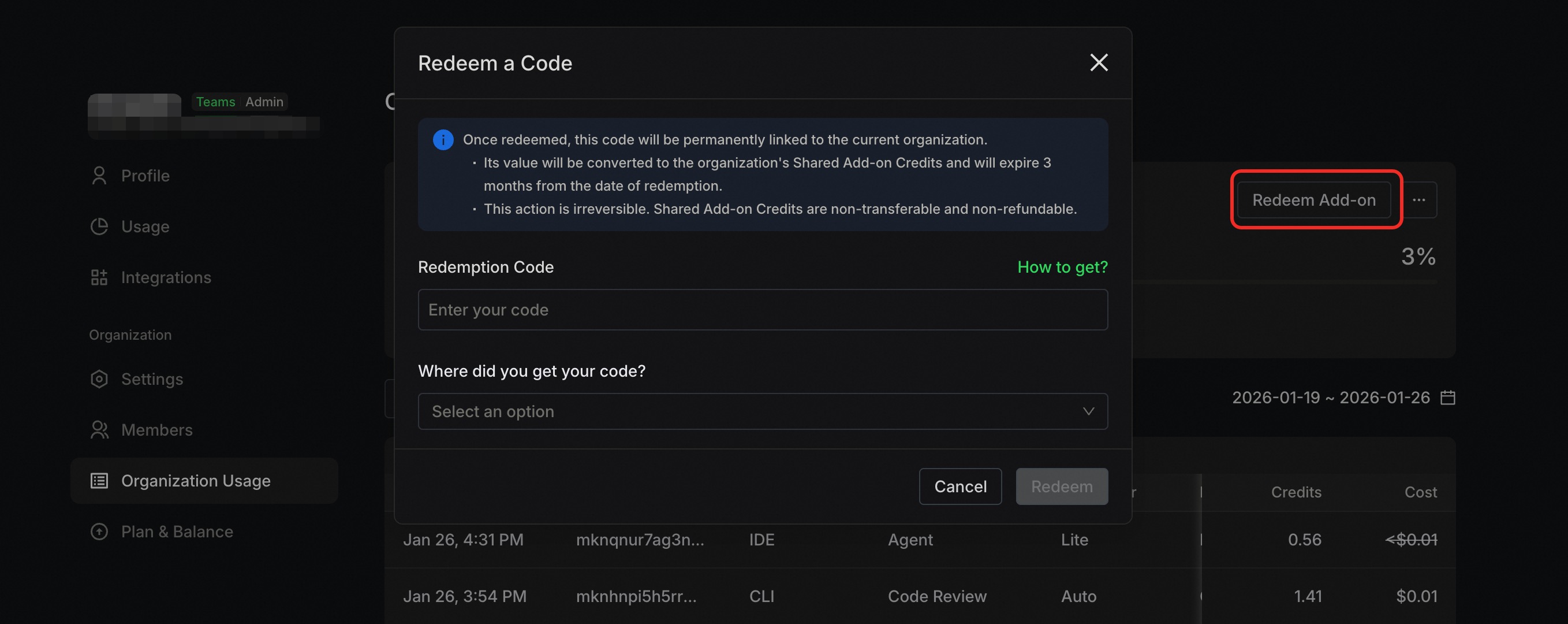 After redemption, you can immediately view the current effective shared add-on credits quota on the Organization Usage page, and also view redemption history.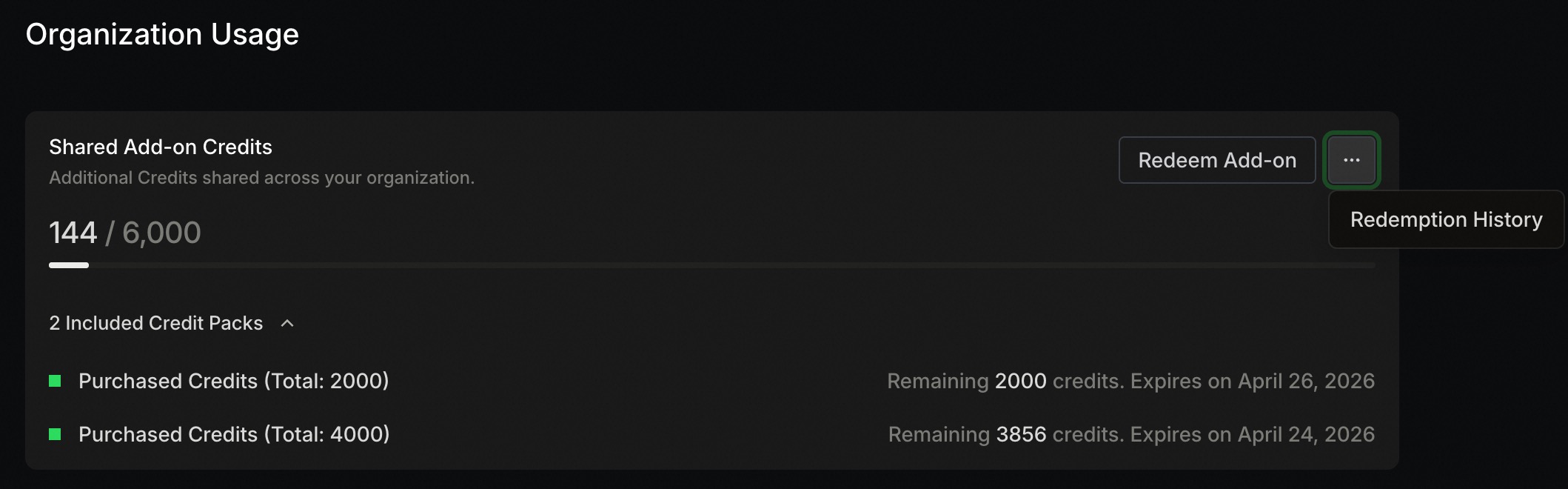
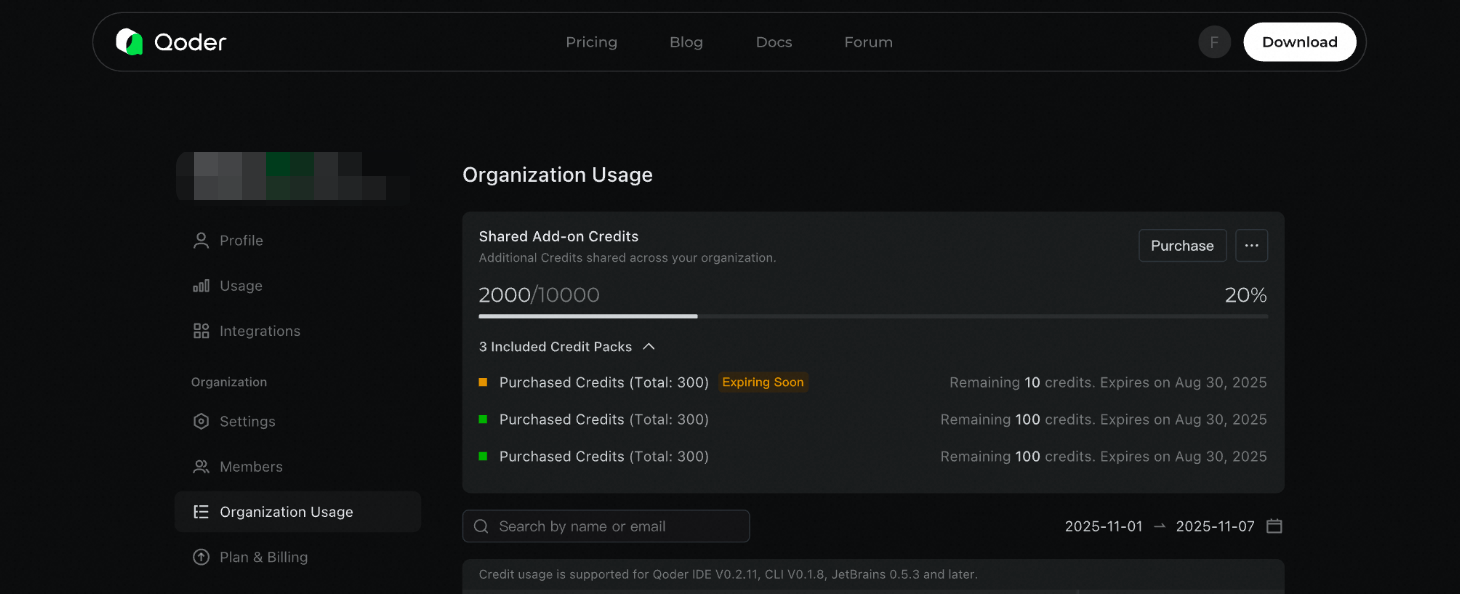
When multiple Credits sources are available for the current account, the consumption priority order is:
Valid for 1 year from the redemption code redemption date or direct website purchase date, then reset to zero upon expiration.
Organization administrators can set usage limits for shared add-on Credits for each member on the Organization Settings > Members page to prevent excessive individual usage of organization resources.
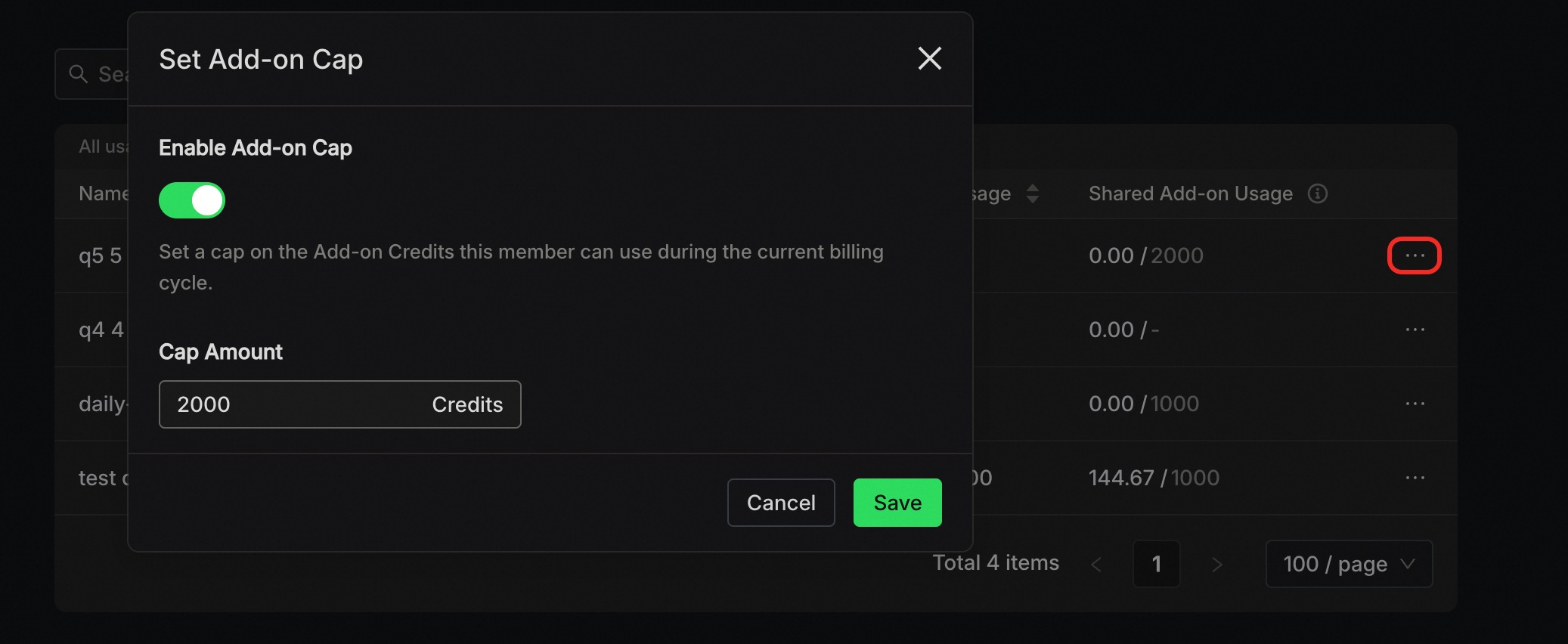
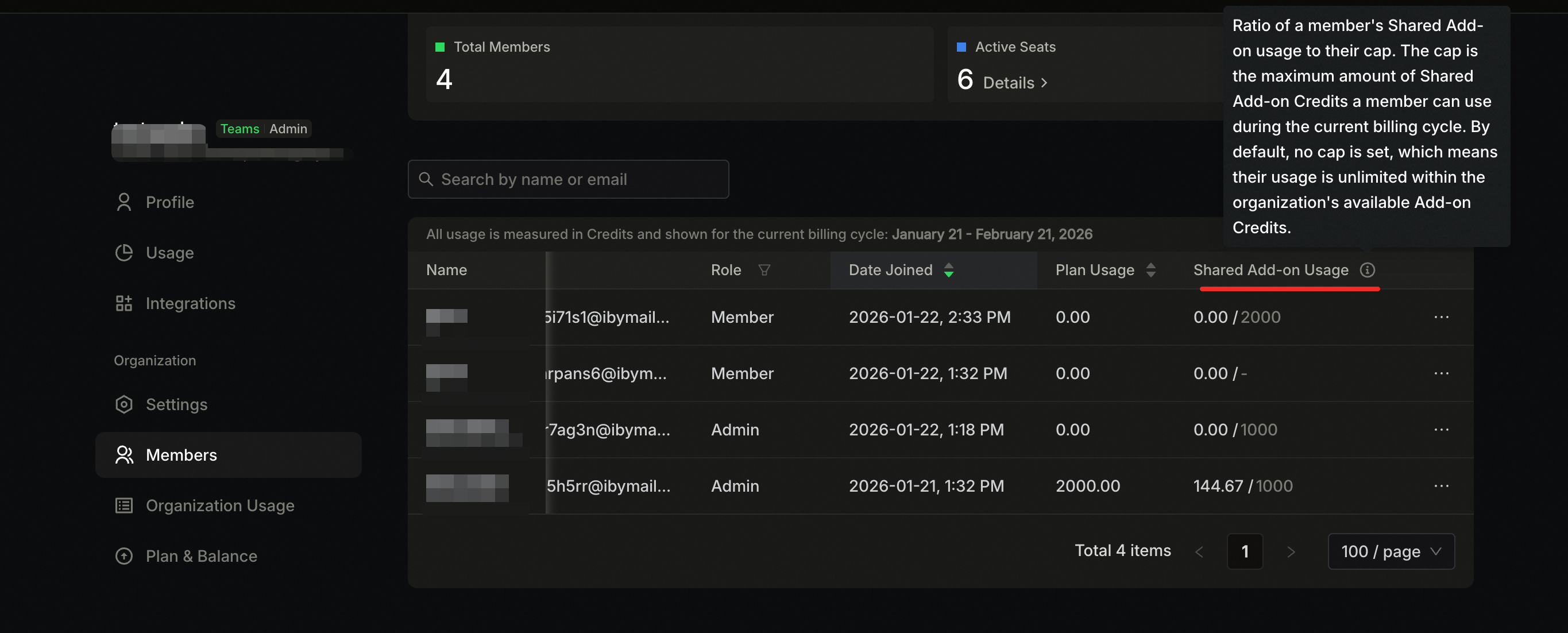 Administrators can limit member usage through ··· > Set Add-on Cap on the right side of the list.
This limit defines the maximum amount of shared credits a member can use per billing cycle. Once set, it persists across cycles and will not be reset automatically. If this setting is turned off, no individual cap is applied, and the member can use resources freely up to the total amount available in the organization's shared pool.
Administrators can limit member usage through ··· > Set Add-on Cap on the right side of the list.
This limit defines the maximum amount of shared credits a member can use per billing cycle. Once set, it persists across cycles and will not be reset automatically. If this setting is turned off, no individual cap is applied, and the member can use resources freely up to the total amount available in the organization's shared pool.
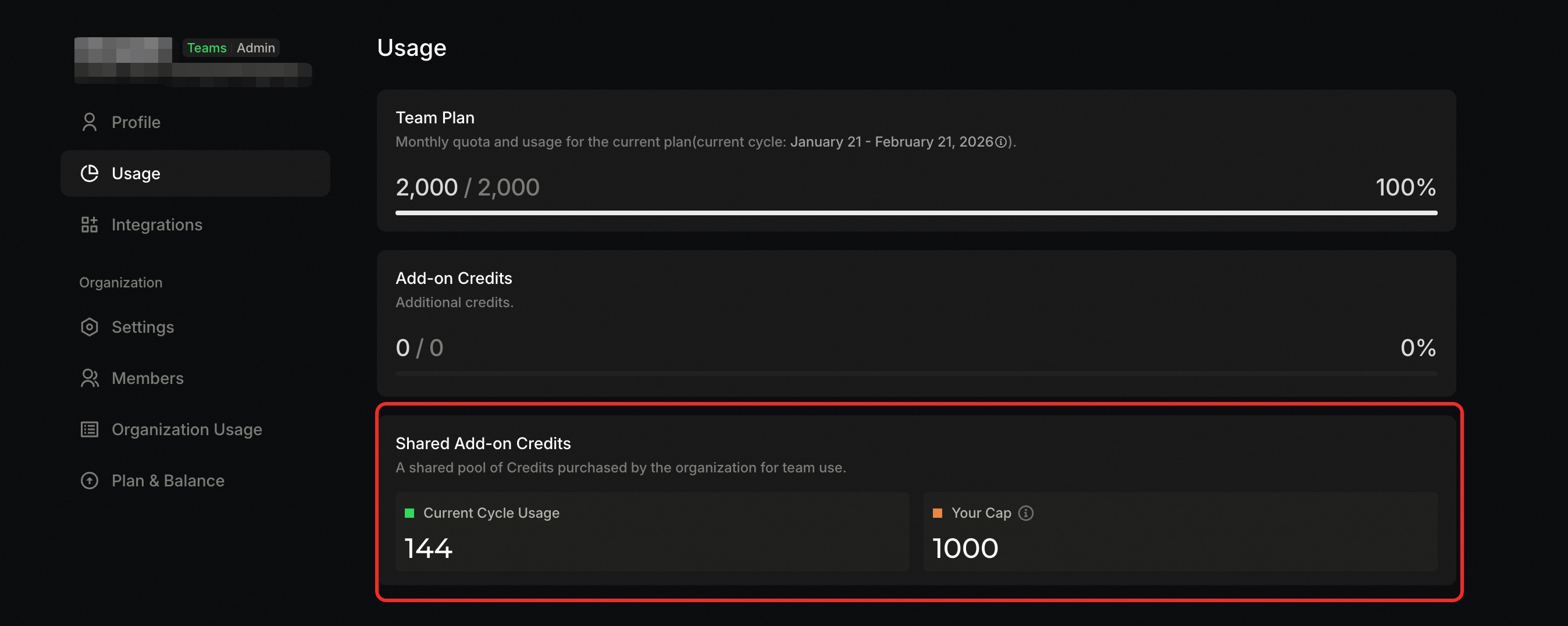
Organization members can visit the Account Settings > Usage page to view their shared add-on Credits consumption in the current cycle, as well as the cap limit set by the administrator.
 Shared add-on Credits may be unavailable for the following reasons:
- Shared add-on credits are shared among all members within the organization and used on demand.
- To prevent excessive individual usage of organization resources, administrators can set usage limits for members.
- Administrators can view each user's consumption of shared add-on credits.
Viewing and Purchasing Shared Add-on Credits
Organization administrators can manage shared add-on credits by navigating to Organization Settings > Organization Usage.
Cloud Marketplace Purchase and Redemption
Cloud Marketplace Purchase and Redemption
Please note:Cloud Marketplace redemption codes can only be used within organizations that were created using a redemption code.If your organization was created via direct purchase on our official website, please refer to the "Direct Purchase from Website" section below.
- Enter the redemption code from the cloud marketplace;
- Select the channel name corresponding to the redemption code, such as Alibaba Cloud Marketplace;
After redemption, this code will be permanently associated with the current organization. Its value will be converted to the organization's shared add-on credits, valid for 1 year from the redemption date. This operation is irreversible. Shared add-on credits are non-transferable and non-refundable.
Direct Purchase from Website
Direct Purchase from Website
Organizations created via direct purchase on the official website can continue to purchase shared add-on credits on the website.
- Organization administrators go to Organization Usage > Shared Add-on Credits.
- Click the purchase button, confirm the order, and complete the payment.
Once purchased, the shared resource pack is non-transferable and non-refundable.
Resource Consumption Priority
When multiple Credits sources are available for the current account, the consumption priority order is:
Consumed First
- Resources included in the subscription plan
- Personal add-on Credits
Consumed Second
Organization shared add-on CreditsIf there are multiple: those expiring sooner are consumed first.
All resource consumption details are recorded and displayed in the Organization Usage details list.
Shared Add-on Credits Expiration Rules
Valid for 1 year from the redemption code redemption date or direct website purchase date, then reset to zero upon expiration.
Member Usage Limit Settings
Organization administrators can set usage limits for shared add-on Credits for each member on the Organization Settings > Members page to prevent excessive individual usage of organization resources.
Explanation of the shared add-on Credits usage field in the list above:This field represents the percentage of the current member's shared add-on Credits usage relative to their available quota.For example, 10.00/2000 means the current user has used 10 Credits from the shared add-on Credits in the current cycle, and can use up to 2000 Credits of shared resources in the current cycle.Available quota refers to the amount of shared add-on Credits the member can use in the current billing cycle. A default of '-' indicates no spending limit, meaning a member's usage is only limited by the organization's available shared credits. A value of '0' prevents the member from using any shared credits.
Members Viewing Usage and Limits
Organization members can visit the Account Settings > Usage page to view their shared add-on Credits consumption in the current cycle, as well as the cap limit set by the administrator.
- Insufficient shared add-on Credits: A corresponding prompt will be displayed on the current page. Contact the administrator to purchase more resources.
- Usage has reached the cap limit set by the administrator for the current cycle: In this case, your current cycle usage equals your available cap value. To continue using, contact the administrator to increase the cap limit.