

Understand the available models and choose the right one for your task
QoderWork includes multiple world-class AI models with a flexible selection mechanism that helps you find the best balance between efficiency, quality, and cost.
The model selector offers the following options:
Different models are suited to different tasks. Here are some guidelines:
You can switch models at any point during a task. For example:
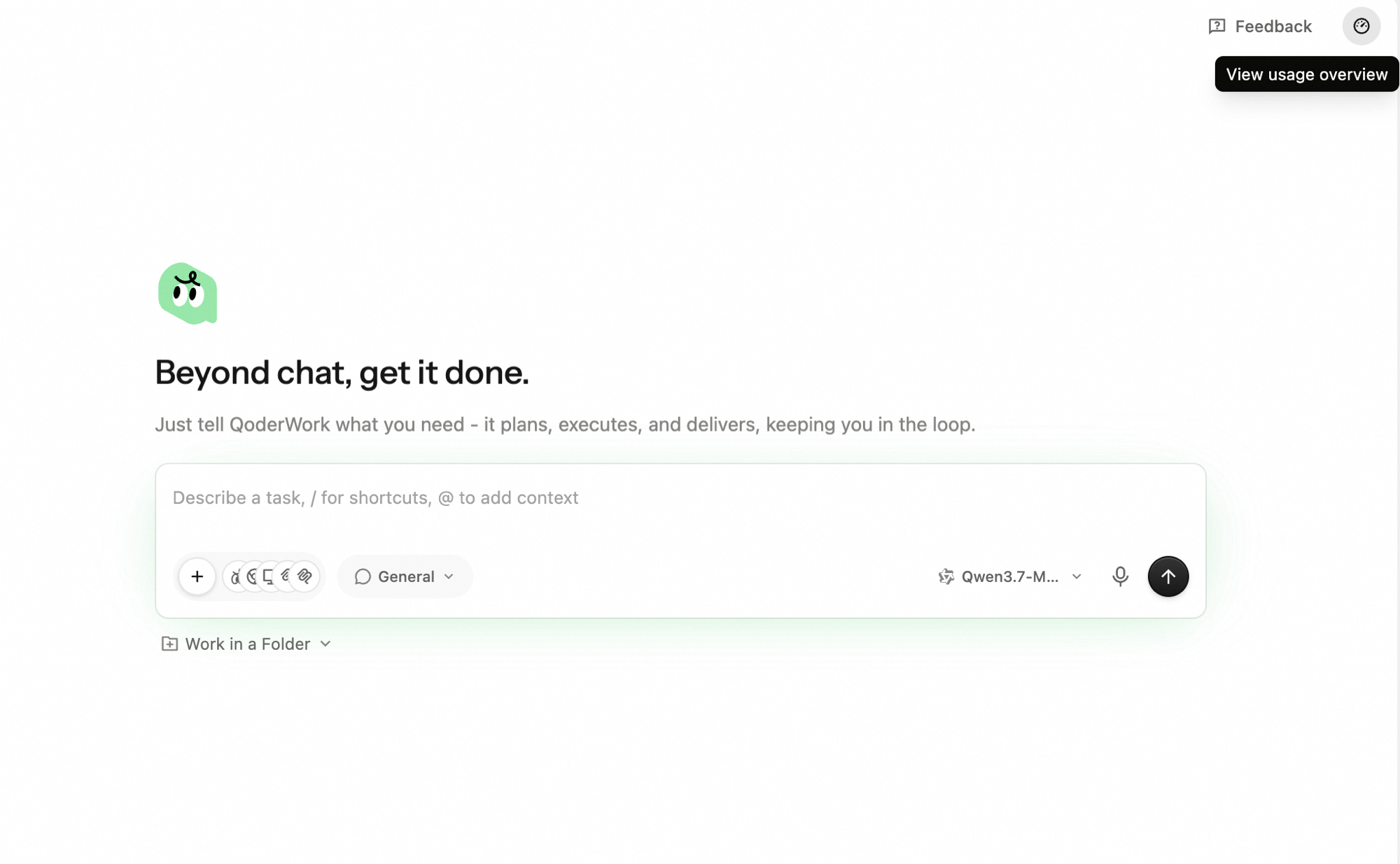
Different models consume Credits at different rates. Click the usage icon (⏱) in the top-right corner of the app, then click View usage overview to see your balance and breakdown.
 When your Credits balance is low:
QoderWork's model list is continuously updated. We regularly introduce excellent new models and retire or replace older ones based on performance and market conditions, keeping the selection high-quality and reliable.
Available Models
The model selector offers the following options:
| Model | Description | Recommended For |
|---|---|---|
| Premium | Peak performance for complex tasks | Complex analysis, multi-step tasks, research reports, creative writing |
| Advanced | Powerful and balanced for key tasks | Important project decisions, high-stakes analysis, tasks needing reliable output quality |
| Standard | Smart and efficient for everyday tasks | Simple Q&A, format conversion, copy editing, information lookups |
| Qwen3.7-Max | The most powerful Qwen yet — advanced reasoning capabilities | Tasks demanding top-tier Qwen reasoning quality |
| Qwen3.7-Plus | Qwen's everyday workhorse — fast and cost-effective | High-frequency everyday usage, cost-sensitive general tasks |
How to Choose
Different models are suited to different tasks. Here are some guidelines:
Tasks Suited for Standard
- Format conversion (PDF to Word, CSV to Excel)
- Simple file organization and renaming
- Basic copy editing and translation
- Templated content generation (e.g., standardized emails)
- Quick information lookups
Tasks Suited for Advanced
- Important project decisions and high-stakes analysis
- Tasks requiring consistently reliable output quality
- Mid-complexity research and writing
- Work that sits between everyday tasks and deep reasoning
Tasks Suited for Premium
- Deep data analysis and trend reasoning
- Complex research and competitive analysis
- Long-form writing and creative content
- Multi-step workflow orchestration
- Tasks requiring understanding of complex context
Tasks Suited for Qwen3.7-Max
- Tasks demanding the strongest Qwen reasoning capability
- Advanced analysis and complex problem solving with Qwen
- Long-form content generation requiring top-tier Qwen quality
How to Switch
1
Find the model selector
Next to the conversation input box, click the model dropdown.
2
Choose a model
Select Premium, Advanced, Standard, Qwen3.7-Max, or Qwen3.7-Plus.
3
Immediate effect
Your selection takes effect immediately. The new model applies to all subsequent messages in the current session. No need to start a new session.
Switching Mid-Task
You can switch models at any point during a task. For example:
- Start with Standard for the initial data-gathering steps
- Switch to Premium when you reach the deep analysis phase
- Switch back to Standard for final formatting and output
Credits Consumption & Management
Different models consume Credits at different rates. Click the usage icon (⏱) in the top-right corner of the app, then click View usage overview to see your balance and breakdown.
- Purchase additional Credits in your account settings
- Switch to Advanced or Standard to reduce consumption
- See the Pricing page for details