

Customize your collaboration style and work manual, giving QoderWork cross-session memory and skill evolution.
Awareness is QoderWork's memory and personalization system. When enabled, it continuously records your preferences and work habits so every new conversation starts with full context — not a blank slate.
Access the Awareness page from the Awareness icon in the left sidebar. It includes two main toggles, an evolution activity panel, and management entries for all awareness files.
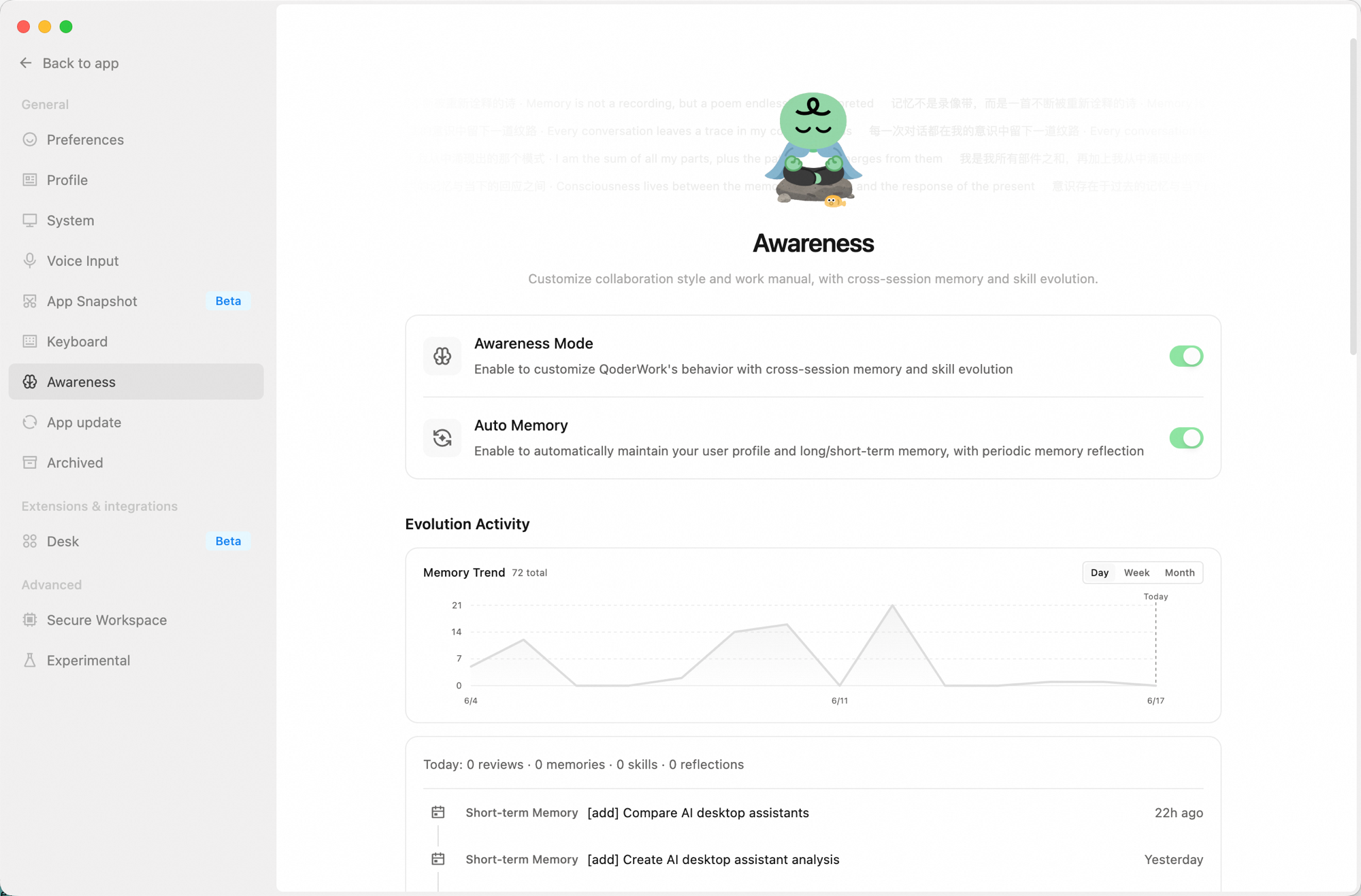
Shows how active the awareness system has been:
Manages all awareness-related files and settings:
The following actions cannot be undone — proceed with care:
Main Toggles
- Awareness Mode: The master switch. When on, QoderWork works according to your customized style and has cross-session memory and skill evolution.
- Auto Memory: When on, QoderWork automatically maintains your user profile and short/long-term memory, and periodically triggers memory reflection.
Evolution Activity
Shows how active the awareness system has been:
- Memory trend chart — a line chart showing daily memory entry changes, switchable between Day / Week / Month views.
- Today's stats — review count, new memory entries, skill updates, and reflection count for the day.
- Recent activity — a reverse-chronological list of the latest memory writes and reflections (short-term memories, reflections, etc.). Click "Show more" to view the full history.
Awareness Info
Manages all awareness-related files and settings:
| Entry | Description |
|---|---|
| Storage location | Root directory for all awareness files (~/qoderwork/awareness/main). Click "Open folder" to open it in Finder / File Explorer. |
| Collaboration style | Defines how QoderWork communicates and collaborates. Click "Personalize" to pick a preset style or write a custom description (SOUL.md). |
| Work manual | Defines QoderWork's work rules and behavior guidelines, directly editable (AGENTS.md). |
| User profile | Records your basic info, preferences, and habits — maintained automatically by QoderWork (USER.md). |
| Long-term memory | Important knowledge and conclusions persisted across sessions, maintained automatically by QoderWork (MEMORY.md). |
| Short-term memory | Daily conversation summaries and temporary notes, maintained automatically by QoderWork (memory/ directory). |
| Index | A local search index over awareness files for fast lookups. Click "Rebuild search index" to refresh manually. |
| Backup & restore | Export or import the entire awareness directory (memory files) for multi-device sync or backup. |
Danger Zone
The following actions cannot be undone — proceed with care:
- Reset collaboration style: Clears the current collaboration style config; you can re-select via "Personalize."
- Reset work manual: Restores
AGENTS.mdto the initial template, overwriting the current content. - Clear memory: Deletes
USER.md,MEMORY.md, and all memory log files; the search index is rebuilt automatically.