

This article explains how to purchase and configure the dedicated credits pack for service accounts.
Using a Service Account for system integration requires a dedicated credits pack.
Before using a service account dedicated credits pack, make sure that:
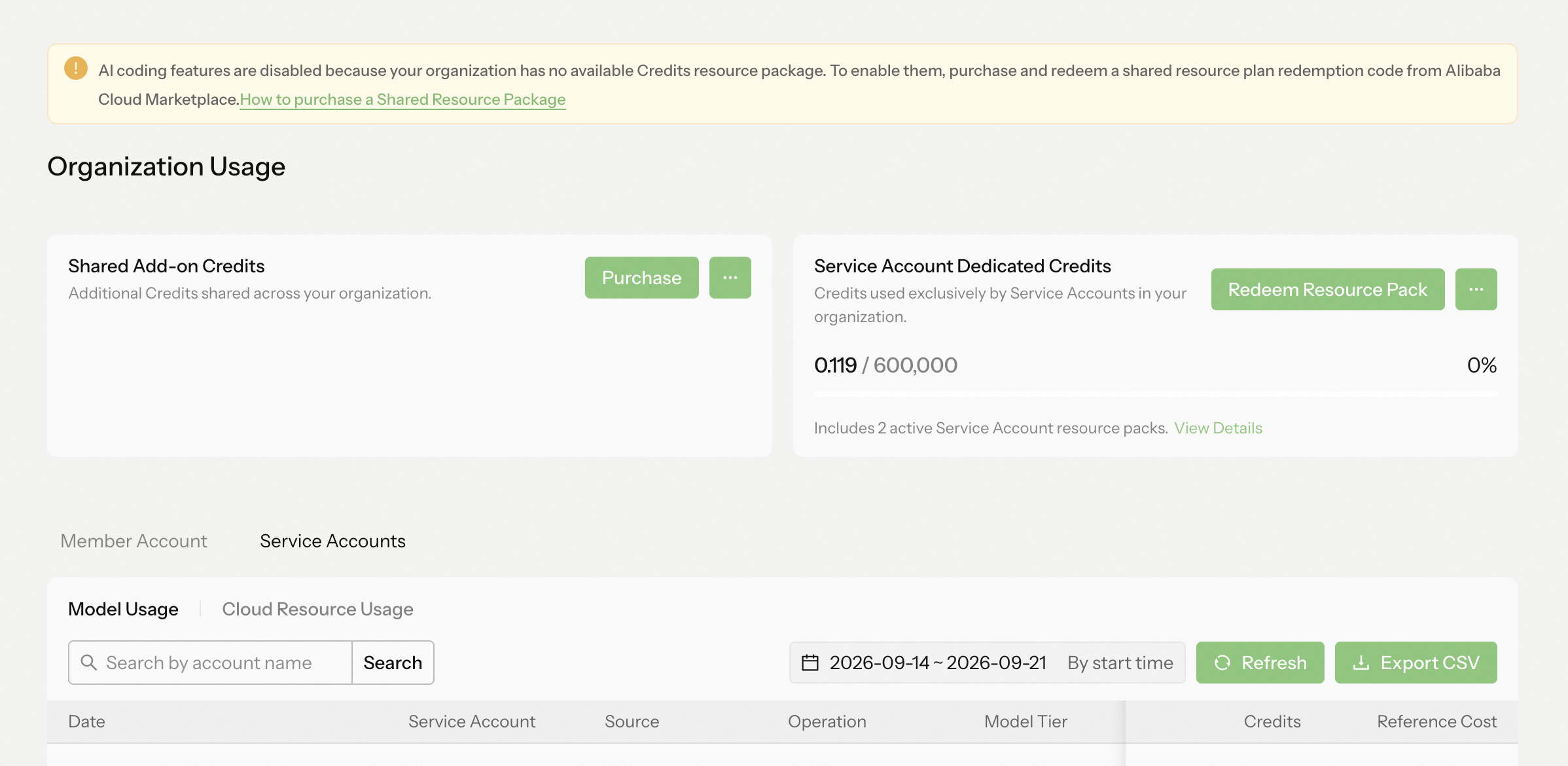 After redemption, you can view the active service account dedicated credits balance and redemption history on the Organization Usage page.
Valid for 1 year from the cloud marketplace purchase date, then reset to zero upon expiration.
Organization administrators can set a usage limit on dedicated resources for each service account on the Organization Settings > Service Accounts page, preventing a single account from consuming excessive organization resources.
Administrators can limit service account usage through ··· > Set the available quota of the dedicated credits pack for each service account on the right side of the list.
This limit defines the maximum amount of the dedicated credits pack the service account can use per cycle. Once set, it will not be reset when the cycle refreshes.
If the available quota toggle is turned off, no quota cap is applied, and the service account's usage is only limited by the organization's available dedicated credits.
- This dedicated credits pack is exclusively for service accounts and cannot draw on Credits from organization seats or shared add-on credits.
- To prevent a single service account from consuming excessive resources, administrators can set a quota limit for a specific service account.
- Administrators can view each service account's resource consumption.
Prerequisites
Before using a service account dedicated credits pack, make sure that:
- You have a Teams or Enterprise organization.
- The organization was created using a Cloud Marketplace redemption code. Organizations created through direct payment on the Qoder website do not currently support Service Account mode.
- You are signed in as an organization administrator.
Purchase and redemption
- Purchase: Service Account Dedicated Credits on Alibaba Cloud International Marketplace
- Redeem: Sign in to Qoder as an organization administrator, go to Organization Settings > Organization Usage, and click Redeem credits pack.
After redemption, the code is permanently associated with the current organization. Its value is converted to the organization's service account dedicated credits pack and remains valid for 1 year from the redemption date. This operation is irreversible. The dedicated credits pack is non-transferable and non-refundable.
Service Account Dedicated Credits Pack Expiration Rules
Valid for 1 year from the cloud marketplace purchase date, then reset to zero upon expiration.
Service Account Usage Limit Settings
Organization administrators can set a usage limit on dedicated resources for each service account on the Organization Settings > Service Accounts page, preventing a single account from consuming excessive organization resources.
Explanation of the dedicated credits pack usage fields:
- The percentage field represents the current service account's resource usage relative to its available quota. For example, 10.00/2000 means the service account has used 10 Credits from the credits pack in the current cycle, and can use up to 2000 Credits of dedicated resources in the current cycle.
- Available quota refers to the amount of the dedicated credits pack the service account can use in the current billing cycle. A default of "-" indicates no quota cap, meaning the service account's usage is only limited by the organization's available dedicated credits. A value of 0 prevents the service account from using any credits pack.