

Applicable plans: Teams / Enterprise
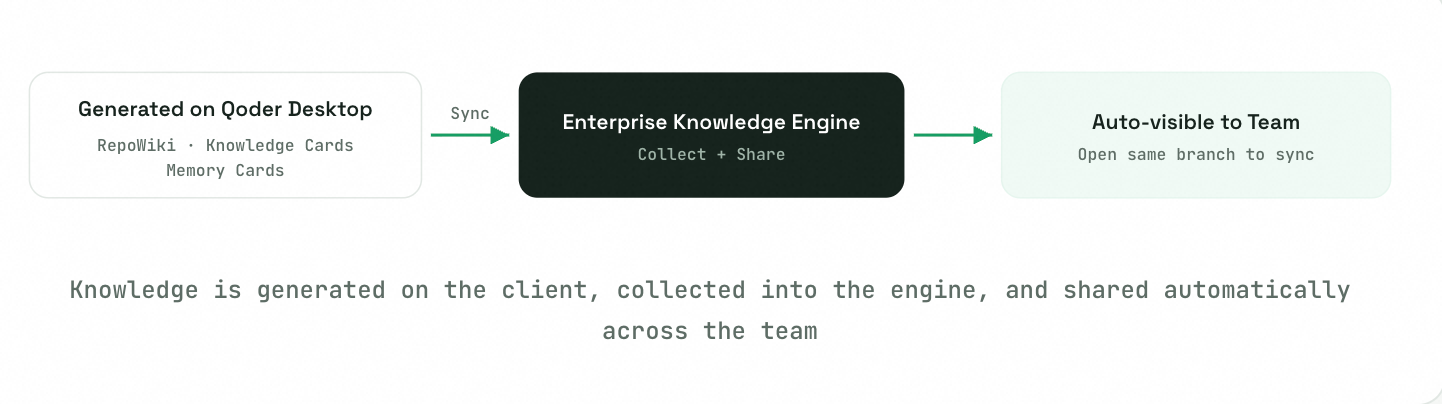
Knowledge Sources
Enterprise Knowledge only syncs the following three types of knowledge generated on the Qoder IDE client — it does not generate content independently:
| Knowledge Type | Description |
|---|---|
| RepoWiki | Automatically generated engineering Wiki based on code repositories, presenting overall repository structure and documentation |
| Knowledge Cards | Atomic knowledge units extracted from code repositories, specs, conversation history, plans, and commit messages. Types include overview, tech stack, convention, setup & commands, etc. |
| Memory Cards | Team knowledge distilled from conversation history between team members and Qoder, with scoring information |
Browsing the Knowledge Base
Entry path: Organization → Knowledge Base
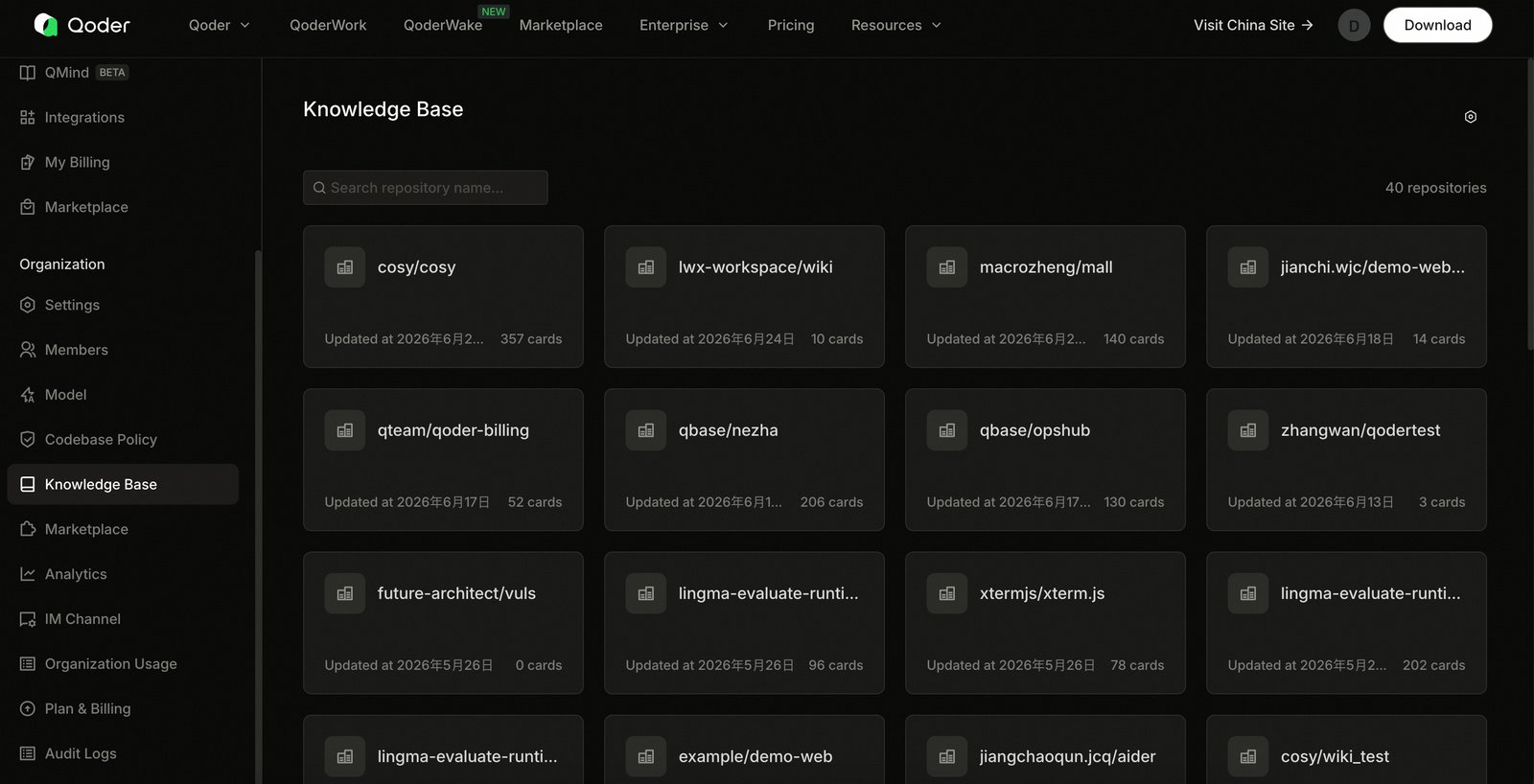
The knowledge base list displays each repository as a card showing icon, repository name, and "Updated at xxx · N cards" at the bottom, sorted by most recently updated.
- Top-left search box (Search repository name…) filters by repository name with highlighting
- Right side shows total repository count (e.g., 40 repositories)
- Click any card to enter the repository detail page
Repository Details & Branches
The detail page uses branch as root context, with the branch selector to the right of the repository name.
Three Tabs: RepoWiki, Knowledge Cards, Memory Cards. Switching tabs does not reset the selected branch.
Switching branches: RepoWiki and Knowledge Cards content refresh together, preserving the current tab while clearing in-tab search. Branch switching is not supported under the Memory Cards tab.
Search (two semantics):
- Under RepoWiki: "content location" — highlights matches in the body with previous/next navigation
- Under Knowledge Cards / Memory Cards: "list filter" — filters the list by title or content and shows match count
Team Knowledge Collection & Sharing
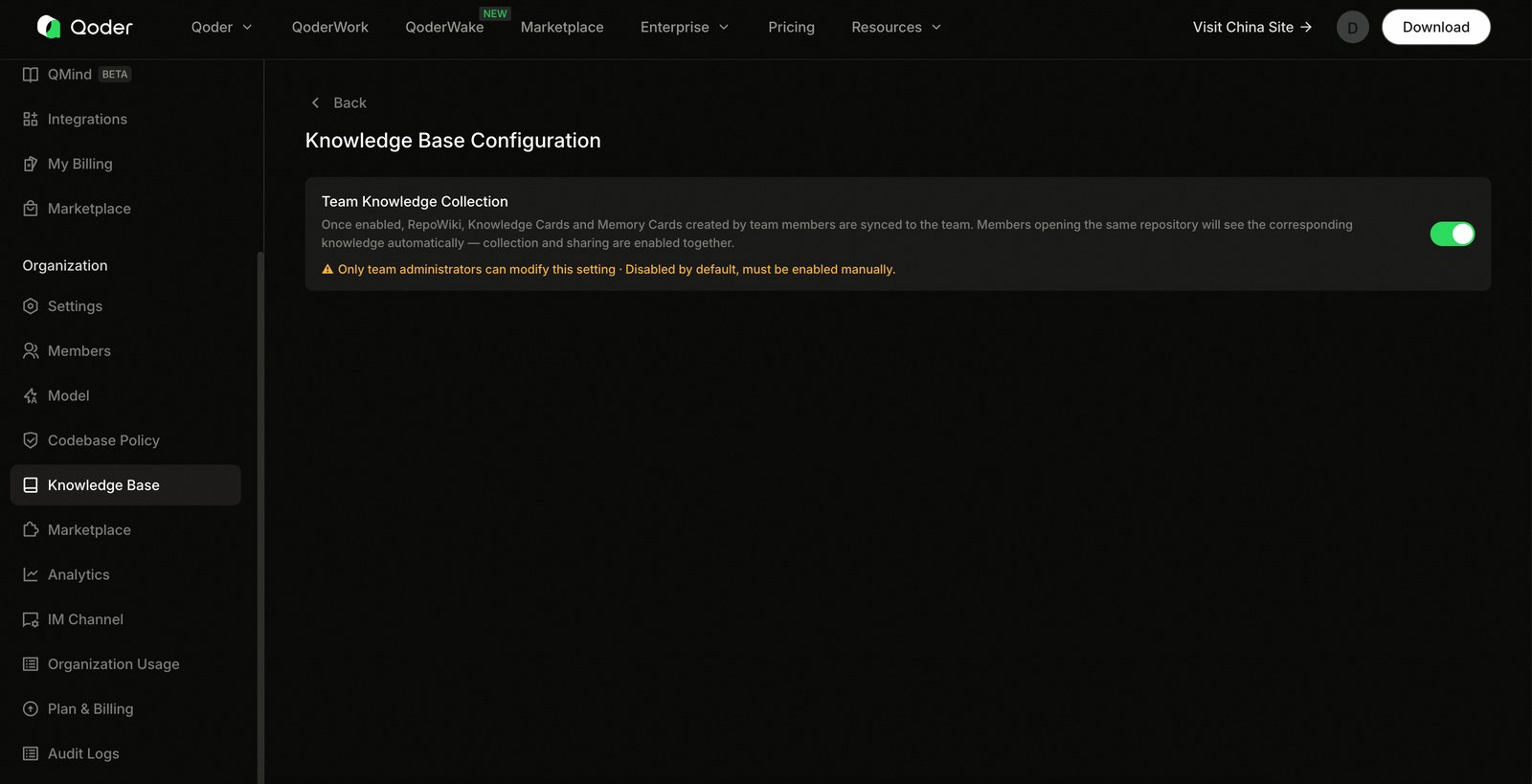
Entry: Gear icon on the top right of the list page → Knowledge Base Configuration
The core setting is the "Team Knowledge Collection" toggle:
- Only team administrators can modify; disabled by default
- When enabled, collects RepoWiki, Knowledge Cards, and Memory Cards generated by team members on the client, sharing them within the team (collection and sharing take effect simultaneously)
- Both enabling and disabling require confirmation dialogs
- When collection is not enabled, the list page shows an empty state with a "Go to settings to enable" entry
- The knowledge base only appears after enabling
- When just enabled and content hasn't synced yet, an "Collecting" intermediate state is displayed
Client-Side Sync & Data Retention
Team members interact with the engine via the "Sync Team Knowledge" toggle on Qoder IDE:
- When a member opens a local project with no local knowledge, and cloud knowledge exists for that branch, it is automatically pulled to local
- When local knowledge already exists, cloud version updates overwrite local
- The "Sync Team Knowledge" toggle is enabled by default; it automatically disables after first using
/knowledgeto modify knowledge (user controls manually afterward) - The toggle is unavailable when the repository has no git remote information