

Create an OpenAPI key from the Qoder web console.
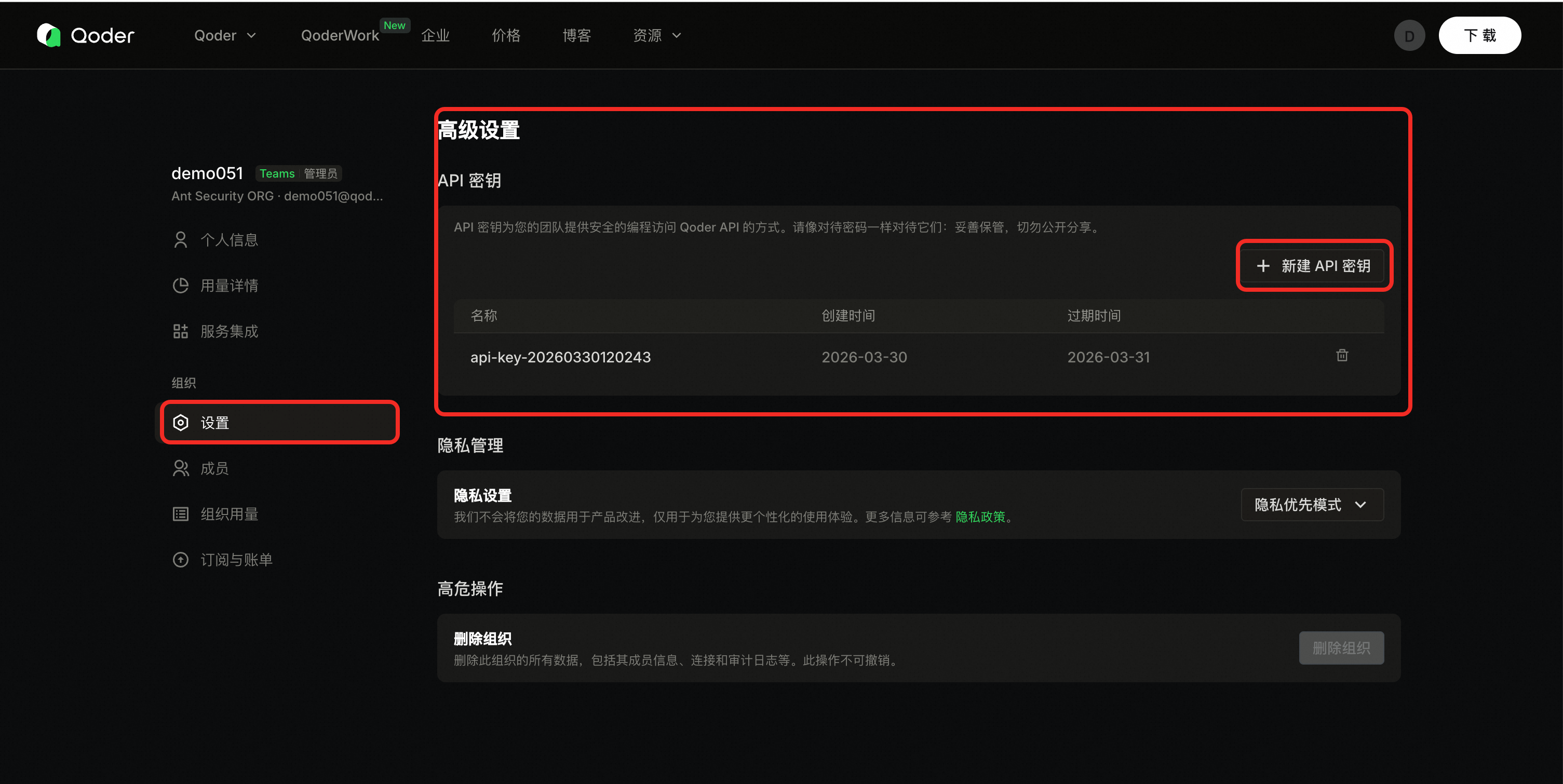
Organization admins can create an API Key for OpenAPI access. The key acts with broadly the same API access as the creator, within the product’s permission model—create keys sparingly and limit who can see them.
Reference screenshots (UI may vary slightly in production):
Prerequisites
- Sign in with an account that has organization admin rights.
- Open the organization Settings area.
Steps
-
Open organization settings (replace
{orgid}):https://qoder.com/organizations/{orgid}/settings - In the left nav, open Settings, then Advanced, and find API keys.
- Click Create API key (or equivalent).
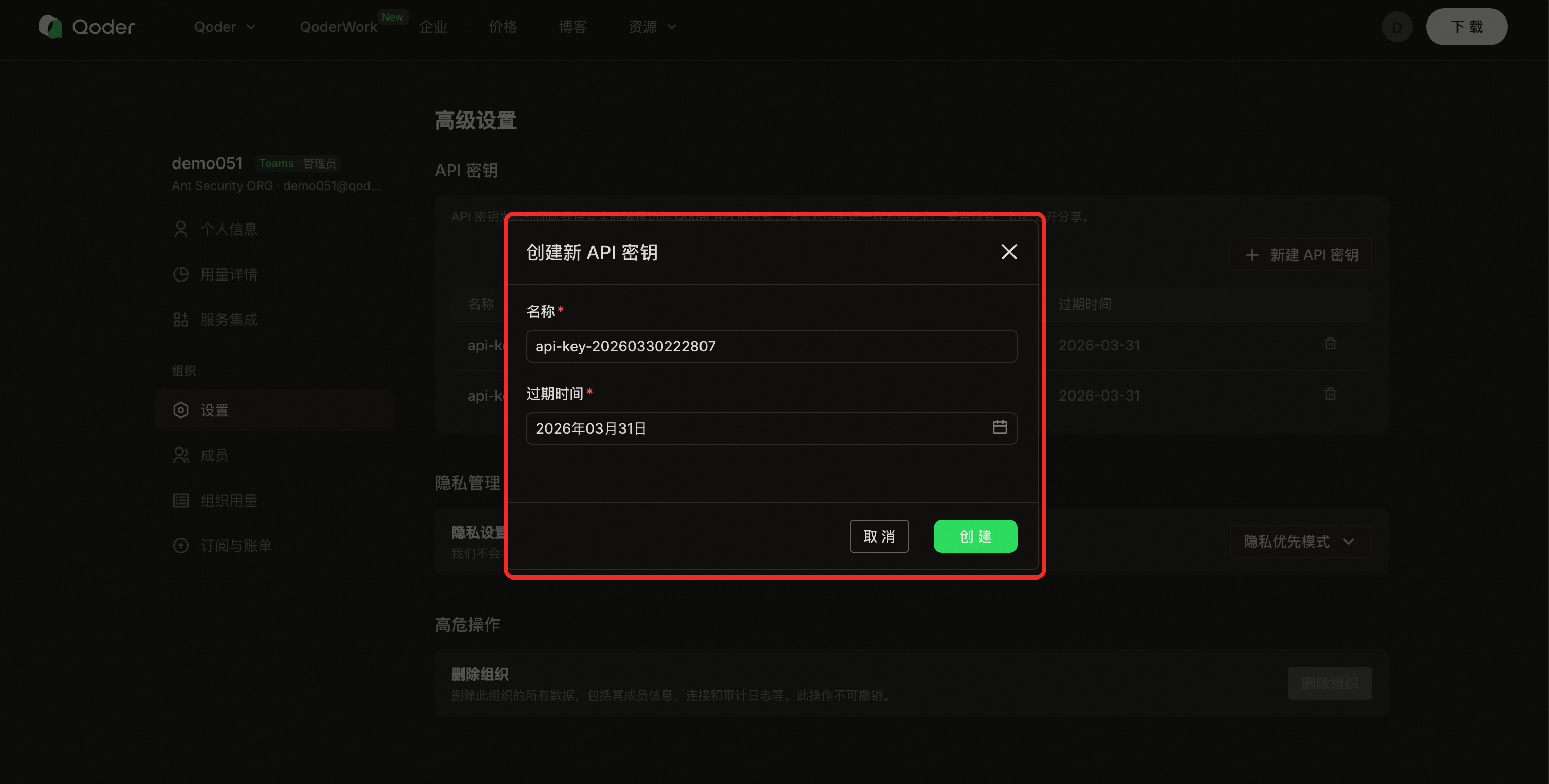
- Enter a name and expiration, then create.
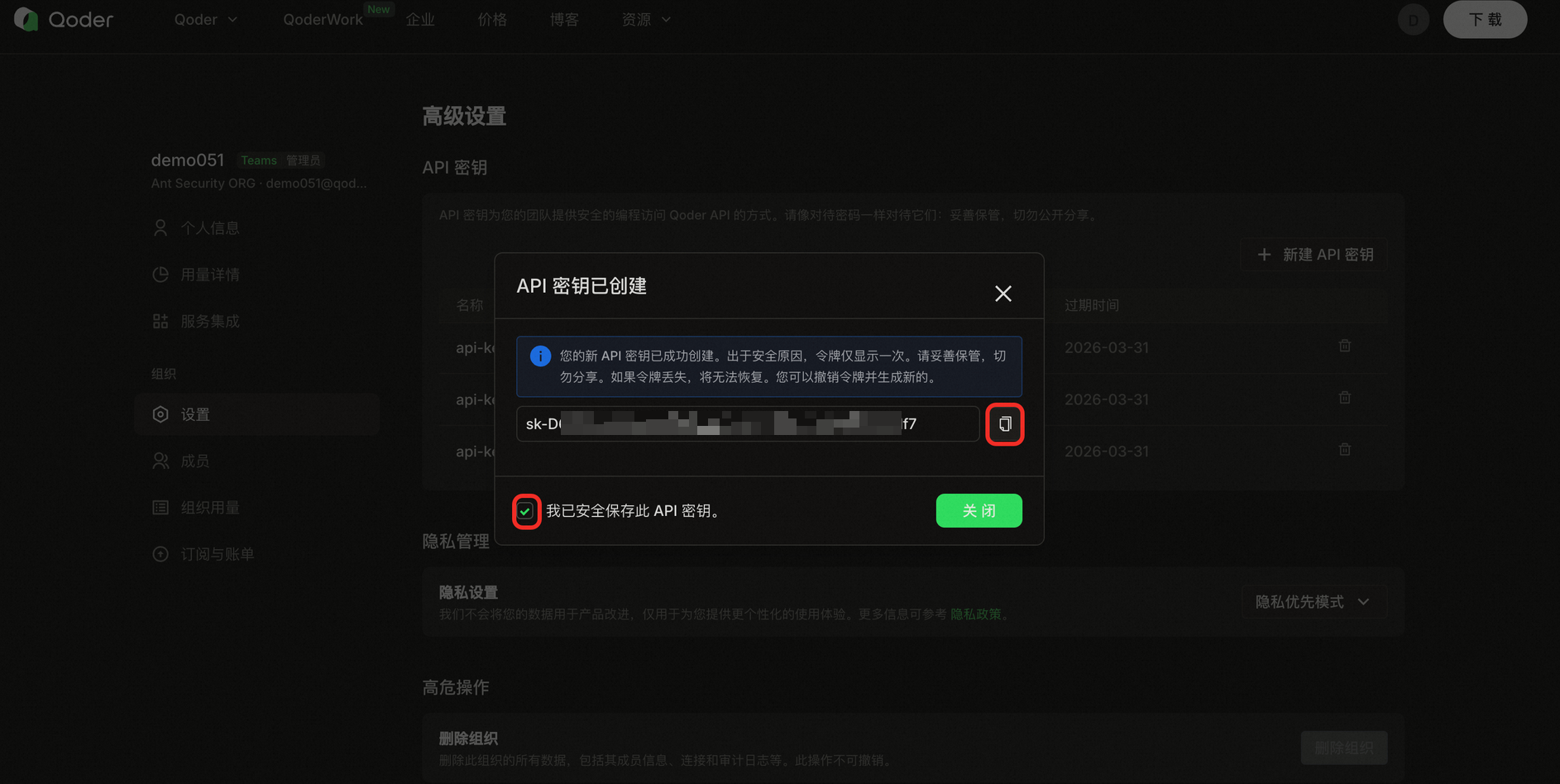
- Copy the key immediately and confirm I have saved this API key to finish.
Screenshots
Reference screenshots (UI may vary slightly in production):
Form fields
| Field | Description |
|---|---|
| Key name | A label to identify the key in the list (length limit per console, often up to 100 characters). |
| Expiration | Choose an expiry up to about one year; expired keys stop working. |
After creation
- Store the key in environment variables or a secret manager—do not hard-code.
- Use separate keys per system or environment so you can revoke one without affecting others.
- See API Key Security for full guidance.