Documentation Index
Fetch the complete documentation index at: https://docs.qoder.com/llms.txt
Use this file to discover all available pages before exploring further.
Experts Mode is Qoder’s multi-agent collaboration feature designed for complex development tasks. Simply state your requirements, and the system automatically decomposes tasks, assembles an expert team, and executes design, implementation, testing, and quality assurance in parallel—delivering production-ready engineering results.
In a nutshell: You define the goal, the AI expert team delivers the result.
Core Workflow
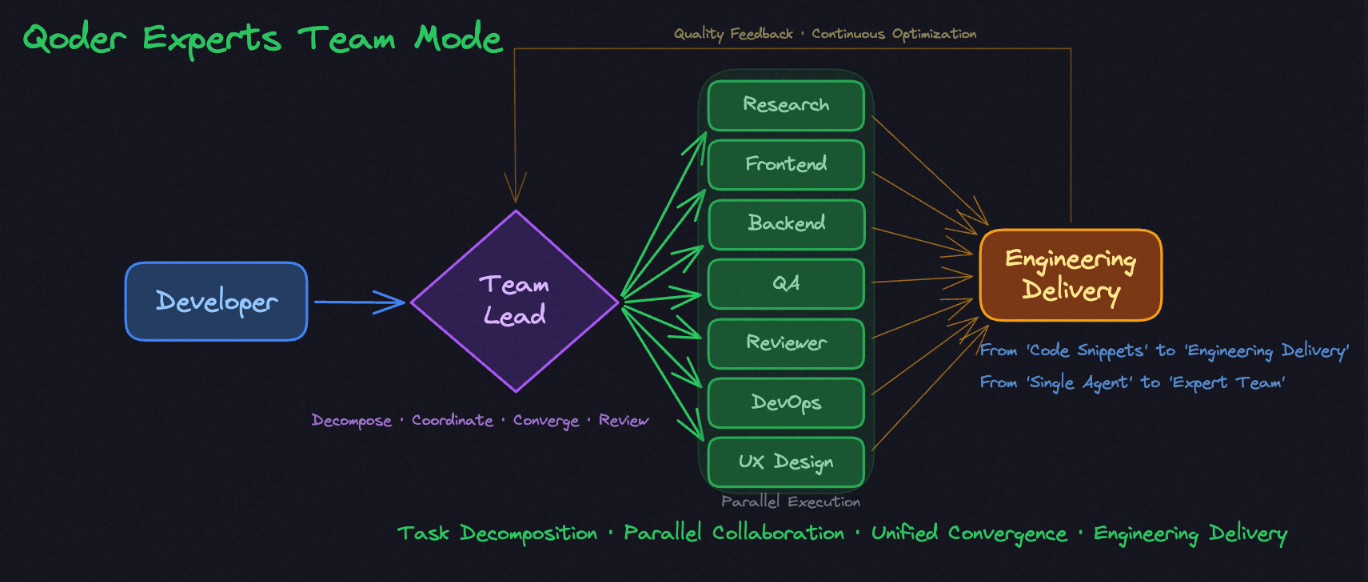 When you initiate a request, Team Lead acts as the “brain” of the entire task—understanding goals, decomposing tasks, coordinating globally, ensuring quality, and dynamically pulling in experts from different domains to collaborate in parallel:
| Role | Responsibilities |
|---|
| Team Lead | Understand requirements, decompose tasks, coordinate scheduling, ensure quality |
| Frontend Expert | Responsible for UI/UX implementation and interaction logic |
| Backend Expert | Design APIs, databases, and service architecture |
| QA Expert | Write test cases, cover edge cases |
| Code Review Expert | Ensure code standards, security, and maintainability |
| Research Expert | Evaluate technology choices, compare solution pros and cons |
| DevOps Expert | Plan deployment, monitoring, and auto-scaling strategies |
| UX Designer | Provide interface prototypes and user experience recommendations |
User Guide
1. Switch to Experts Mode
Click the mode switcher at the top of the Qoder chat panel and select Experts Mode.
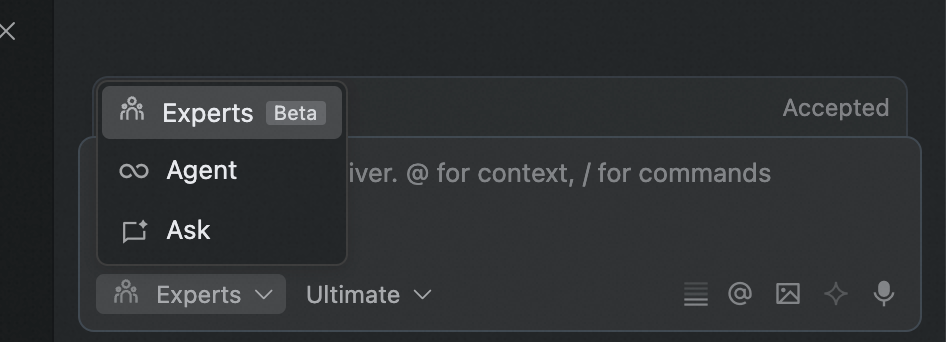 After switching, simply describe your requirements in natural language. Team Lead will automatically understand the goal, create a plan, and coordinate the expert team to execute.
2. Requirement Planning
Experts Mode has built-in planning capability, generating an implementation plan before task execution:
- Describe requirements: Clearly state goals, tech stack preferences, quality requirements, etc.
- Generate plan: Team Lead analyzes requirements and generates a structured implementation plan
- Review and adjust: You can modify the plan before execution, adding missing steps
- Confirm execution: After confirmation, the expert team begins parallel work
3. Task List
During task execution, a real-time task list appears at the bottom of the chat panel:
- Pending: Tasks waiting to be executed
- In Progress: Currently executing tasks
- Completed: Finished tasks
Click on any task to view its execution progress, process, and results at any time.
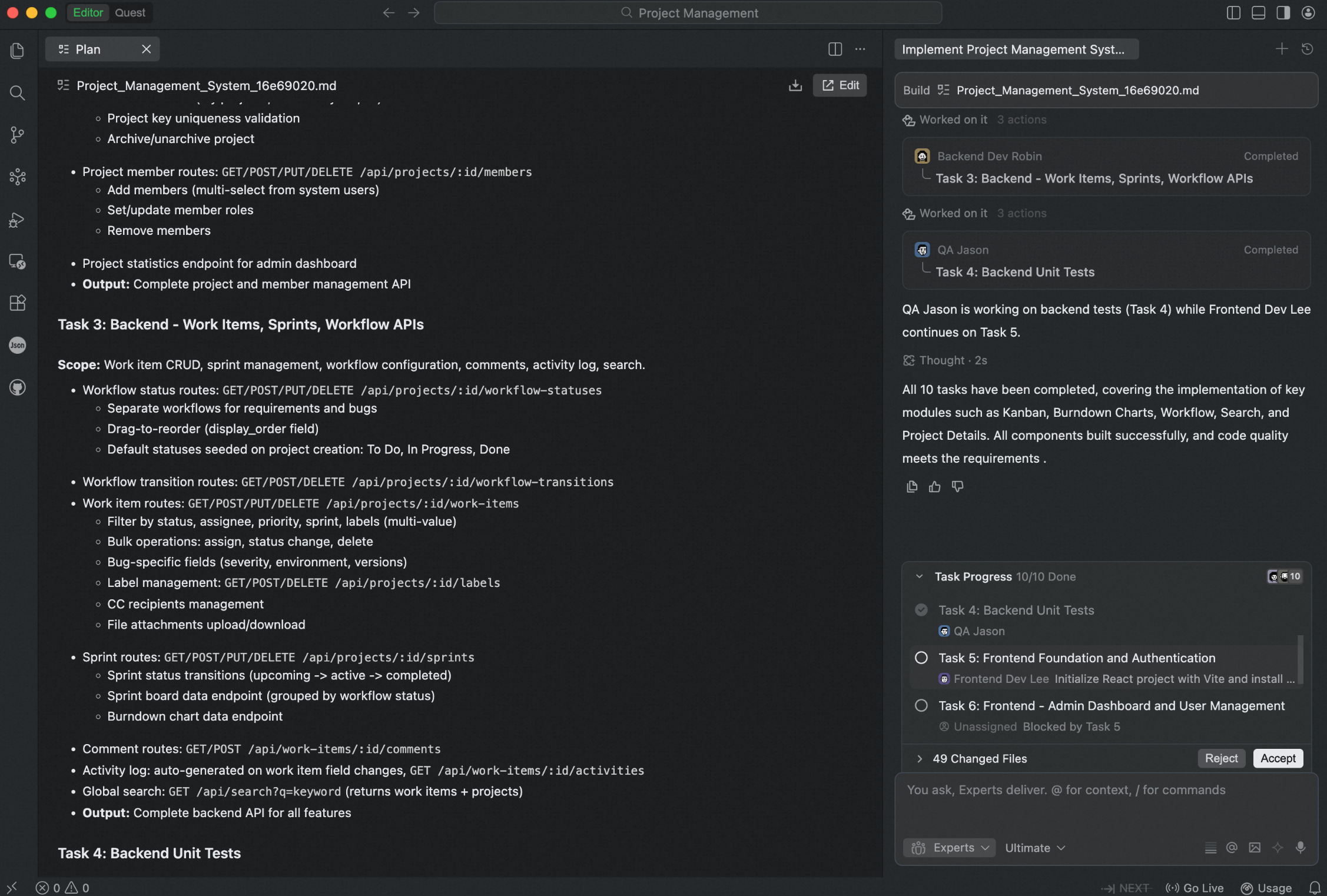 Additionally, when tasks require user confirmation or intervention, notifications will appear above the dialog for your timely attention.
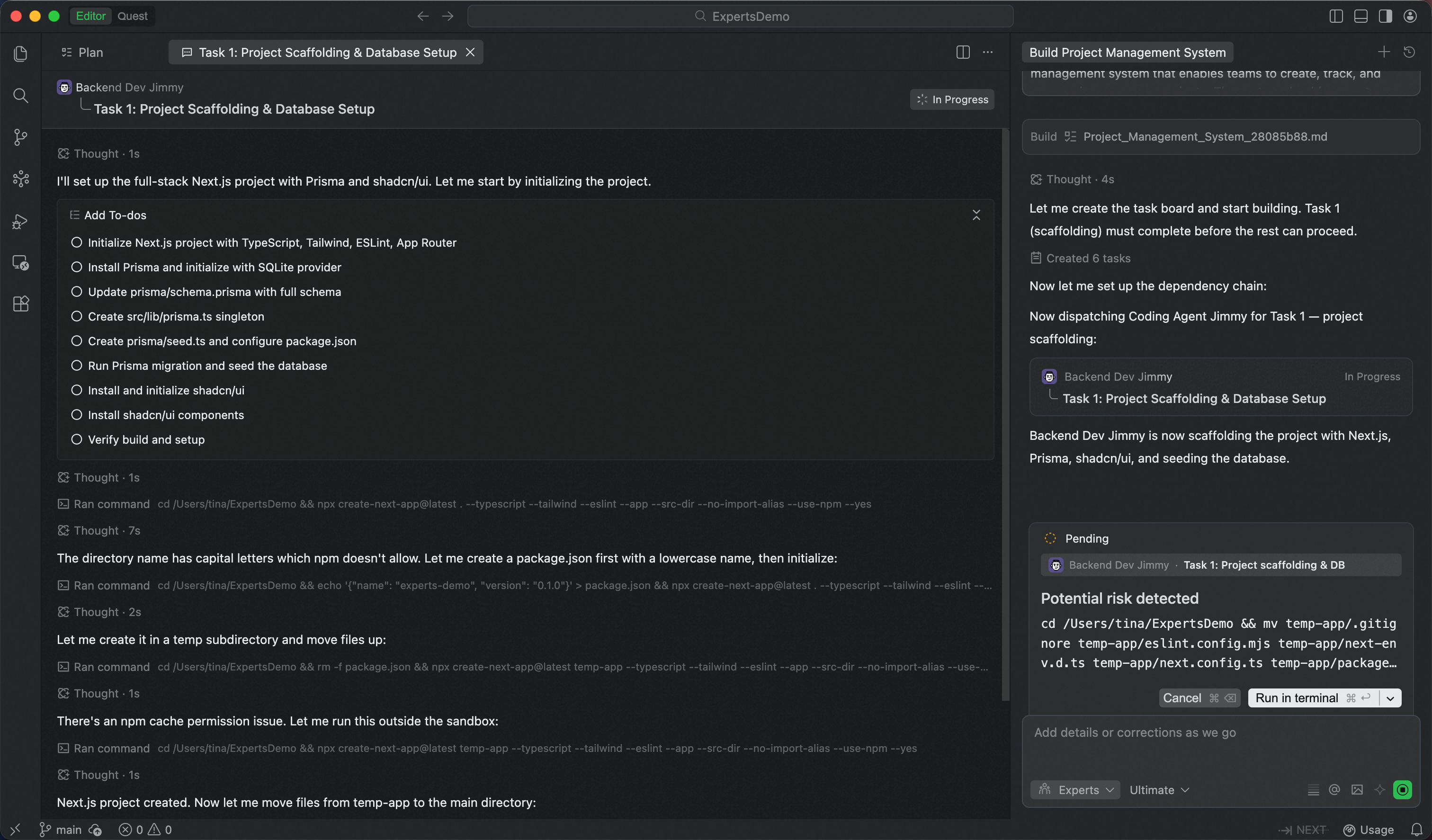 In Experts Mode, Team Lead will autonomously schedule and execute the vast majority of tasks, with only rare cases requiring your intervention:
- Terminal commands that hit the blocklist or are identified as high-risk operations
- Tool call count reaches the limit
- Other exceptional situations requiring manual intervention
4. Sub-agents (Experts)
Team Lead dynamically schedules expert sub-agents from different domains based on task needs. In the conversation flow, you can see the status of each expert agent and click to view details. Experts don’t block each other and execute in parallel, while Team Lead aligns and integrates results in real-time.
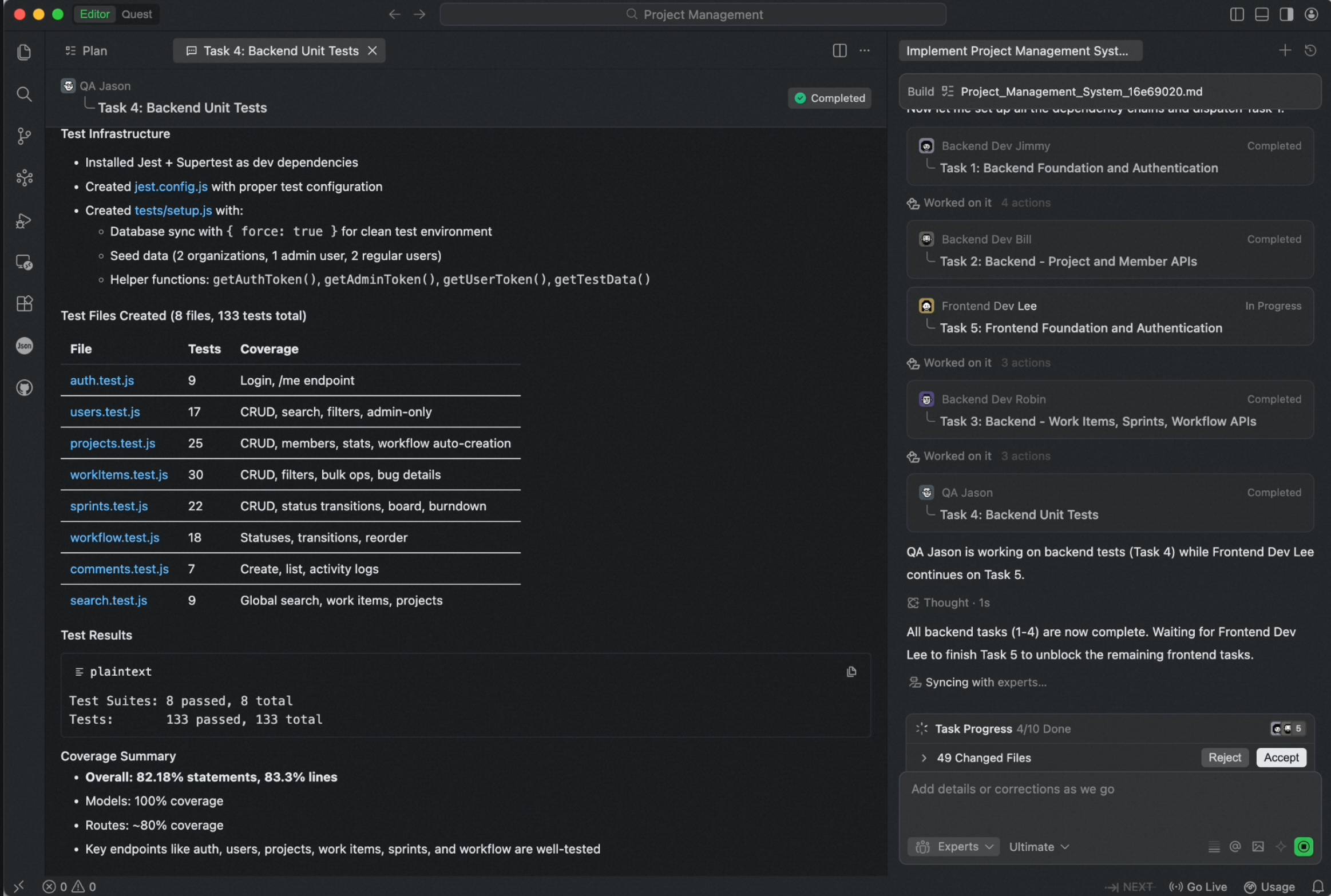 Selected Expert Capabilities
- Web verification: Used for web functionality verification, can automatically open web pages, execute interactions, and provide screenshot feedback. See Browser Agent.
- Code review: Automatically checks code standards, potential security issues, performance bottlenecks, etc.
- Research: Retrieves technical materials and best practices from the internet to support technical research and decision-making. See Browser Agent.
5. Custom Sub-agents (Experts)
Besides built-in experts, you can create custom sub-agents to extend the expert team’s capabilities. For example, create specialized experts for specific tech stacks, business scenarios, or team standards. See Sub-agent Documentation.
6. Expert Self-Evolution Mechanism
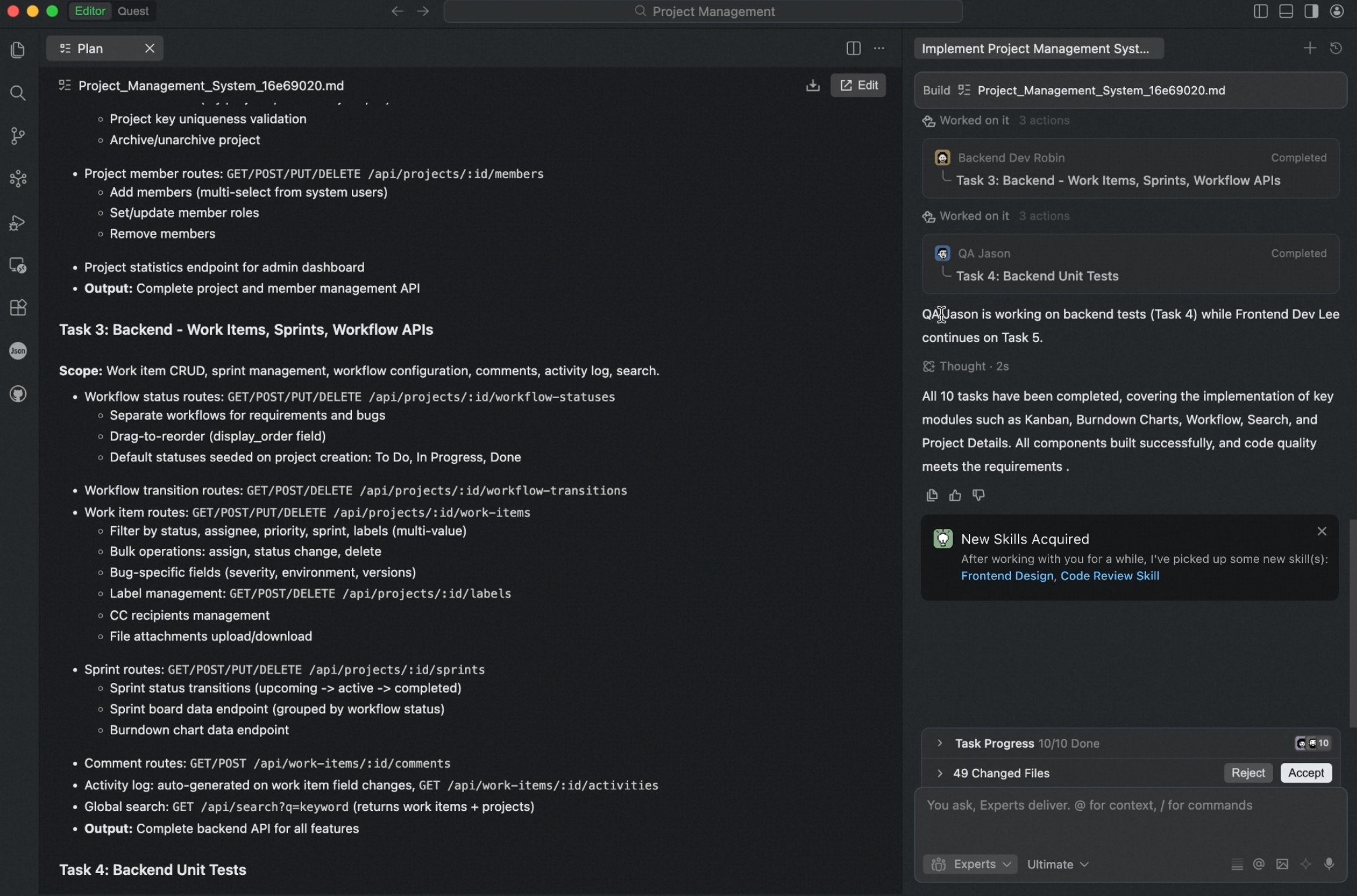
Most AI tools can complete tasks but can’t accumulate experience—every new requirement requires re-understanding context. Experts Mode has a built-in dual evolution mechanism, enabling your AI team to continuously grow:
| Evolution Dimension | Description |
|---|
| Expert Skill (Individual Evolution) | Each expert continuously optimizes specialized capabilities during tasks—the more you use them, the better they understand your tech stack and preferences |
| Team Skill (Team Evolution) | The system records each team assembly experience—next time a similar task arises, it directly assembles the historically optimal lineup |
When to Use Experts Mode?
Experts Mode is designed for medium-to-large engineering tasks—it delivers maximum value when you expect end-to-end, high-quality results. Here are three typical scenarios:
| Scenario | Example Task | How Experts Helps |
|---|
| Full-Stack Development | Develop user management module (registration, login, info management) | Team Lead generates plan, frontend/backend experts develop in parallel, QA tests simultaneously, code review ensures quality |
| Complex Issue Diagnosis & Fix | Production performance bottleneck involving multiple microservices | Team Lead assembles backend and DevOps experts to collaboratively analyze logs, trace call chains, locate and fix issues |
| Technical Solution Research | Evaluate GraphQL replacing RESTful API | Research expert gathers materials, frontend/backend experts assess tech stack impact, deliver actionable research report |
For simple, straightforward file modifications, Agent Mode remains the more efficient choice.
Best Practices
- Help Experts Understand Your Intent Better
| Tip | Description |
|---|
| Describe the end goal | Clearly state what result you want, not just what operation to perform |
| Provide context | Relevant business background, existing code structure, technical constraints |
| Specify quality requirements | Whether tests, documentation, code standard checks are needed |
| Indicate priorities | Which are must-haves, which are nice-to-haves |
- Intervene Anytime Without Interruption
During expert team execution, you can intervene and adjust at any time without stopping the conversation:
- Correct direction: Notice something off track? Directly state what needs improvement, Team Lead will adjust in real-time
- Add requirements: Have new ideas or missed something? Add anytime, the expert team will incrementally improve
- Change priorities: Requirements changed? Inform the new focus, the team will reallocate resources
Expert Team Canvas
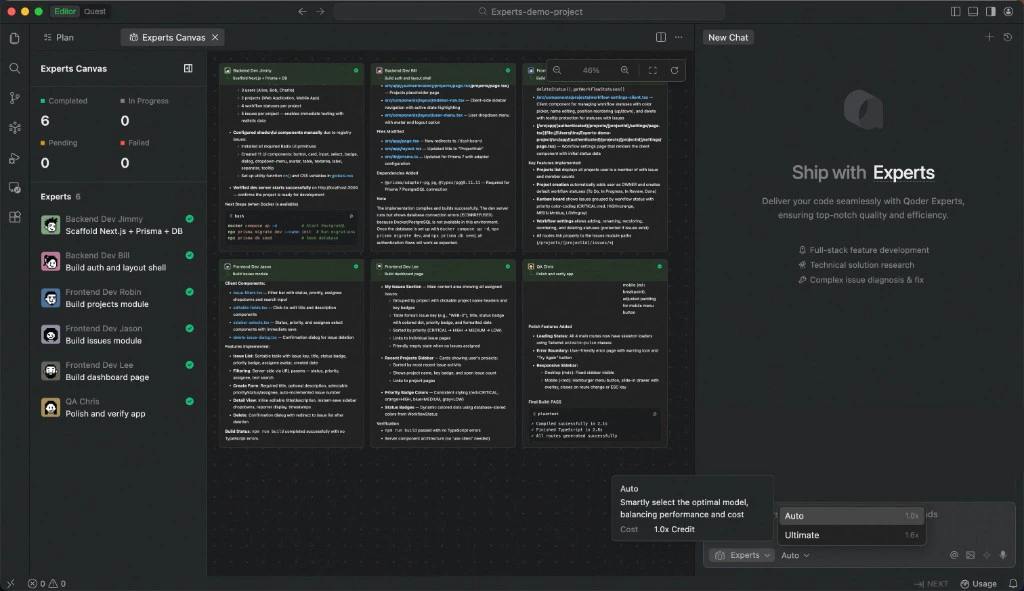
Expert Team Canvas is a real-time visualization panel in Experts Mode that gives you a bird’s-eye view of every expert’s task progress and execution workflow in a single window. When the expert team is handling complex tasks in parallel, the canvas helps you stay on top of everything — which tasks are done, which are running, and what each expert is working on — without scrolling through conversation history.
How to open
During task execution in Experts Mode, a task progress card appears at the top of the conversation area. Click an expert’s avatar on the card to open the Expert Team Canvas.
Layout
The canvas includes a task overview panel and a canvas view:
Task overview panel
The top section shows a task summary with counts of completed and in-progress tasks for a quick progress check. Below it lists all participating experts and their tasks, each marked with the current status (completed, in progress, pending). Click any expert’s avatar to auto-scroll to their task area.
Canvas view
Displays each expert’s task progress and workflow as cards laid out side by side. Each card corresponds to one expert’s work, showing execution steps, output summaries, and current status — making it easy to see the full picture at a glance.
Sandboxed terminal execution
In Experts Mode, terminal commands run in a sandboxed environment by default — commands execute silently in a controlled environment without requiring manual confirmation for each one. High-risk operations are automatically identified and confined to the sandbox, preventing unintended impact on your workspace. The process is transparent and non-intrusive, ensuring safety while avoiding frequent prompts that interrupt your workflow.
FAQ
-
Can I modify requirements during execution?
Yes. You can add information or adjust direction at any time. Team Lead will coordinate the expert team to adapt to changes.
-
What about the cost and time for Experts Mode?
Experts Mode is suitable for medium-to-high complexity tasks. Compared to single Agent, it takes more time but delivers significantly better quality (internal testing shows ~67% quality improvement). For simple tasks, single Agent is more efficient.
-
How does the terminal tool work in Experts Mode?
In Experts Mode, the terminal tool automatically runs Terminal commands without requiring manual confirmation each time. Potentially dangerous commands are automatically executed in a sandboxed environment.