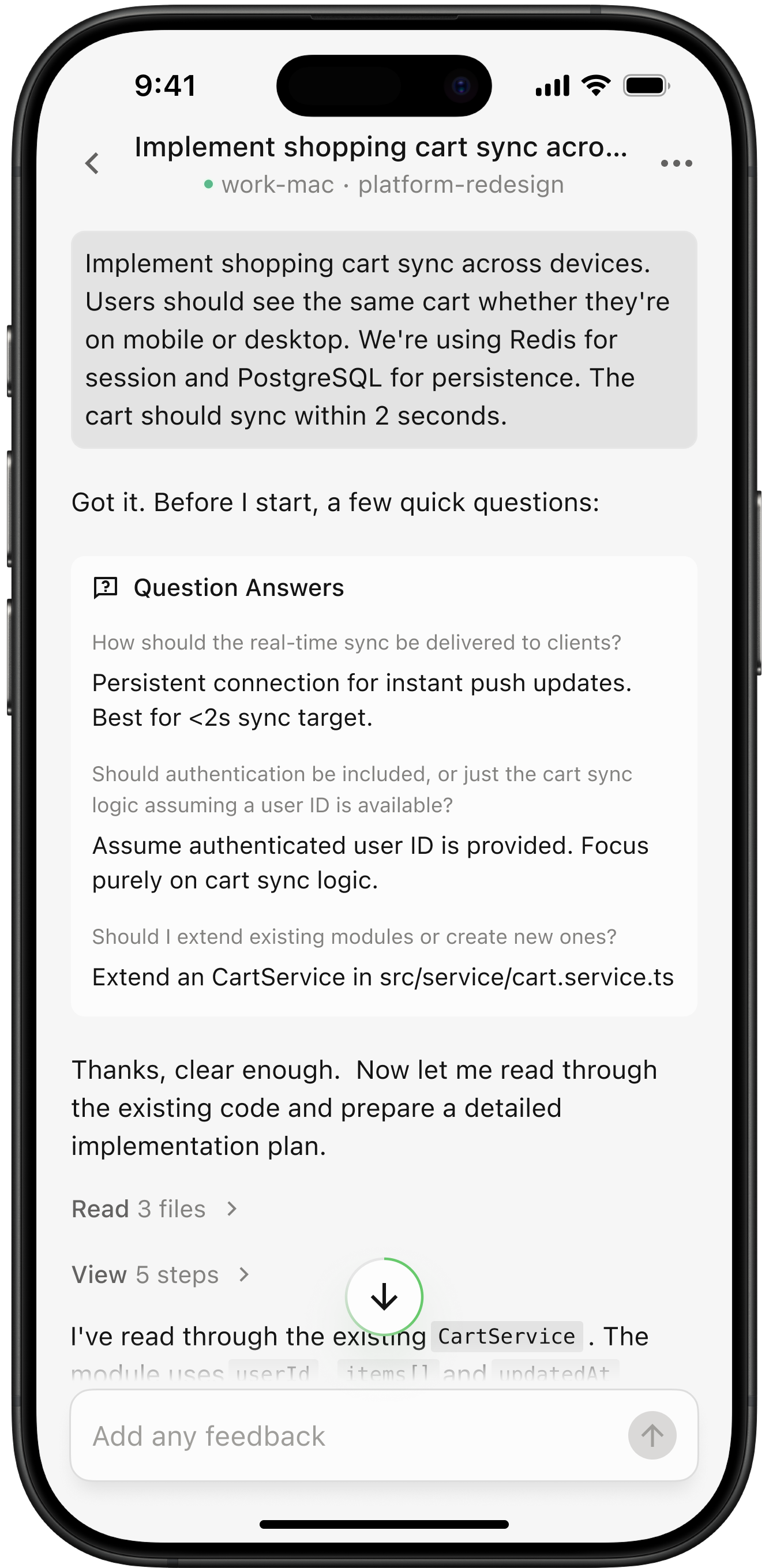
Qoder Mobile lets developers stay in control of running Qoder tasks even when away from the computer — make critical decisions from your phone or browser. When you step away from your desk, you can still follow task progress, handle approvals, review plans, and keep work moving when action is needed. It connects your desktop and mobile workflows so tasks do not have to pause while waiting for you to return. Whether you are commuting, between meetings, or briefly away from your workstation, Qoder Mobile keeps task status within reach. It does not replace your desktop development environment. Instead, it helps you handle the moments that affect whether a task can continue.Documentation Index
Fetch the complete documentation index at: https://docs.qoder.com/llms.txt
Use this file to discover all available pages before exploring further.
Key capabilities
Remote control
Take over tasks running on your computer from your phone, even after you step away from your desk.
All tasks at a glance
View running, idle, and archived tasks in one place so you can quickly understand progress.
Approve critical operations anytime, anywhere
Respond when a task needs confirmation and reduce time spent waiting for approval.
Review the plan before execution
When Plan mode is enabled, check whether the plan matches your expectations before execution.
You leave, work continues
Use remote control to keep long-running tasks moving with input at the right moments.
Remote control
Log in with the same account on Qoder Mobile and remotely control your computer from your phone. This is useful when a task is already running on your computer and you need to leave temporarily. You can continue monitoring the task from mobile and take action when a key decision is required. Remote control extends the task running on your computer to your phone. You do not need to keep returning to your desk just to check progress, and you can respond when a task reaches a step that needs your input.
All tasks at a glance
See all running, idle, and archived tasks clearly on your phone. Monitor task progress anytime, anywhere. All tasks are shown in one place, making it easier to understand what is still in progress, what is ready, and what can be revisited later. When you have multiple tasks, this overview helps you build a quick sense of priority. You can focus first on tasks that need attention, then return to the rest when you are ready.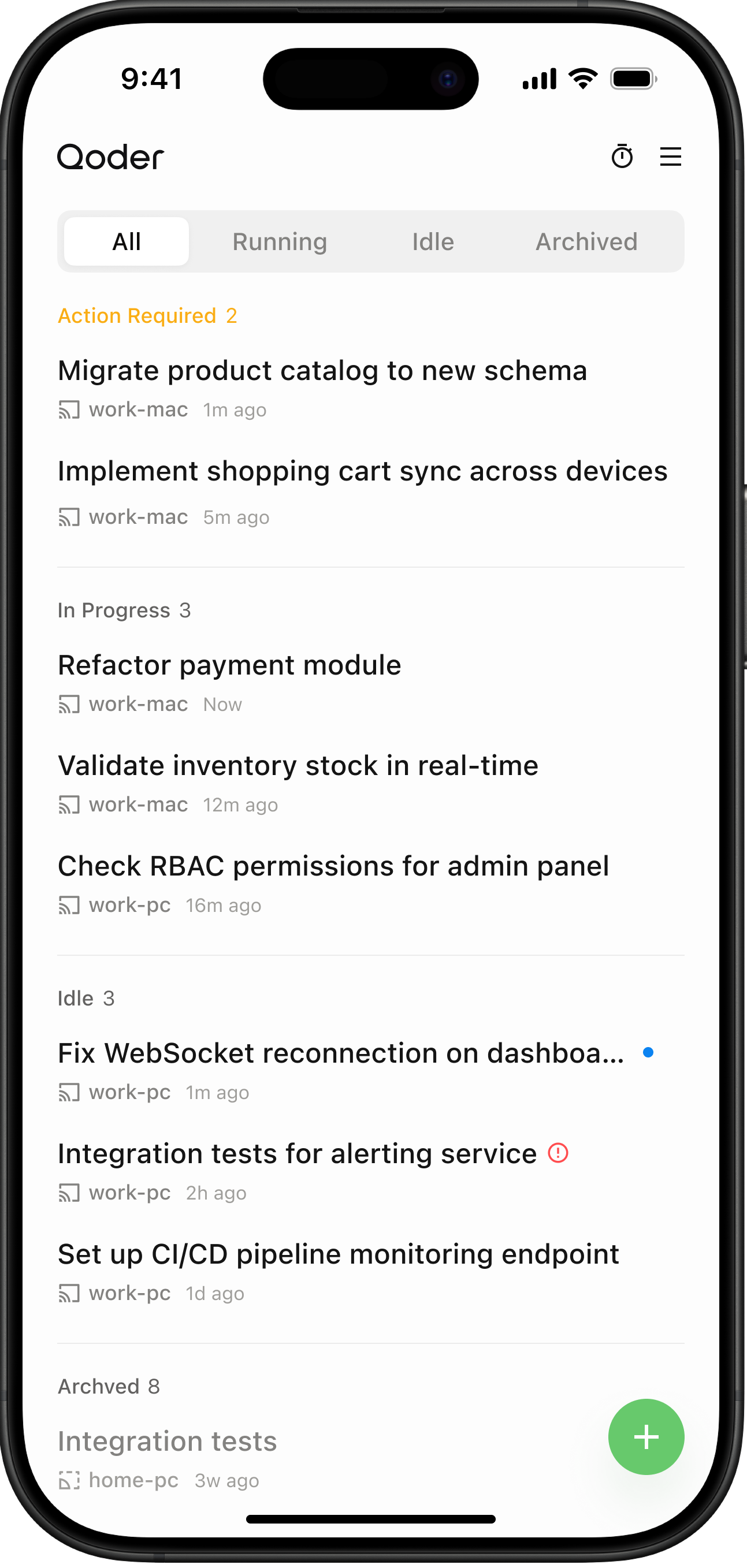
Approve critical operations anytime, anywhere
When a task reaches a critical operation that needs user approval, you can approve it from your phone wherever you are. This helps prevent tasks from waiting on your desktop when all they need is a timely confirmation from you. For operations that require explicit approval, mobile access makes the decision easier to handle in time. You can review the current task context and decide whether the task should continue.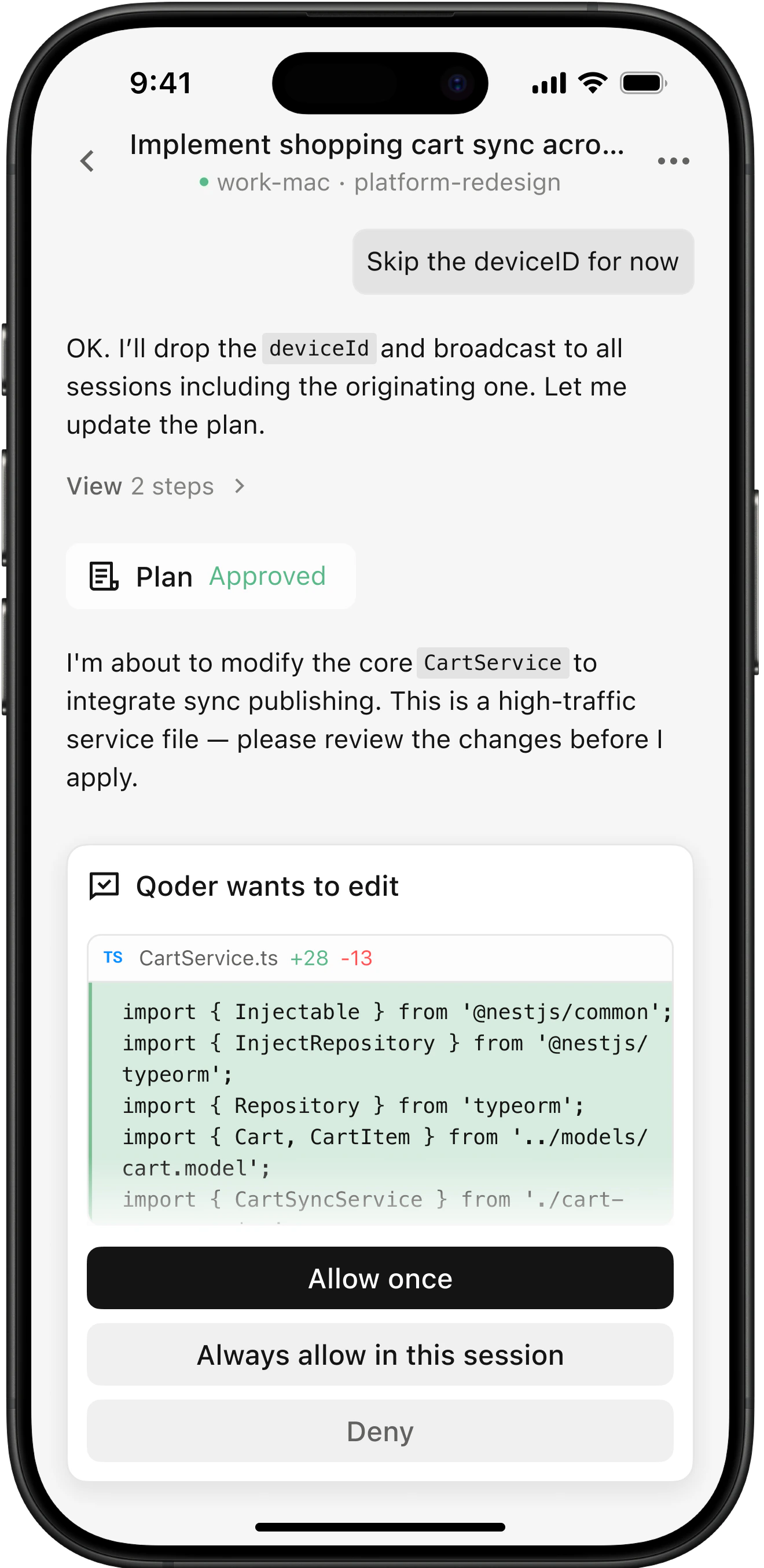
Review the plan before execution
When Plan mode is enabled, you can review the proposed plan on your phone before the task begins execution. You can confirm that the approach matches your expectations before execution starts, keeping the review-before-action workflow available on mobile as well. This is especially useful when the task needs alignment before work begins. You can read the key points of the plan on mobile, decide whether the direction is right, and then let the task proceed.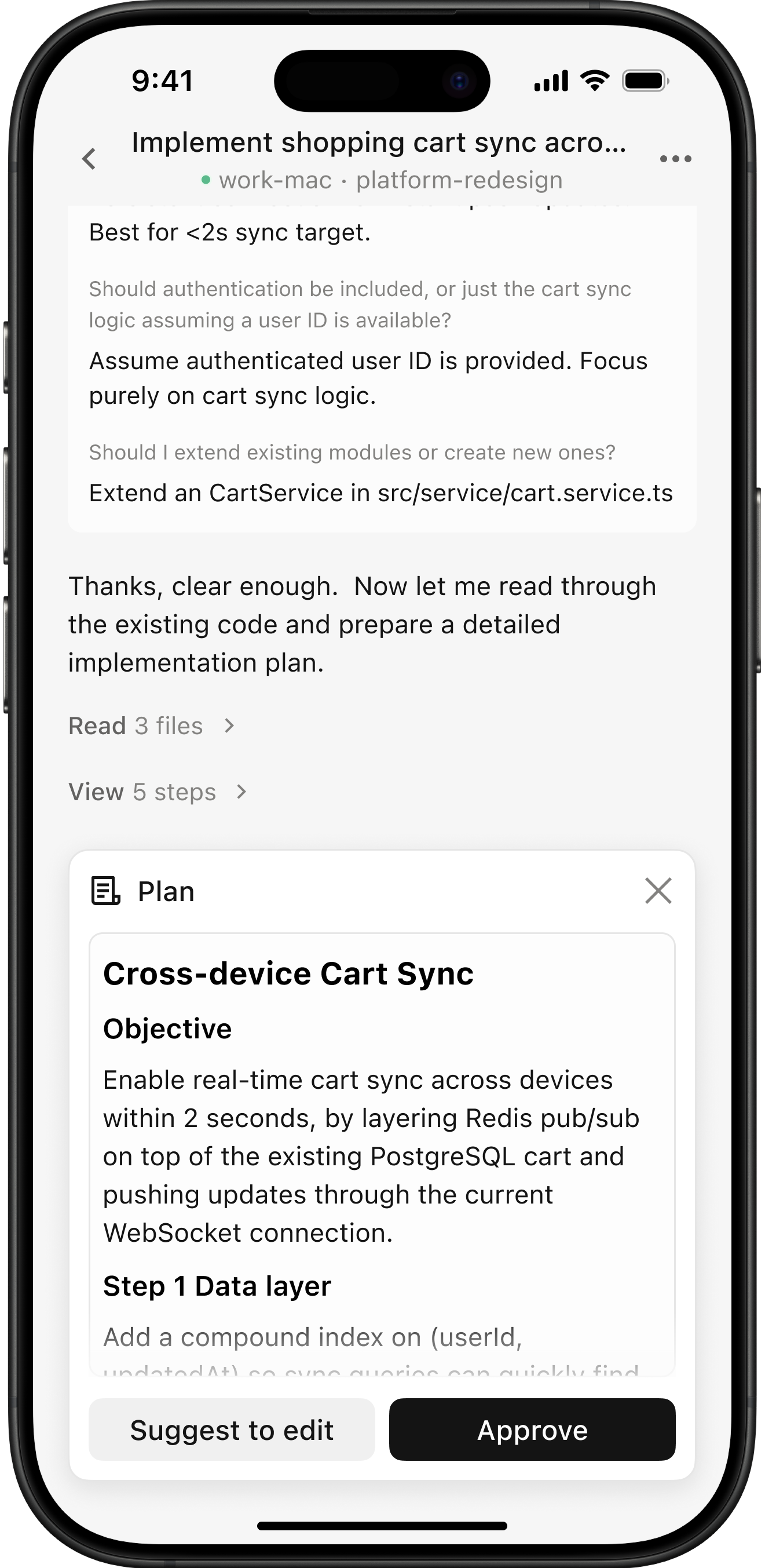
You leave, work continues
With remote control, keep tasks running 24/7 without interruption. Even when you are away from your computer, you can continue watching progress and respond when a task needs input, so work can keep moving whenever it is ready to proceed. For longer-running tasks, Qoder Mobile shifts your role from staying in front of the computer to stepping in at the right moments. That helps reduce idle waiting and keeps tasks moving more continuously.