Repo Wiki automatically generates structured documentation for your project and continuously tracks changes in code and documentation.
When you query knowledge points, code explanations, or add feature enhancements during development, Repo Wiki deeply analyzes the project structure and code implementation. Combining Repo Wiki with context information, it provides more accurate and detailed answers and documentation support, giving the agent a deeper understanding of the codebase.
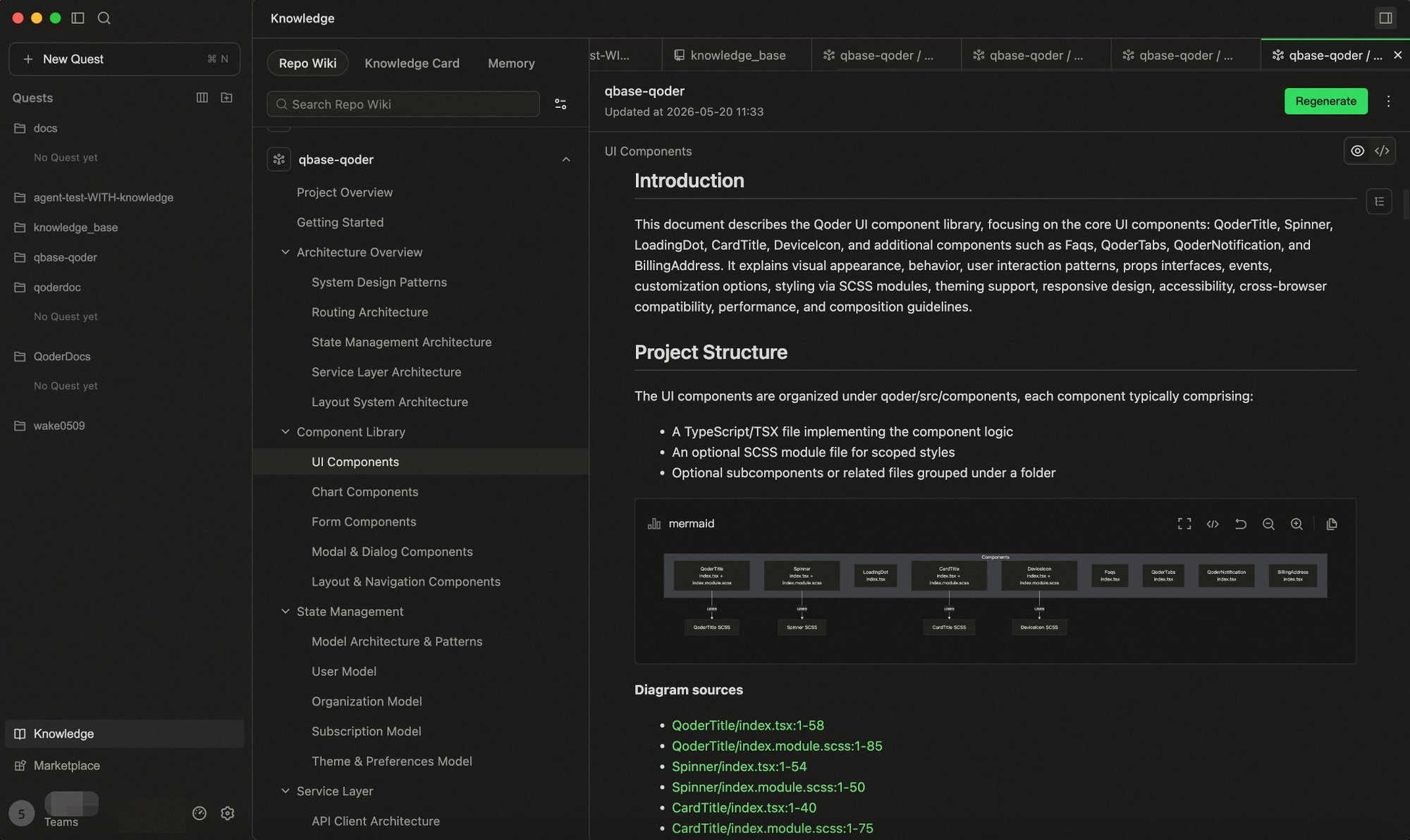
Use Cases
-
Architecture and Implementation Queries
Relying on pre-built architectural knowledge, the agent can quickly answer questions like “How is X implemented?” or “Which services depend on this module?” with almost no need to invoke tools.
-
Agent-Driven Development Tasks
When context width is limited, Repo Wiki accelerates code location, supporting tasks such as:
- Adding new features
- Fixing bugs
Repo Wiki Generation
The Wiki in your repository is not static—it stays synchronized with your code.
The Wiki updates in three key scenarios. Understanding when and why it triggers helps you keep the Wiki updated in real-time.
-
Initial Wiki Generation
When you open a project for the first time, no Wiki exists by default. You can generate it from scratch with one click.
-
Code Changes Detected
After the initial generation, the system continuously monitors code changes.
If you modify content already recorded by the Wiki (e.g., function signatures, class definitions, API endpoints), the system detects the inconsistency between the current code and the existing Wiki. You can click Update to regenerate only the affected parts.
-
Git Directory Sync
If you directly edit Markdown files in the Git directory, the system detects inconsistencies between the Git content and the Wiki. You can click Sync to synchronize the Git changes and update the Wiki.
-
Generation Limits
- A maximum of 10,000 files per project. If your project contains more than 10,000 files, it is recommended to exclude non-essential paths in Qoder Settings → Codebase Indexing → Index Exclusions.
- Only supports Git repositories with at least one commit.
Intervening in Wiki Generation
Repo Wiki is not a “generate once and read-only” artifact. You can guide the direction through a configuration file before generation, or modify it anytime after generation. Every knowledge revision made by the team is recognized by the system as new cognitive deposits—it won’t be overwritten by the next automatic update, but instead reverse-synced to the corresponding knowledge cards—truly embedding human judgment into knowledge assets.
/knowledge Command
Type /knowledge in the chat input to intervene in Repo Wiki and Knowledge Cards:
| Operation | Description |
|---|
| Generate | Generate Wiki or Knowledge Cards for the project for the first time |
| Modify | Make partial modifications to existing knowledge content |
| Supplement | Append new content to existing knowledge |
| Rewrite | Completely rewrite a knowledge page or card |
- Invoke
/knowledge in the input box
- Enter your instruction describing the desired changes
- Optionally upload local files as reference (e.g., design docs, API docs)
- The Agent will modify the corresponding knowledge content based on your instruction
Manually modified content is marked and protected by the system—it won’t be overwritten during the next automatic update, making every team knowledge revision a persistent knowledge asset.
wiki_plan.yaml — Pre-Generation Configuration
Through a configuration file, you can inject guiding intent before Wiki generation to control direction and scope.
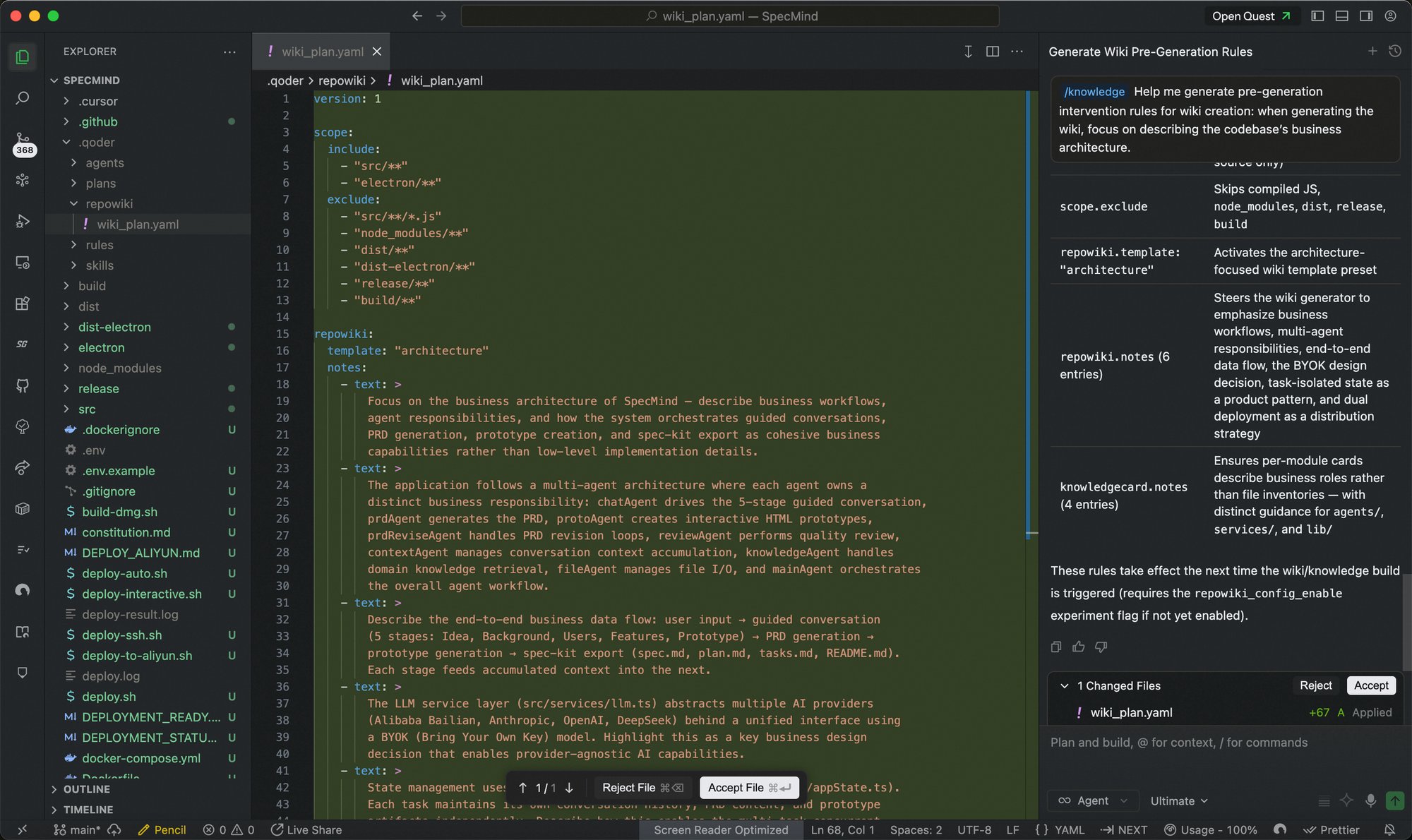 File location:
<project_root>/.qoder/repowiki/wiki_plan.yaml
version: 1

repowiki:
  template: ""           # Preset template (architecture / product_requirement)
  notes:                 # Inject guidance prompts during the planning phase
    - text: "Prompt text"
      author: "Author"
  documents:             # Page allowlist (strictly outputs listed pages when provided)
    - title: "Page title"
      goal: "Writing intent for this page"
      parent: ""         # Optional, parent page title
      hints: ""          # Optional, additional writing hints

knowledgecard:
  notes:                 # Inject guidance prompts for knowledge card planning
    - text: "Prompt text"

scope:
  include: []            # File allowlist (.gitignore syntax)
  exclude: []            # File blocklist (.gitignore syntax)
| Option | Description |
|---|
repowiki.template | Preset template: architecture (comprehensive technical analysis) or product_requirement (product requirements format output) |
repowiki.notes | Guidance prompts injected during planning to direct AI focus |
repowiki.documents | Page allowlist; when provided, pages are strictly generated per the list |
knowledgecard.notes | Knowledge card guidance prompts, influencing module partitioning |
scope.include / exclude | Controls which files are visible during generation |
version: 1

repowiki:
  notes:
    - text: "Documentation should focus on business workflows rather than code details, targeting new engineers"
  documents:
    - title: "System Architecture Overview"
      goal: "Describe overall system architecture, core modules and their interactions"
    - title: "Order System"
      goal: "Explain the full order lifecycle"
      parent: "System Architecture Overview"

knowledgecard:
  notes:
    - text: "Focus on modeling the payment and order core subsystems"

scope:
  include:
    - "src/**"
  exclude:
    - "**/test/**"
After modifying wiki_plan.yaml, you need to manually trigger “Generate” or “Regenerate” for changes to take effect.
Repo Wiki Sharing
Supports Wiki sharing to facilitate more efficient knowledge flow within the team.
Once a team administrator enables the Knowledge Engine toggle in the Web console, any Repo Wiki generated by a team member is automatically synced to the team. Other members simply open the same repository branch and click Generate to automatically retrieve the team’s latest knowledge—no manual pulling required. Any changes to the project’s knowledge by team members are synced to everyone, ensuring the team’s knowledge stays consistent and up-to-date.
Automatic team sharing is only available in the Teams plan. Alternatively, you can manage knowledge via Git sync.
.qoder/repowiki.
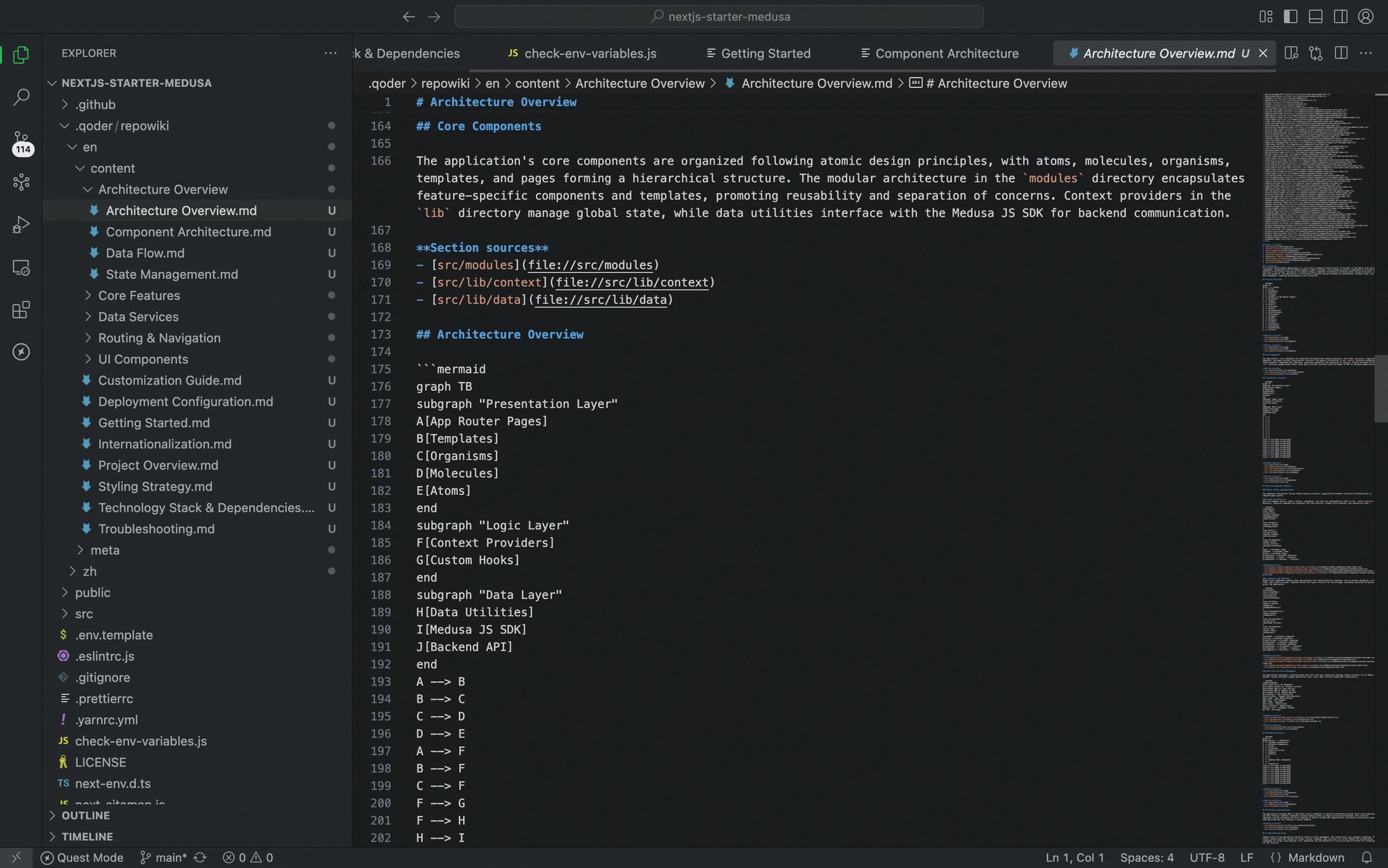 You can commit and push this directory to a remote branch. Team members can then pull the generated Wiki content via
 git pull—no extra configuration required.
Multilingual Support
The Wiki system supports multiple languages—you can select your preferred language when generating the Wiki. Currently, English and Chinese are supported.
When generating the Wiki, the system automatically creates independent directories for each selected language under the Git directory based on your language choices (e.g., repowiki/zh/, repowiki/en/).
Billing
Generating and updating the Repo Wiki consumes Credits as usual. You can check the consumption records in Usage - Credits. 
