

Generated synchronously with the Repo Wiki, a Knowledge Card is a high-density knowledge unit extracted from code. It stores architecture documents, code specifications (Spec), and tech stack information in a format that the Agent can easily consume directly. It continuously tracks code changes during every commit, maintaining real-time accuracy and relevance.
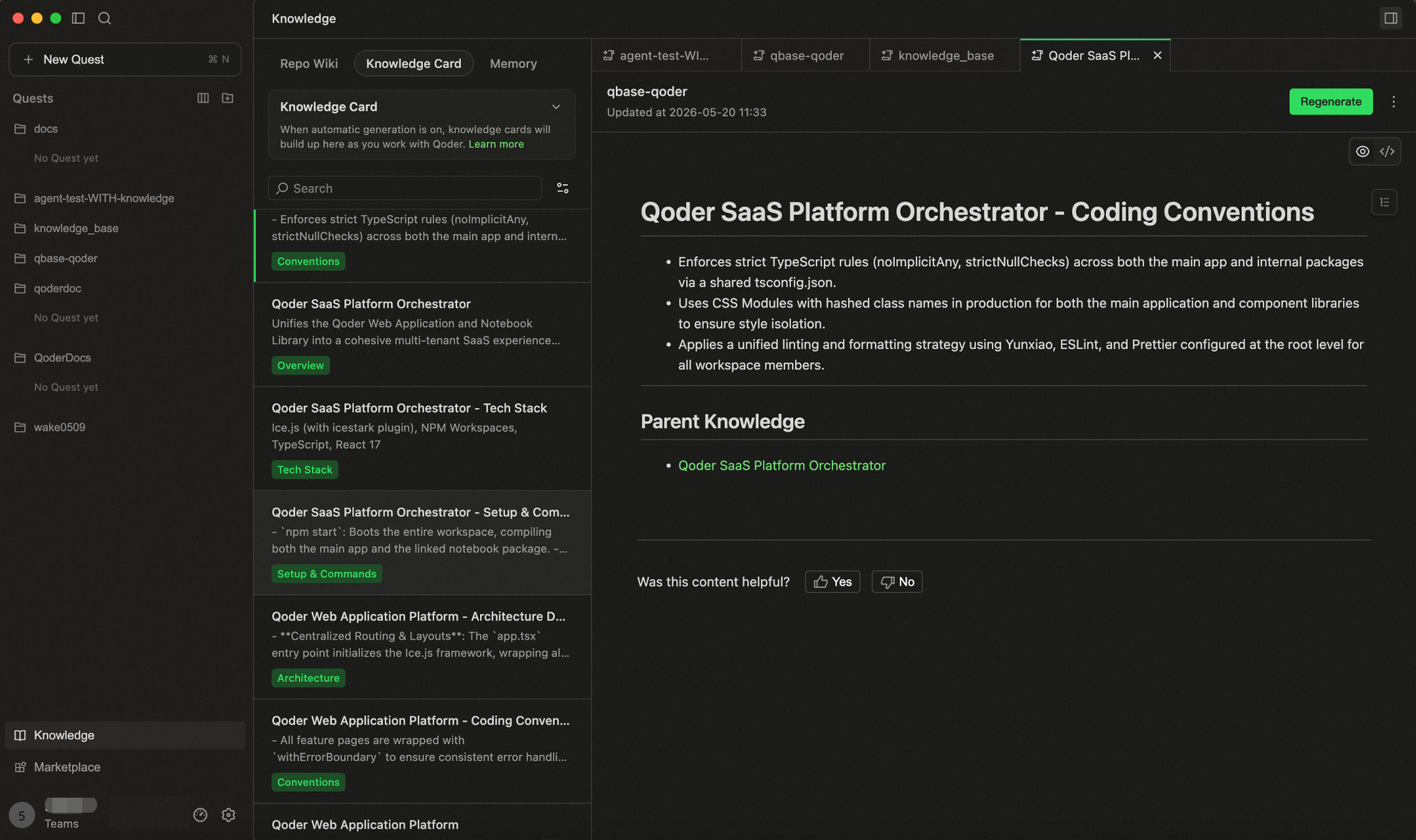
It is recommended to select the main branch and core development branches for generation to cover the core content of the project. During generation, completed cards can be previewed in real-time without waiting for the entire process to finish.
After Knowledge Cards are generated, you can manually modify existing knowledge by invoking the 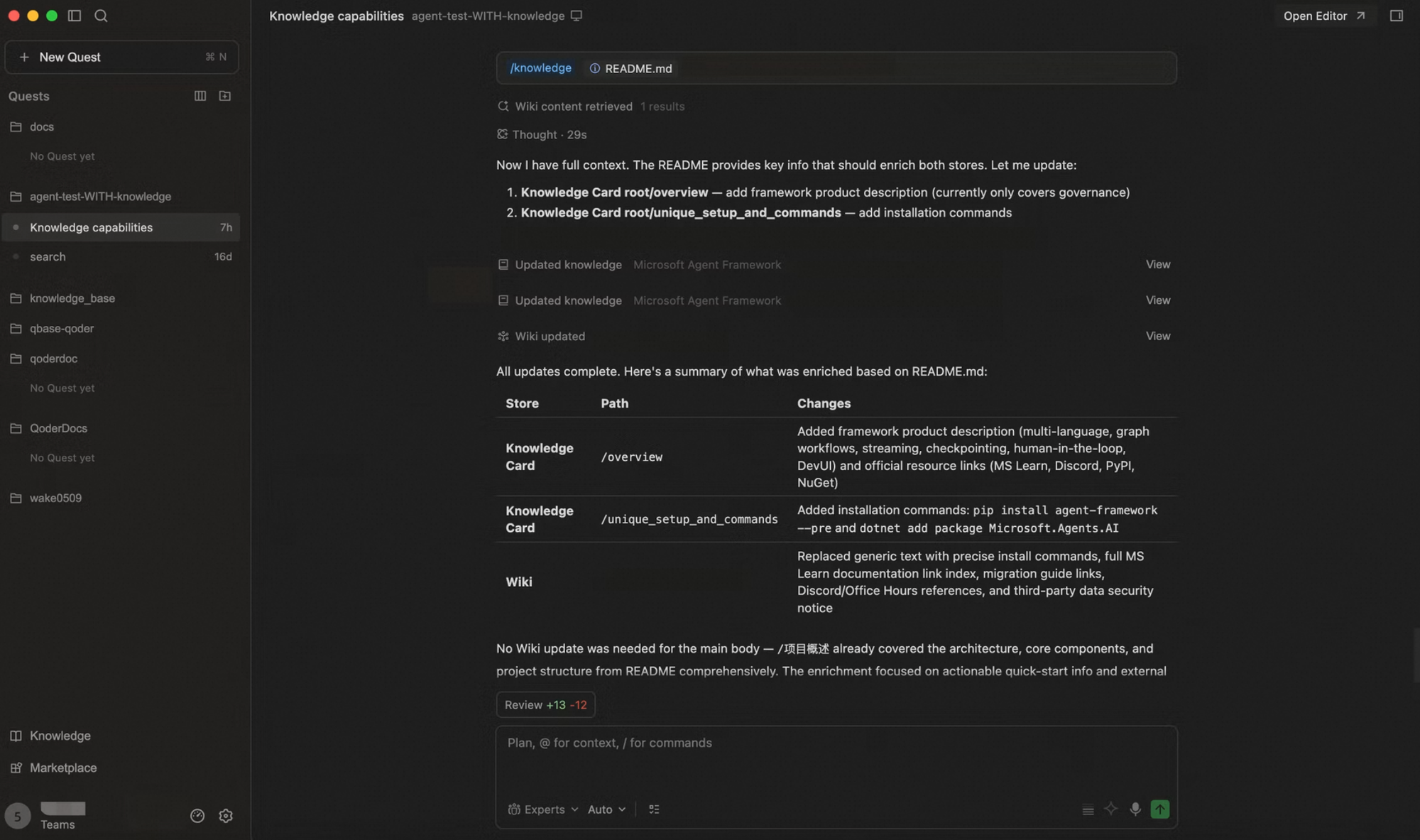
Knowledge Card sharing helps knowledge flow more efficiently within your team.
Once a team administrator enables the Knowledge toggle in the Web console, any Knowledge Cards generated by a team member are automatically synced to the team. Other members simply open the same repository branch and click Generate to automatically retrieve the team's latest knowledge—no manual pulling required. Any changes to the project's knowledge by team members are synced to everyone, ensuring the team's knowledge stays consistent and up-to-date.
When you generate Knowledge Card locally, the system automatically saves the data to a dedicated directory in your code repository:
Knowledge Card generation and updates consume Credits as usual. You can check the consumption records in Usage - Credits.
Use Cases
- Architecture Document-Driven System Understanding: Based on pre-built architecture documents, the Agent can quickly answer questions like "What is the overall design concept of this module?" or "What are the dependencies between these services?" without repeatedly searching the codebase.
-
Code Specification (Spec)-Guided Development Tasks: When you need to ensure code style, interface design, or business logic complies with team standards, the Agent can refer directly to the specification knowledge, supporting scenarios like:
- Automatically aligning with naming conventions and interface agreements when adding features
- Quickly verifying if implementations meet spec requirements during code review
- Identifying potential risks that violate specs when fixing bugs
-
Tech Stack Knowledge Accelerating Technical Decisions: Combining pre-configured tech stack information, the Agent efficiently supports the following tasks in context-limited or cross-language/framework scenarios:
- Evaluating compatibility when introducing new dependencies
- Generating code snippets that conform to the current tech stack style
- Answering technical environment questions like "Which frameworks and versions are used in the current project?"
Knowledge Card Types
- Architecture Documents Records the overall design concepts of modules, service dependencies, and key decisions, helping the Agent understand the complete system without reading code line-by-line.
- Code Specifications (Spec) Accumulates team coding standards, naming conventions, interface agreements, and business logic constraints, ensuring the Agent automatically aligns with team standards when generating code.
- Tech Stack Records frameworks, libraries, and version information used in the project, helping the Agent make decisions that match the current technical environment when introducing new dependencies or generating code snippets.
Knowledge Card Generation
It is recommended to select the main branch and core development branches for generation to cover the core content of the project. During generation, completed cards can be previewed in real-time without waiting for the entire process to finish.
Editing Generated Knowledge
After Knowledge Cards are generated, you can manually modify existing knowledge by invoking the /knowledge command in the input box. Simply type your instructions describing the desired changes, or upload local files as reference material, to update the content of your Knowledge Cards.
Sharing and Multilingual Knowledge
Knowledge Card sharing helps knowledge flow more efficiently within your team.
Once a team administrator enables the Knowledge toggle in the Web console, any Knowledge Cards generated by a team member are automatically synced to the team. Other members simply open the same repository branch and click Generate to automatically retrieve the team's latest knowledge—no manual pulling required. Any changes to the project's knowledge by team members are synced to everyone, ensuring the team's knowledge stays consistent and up-to-date.
When you generate Knowledge Card locally, the system automatically saves the data to a dedicated directory in your code repository: .qoder/repowiki. You can commit and push this directory to a remote branch. Team members can then pull the generated Knowledge Card content via git pull—no extra configuration required.
Additionally, Knowledge Card supports multiple languages. You can select your preferred language when generating them (currently supporting English and Chinese). Based on your language choices, the system automatically creates independent subdirectories for each selected language (e.g., zh/, en/).