

Browse, search, and install Skills from QoderWork's built-in marketplace to extend its capabilities with one click.
The Skill Marketplace is QoderWork's built-in skill store, featuring official and community-contributed Skills. Discover new capabilities, install them in one click, and let QoderWork cover more of your workflow.
Click the Skills icon in QoderWork's left sidebar to open the Skill Marketplace.
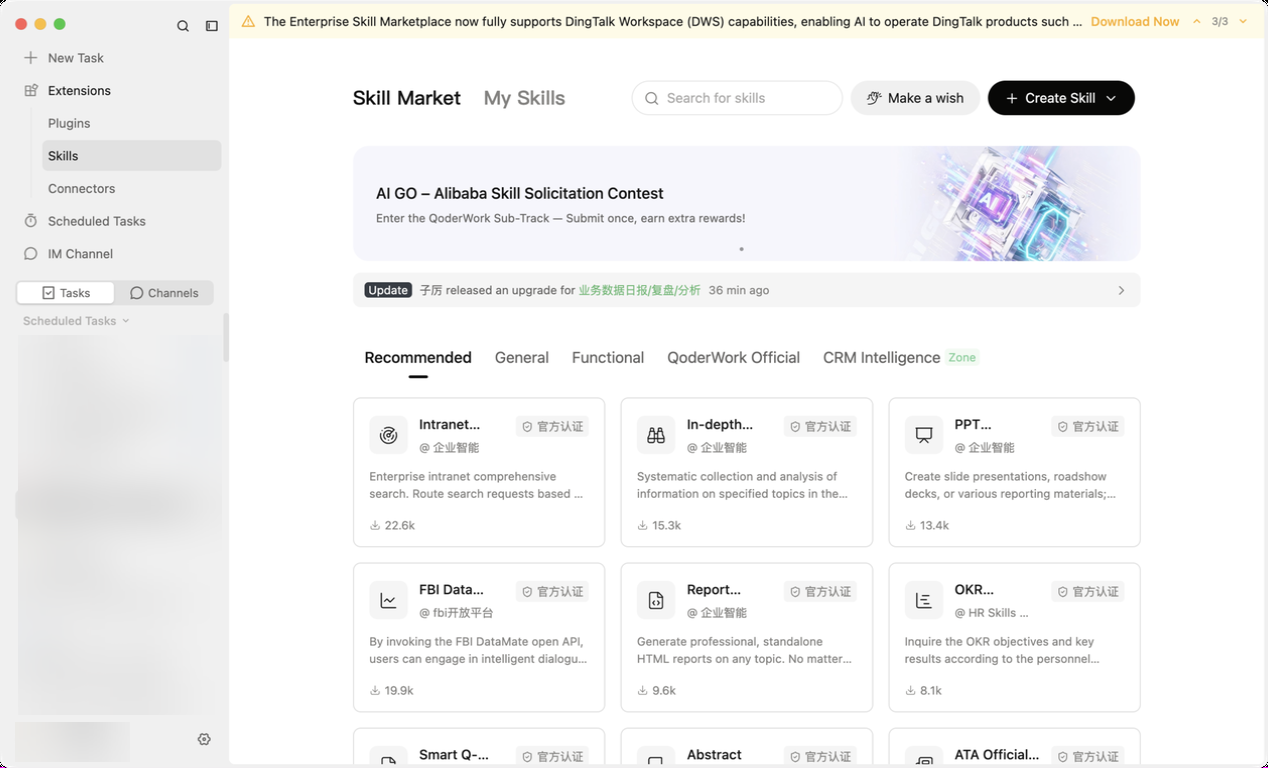
The marketplace organizes Skills by scenario. Common categories include:
Type a keyword (e.g., "weekly report", "infographic", "PDF") in the top search bar to quickly locate what you need.
You can also tell QoderWork what you need directly in chat:
Once you've found a Skill you want, click the Install button for one-click installation. Installed Skills are saved to
Switch to the Installed tab in the marketplace to view all currently installed Skills:
If you've created a useful Skill, share it with your team via a share link:
The Skill Marketplace is the discovery and distribution hub for the Skills ecosystem. For concepts, usage, and management of Skills, see Skills Overview. For custom creation, see Creating Skills.
Opening the Marketplace
Click the Skills icon in QoderWork's left sidebar to open the Skill Marketplace.
Browsing and Searching
Browse by category
The marketplace organizes Skills by scenario. Common categories include:
- Productivity: Document processing, spreadsheet analysis, email drafting
- Design & Creative: Infographic generation, UI design, social media graphics
- Data Analysis: Data cleaning, visual reporting, statistical modeling
- Research: Literature search, competitive analysis, deep research
- Developer Tools: Code generation, API docs, project scaffolding
Search by keyword
Type a keyword (e.g., "weekly report", "infographic", "PDF") in the top search bar to quickly locate what you need.
Search from a conversation
You can also tell QoderWork what you need directly in chat:
Find me a skill that converts web pages into Markdown notesQoderWork invokes its built-in
find-skills capability to search the marketplace and recommend matches.
Installing a Skill
Once you've found a Skill you want, click the Install button for one-click installation. Installed Skills are saved to ~/.qoderwork/skills/ and automatically recognized in future conversations.
Managing Installed Skills
Switch to the Installed tab in the marketplace to view all currently installed Skills:
- View details: Click a Skill card to see its description, trigger conditions, and usage instructions
- Check for updates: An update prompt appears when a newer version is available
- Uninstall: Remove Skills you no longer need with one click
Sharing Your Skills
If you've created a useful Skill, share it with your team via a share link:
- Go to the Skills page and find the Skill you created
- Click the share icon — the system generates a unique share link
- Send the link to colleagues — they can install with one click
Share links expire (typically after 24 hours) and need to be regenerated. Want to learn how to create Skills? See Creating Skills.