

Release history for QoderWake.
This page lists the release history for QoderWake, with the newest version first.
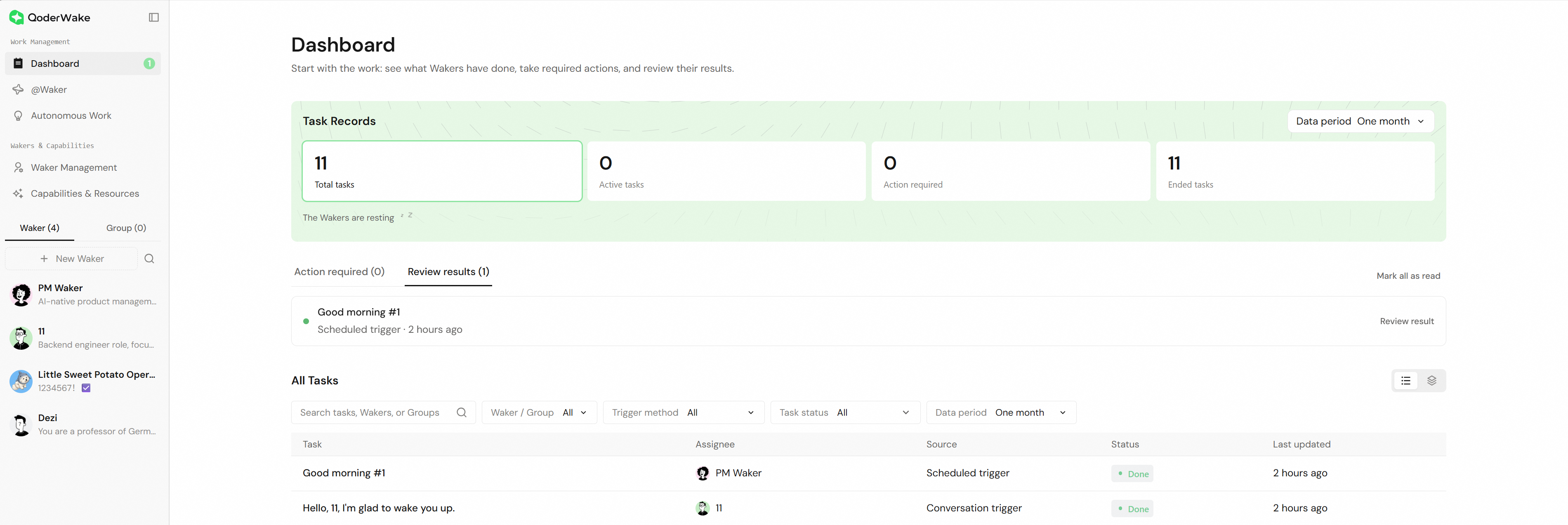
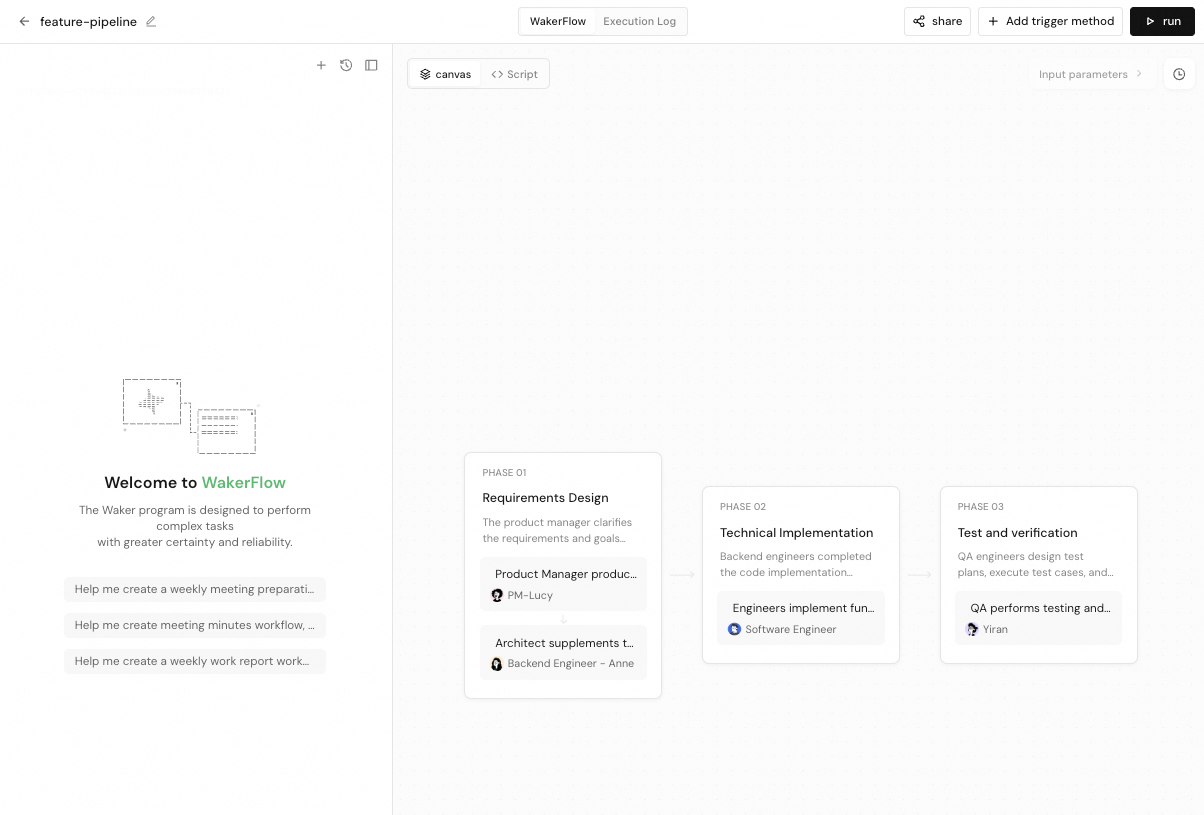
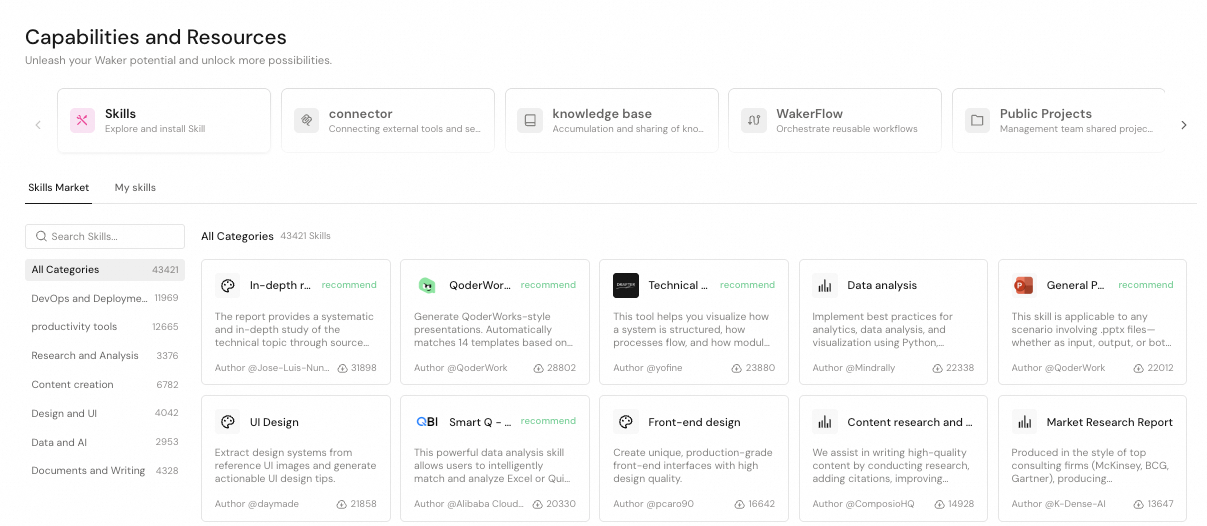


Group Chat Q&A, IM Access, and Messaging Updates
Improvements
- Group Chat Q&A: Uses recent group messages and Q&A records when requesting expert help, and supports expert handoffs, answer delivery, and knowledge updates.
- Reply Settings: Adds custom reply styles for controlling how final Group Chat Q&A responses are expressed.
- Runtime Reliability: Improves resource-pressure handling and background process continuity to reduce incorrect restrictions and interruptions.
Bug Fixes
- Fixed expert answers occasionally not returning to the original group, as well as some expert handoffs being repeated or interrupted.
- Fixed organization pairing incorrectly triggering or repeating automatic pairing, and first-time setup not listing configured IM connections.
- Fixed Skill management potentially triggering repeated synchronization.
- Fixed WeCom real-time messages potentially being affected while message history was still loading.
- Fixed local file uploads to knowledge bases failing in some cases.
Group Tasks, Messaging, and Runtime Reliability Updates
Improvements
- Waker Groups: Improves group message delivery, in-progress follow-ups, and task list management for reliable long-running work.
- @Waker: Improves streaming progress display, indicates when earlier updates are omitted, and reduces stalls in conversations with extensive message history.
- Startup and Updates: Improves startup validation, recovery, and installation capacity checks to reduce false failures and interrupted upgrades.
- Qoder CLI: Updates the bundled Qoder CLI.
Bug Fixes
- Fixed Waker groups potentially failing to start on Windows when Skill paths are too long.
- Fixed supplementary group messages potentially being repeated or left unread during recovery.
- Fixed single files sent through DingTalk showing an unrecognizable attachment name, as well as some file sends failing on Linux.
- Fixed the group count in the Chat sidebar potentially showing zero before opening the group list.
- Fixed Windows tray restarts potentially skipping the task interruption confirmation and group task failures not being shown.
- Fixed some errors during group task preparation preventing the task from starting.
Automated Tasks, Group Collaboration, and Plugin Experience Updates
Improvements
- Automated Tasks: Adds settings for model context length and reasoning effort.
- New Conversations: Preserves unsent drafts when switching pages or Wakers.
- Waker Groups: Improves group task execution, history loading, and status display.
- Plugin Management: Adds Waker-assisted diagnosis for authorization issues and lets users remove plugins with interrupted installations.
- Sessions and @Waker: Improves startup, message processing, and artifact collection to reduce stalls and unrelated file noise.
Bug Fixes
- Fixed a single unavailable connector potentially blocking session startup.
- Fixed sending local files through DingTalk on macOS.
- Fixed remote conversations potentially stopping after switching accounts.
- Fixed knowledge base uploads and Featured Knowledge Base folder previews.
- Fixed duplicate error messages when Credits are exhausted.
- Fixed some DingTalk bot direct messages incorrectly triggering automatic access.
- Fixed historical sessions potentially being removed automatically and disrupting remote takeover.
Plugin, @Waker, and Conversation Experience Updates
Improvements
- Plugin and Resource Management: Unifies installation, authorization, and management for plugins, Skills, and connectors.
- Conversation Actions: Adds follow-up questions based on selected text and turn navigation for conversation history.
- IM Channels: Adds streaming output and task status updates.
- Automatic New-Chat Access: Adds configurable access rules and confirmation flows for new chats.
- QoderWake CLI: Introduces command-line management for conversations, workflows, triggers, IM channels, and more.
- Feedback and Model Selection: Adds feedback ID copying and improves model list loading.
Bug Fixes
- Fixed automatic updates potentially affecting tasks in progress.
- Fixed issues with stopping remote Wakers, message updates, and cross-device Skill availability.
- Fixed model selections changing after resuming conversations or switching devices.
- Fixed DingTalk reconnection and missing replies after new-chat access.
- Fixed connector authorization, OAuth callbacks behind proxies, and startup error details.
- Fixed compatibility issues with Windows upgrades and plugin data migration.
- Fixed memory accumulation when switching conversations and invalid session data preventing service startup.
Remote Waker Interaction and Conversation Startup Optimization
Improvements
- Remote Waker Interaction: Improves message updates and controls while a remote Waker is running.
- Conversation Startup: Reduces delays when starting conversations.
Bug Fixes
- Fixed delayed events causing a remote Waker to appear active again after its run had already finished or stopped.
- Fixed successful upgrades sometimes showing a network error during restart instead of waiting for the service to recover.
- Fixed conversation artifact collection creating multiple numbered copies of the same file.
- Fixed temporary system pressure being mistaken for a stopped background service, which could trigger unnecessary restarts.
Cross-Conversation IM Messaging and Conversation Reliability
Improvements
- Cross-Conversation IM Messaging: Wakers can send messages from the current IM conversation to other supported conversations.
- DingTalk Message Sync: Reduces the delay before new messages from DingTalk user accounts appear and avoids unnecessary full-history replays.
- Custom Connector Reauthorization: Authorized custom HTTP/SSE Connectors show the reauthorization action when credentials need refreshing.
Bug Fixes
- Fixed conversations stopping after brief connection interruptions before a response; they can now recover automatically.
- Fixed Group Chat Q&A storage stalls that could leave later messages stuck in processing.
- Fixed Connector refresh, upgrade, and takeover issues that could block conversations, lose configurations, or leave operations pending.
- Fixed Waker takeover and managed group run recovery after restarts.
- Fixed MCP add, import, and copy failures in some network environments, along with Connector access issues in the CN environment.
- Fixed DingTalk group pairings that could interfere with direct-chat pairings.
- Fixed cross-Waker actions requesting confirmation before reporting an invalid target.
- Fixed group creation and avatar display when group avatars are unusually large.
Complete WakerFlow Conversations and More Reliable Connectors
What's New
- Complete WakerFlow Conversations: Open a Waker node in run details to view its complete input, reasoning, tool calls, output, and errors without leaving the page; the view updates while the run is active and returns to your previous position when closed.
Improvements
- Smarter Group Chat Q&A Replies: Group Chat Q&A Specialists better distinguish direct greetings, questions, expert follow-ups, corrections, and knowledge updates, then route visible replies back to the right conversation.
- Clearer DingTalk Feedback: DingTalk AI Cards use a wider layout, and @Waker status reactions replace the previous state instead of stacking.
- Smoother Connector Changes: Installing, authorizing, or changing a Connector keeps the current conversation running and applies the updated configuration on the next turn.
- Consistent Connector Status: Connector lists, installation state, and enabled-Waker counts now stay synchronized after startup, installation, authorization, and page changes.
Bug Fixes
- Fixed newly created Wakers whose first conversation could be stopped by Connector initialization or migration.
- Fixed custom Connectors after upgrades by preserving valid sign-in state and exact URLs, restoring tool discovery automatically, isolating invalid configurations from unrelated conversations, and keeping cross-Waker copies independent.
- Fixed stalled conversations so inactive runs eventually return to a recoverable state, and brief conflicts while restarting a conversation retry once.
- Fixed Group Chat Q&A expert follow-ups without explicit quotes and DingTalk replies that were sent successfully but shown as failed.
- Fixed safety approvals so disabling command protection does not bypass fallback checks when the permission component is unavailable.
- Fixed Windows update recovery under PowerShell constrained language mode so a failed handoff does not damage the existing installation.
Desktop File Actions and Safer Automatic Updates
Improvements
- Desktop File Actions: On macOS and Windows, workspace actions can use authorized local files as inputs and save downloaded results to your chosen location.
- Safer Automatic Updates: Automatic updates now wait while local tasks are running, then continue with installation and restart after work finishes and the app becomes idle.
- Prioritized Queued Messages: When a session is paused, choose one queued message to run next; the remaining messages keep their existing order.
Bug Fixes
- Fixed continuity for automatically queued long-running tasks when authorization needs refreshing; the current run now keeps its progress and continues to completion.
- Fixed final result handling for long-running @Waker tasks; a successfully submitted result now remains successful.
- Fixed DingTalk direct-chat responses after switching or recreating personal and organization pairings; the current pairing now takes effect immediately.
- Fixed direct-chat responses from organization-paired DingTalk bots; authorized organization members now receive a normal reply.
DingTalk Voice Responses and Task Improvements
What's New
- DingTalk Voice Responses: Wakers can handle relevant new voice requests in DingTalk group chats after manual enablement in Response Mode; it is off by default, and unrelated voice stays silent.
Improvements
- Pinned Tasks: Conversation, automation, and group chat tasks can be pinned from their menus, with their order preserved after refreshes and restarts.
- Batch Pairing Requests: Allow or ignore pending IM pairing requests in bulk; approval reuses one Waker, model, and working directory setup, while failed items remain available for retry.
- Flat Conversation History: Conversation history is now a flat list, with each entry labeled @Waker, Chat, or another source.
- Persistent Waker Groups: Continuous Waker groups verify delivery after members stop, continue when needed, and show a pause prompt after repeated stalls; a new request resumes work.
Bug Fixes
- Fixed duplicate task acceptance in DingTalk direct messages when contact details change or messages repeat, keeping existing tasks in their original conversations.
- Fixed missing group chat artifacts after task completion; shared-folder files now appear in the artifacts panel, while brief refresh issues preserve the last successful result.
Complete WakerFlow Histories and Resumable Knowledge-Base Binding on Waker Details
Improvements
- Complete WakerFlow Histories: WakerFlow run and version histories now load completely page by page and keep existing records available when a refresh fails.
- Waker Details Binding Resume: Batch knowledge-base binding on Waker details now preserves unfinished selections and processes only remaining items when reopened.
- IM Conversation Refresh: Opening the global @Waker page now refreshes conversations for IM channels that become available again.
- Single-Waker Routing: Existing @Waker pairings with one Waker can now set a preference for direct answers or routing to Work.
- Expanded DingTalk Actions: Wakers now handle more supported operations across tables, calendars, chats, DING, documents, minutes, tasks, and knowledge spaces.
Bug Fixes
- Fixed consecutive API Trigger calls so requests now run in order within one session while different sessions can run together.
- Fixed DingTalk document reading through Wakers so documents now return content according to their current permissions.
- Fixed new local tasks from Console, IM, or API so QoderWake refreshes explicitly rejected sign-in credentials before one retry.
- Fixed result submission for @Waker subtasks so the primary Waker now consolidates and provides the final response.
- Fixed organization pairing recovery so re-enabled pairings now retain their original response targets.
Editable Connector Diagnostic Drafts
Improvements
- Connector diagnostics: After installation or configuration failure, “Ask Waker to diagnose” prepares an editable draft with relevant errors in the target Waker session without sending, creating sessions, or applying fixes.
- Action optimization: Select a failed Action in WakerFlow run details to view its errors, then choose an optimization operation to prepare an editable draft without automatically optimizing it.
- Script context: WakerFlow script nodes can read the current run, trigger source, and execution scope to adapt script logic.
Bug Fixes
- Fixed the local session model selector to show currently available models after model catalog or login identity changes while keeping unavailable models disabled.
Resizable Artifacts Panel and Smoother Conversation Following
Improvements
- Artifacts Panel and Change Counts: The conversation artifacts panel remembers its resized width, and supported workspace files show added and deleted line counts.
Bug Fixes
- Fixed the conversation message list to follow new output while at the bottom and reopen at the latest reply.
- Fixed model selectors in direct conversations and Waker groups to show the selected remote Waker’s available models.
- Fixed follow-up messages sent during a running conversation to retain the current permission selection.
- Fixed Skill addition so linked Skills remain available in conversations and uploaded Skill packages complete installation.
- Fixed desktop startup recovery so saved local work remains available and the app continues opening.
Waker Sharing Official Launch
What's New
- Waker Sharing Officially Launches: Create a share ID from Waker Management, then import selected profile and capabilities as a new Waker.
Improvements
- Local Connector Editing: Editing a local Connector now saves only changed settings while preserving the rest.
- Local Session Image Preview: Image artifacts in local sessions now show thumbnails and open full-size within the session.
- Waker Group Task Management: Waker group tasks can now be renamed or deleted, and an available task is selected automatically after deleting the current one.
Bug Fixes
- Fixed conversation history browsing during response generation, so scrolling upward now keeps the current reading position.
- Fixed task-scoped file editing approval, so “Always allow for this task” avoids repeated confirmation for edits in the same scope.
- Fixed WakerFlow customization conversations after a standard stop, so subsequent messages can be sent and processed in the same conversation.
Semantic Session Titles
Improvements
- Semantic Session Titles: New local sessions receive a concise semantic title after the first text response succeeds, while manually set titles remain unchanged.
- Input After Pausing: In local sessions, continue typing after pausing a response; messages stay visible and resume processing in their original order.
- Long Command Reviews: Command approval cards can expand and scroll through long requests, with complete command copying available.
- Remote File Attachments: In remote sessions, add common Office documents or archives and submit them with a request.
Bug Fixes
- Fixed the multi-Waker Skill installation dialog to submit only currently valid targets when installing or retrying across Wakers, while preserving completed results.
- Fixed Connector copying in Capabilities and Resources so copies on other Wakers retain independent configurations and correct associations.
- Fixed remote session creation after selecting a Waker, workspace, and model, with the chosen context remaining visible on the details page.
- Fixed autonomous work run history so final status appears promptly and details open the corresponding session.
- Fixed Skill version creation to retain all valid files in each new version.
Skill Management and Remote Waker Creation Improvements
Improvements
- Quick Actions: Selecting several quick actions in succession on a WakerFlow detail page keeps your draft and appends them in the order chosen.
- Returning from Settings: Leaving Settings returns you straight to the previous page, reducing repeated navigation.
Bug Fixes
- Fixed Skill installation and upload, so My Skills updates immediately and archives with Chinese filenames upload successfully.
- Fixed multi-select for session images, so the remaining sendable images are kept when one of them cannot be processed.
- Fixed Connector installation, so directory information is refreshed first when it has changed and installation then continues.
- Fixed remote Waker creation, so re-entering resumes the previous progress and reuses the original Waker.
- Fixed switching between past conversations, so the selected conversation appears only after its content finishes loading.
QoderWake 1.0 Is Now Available
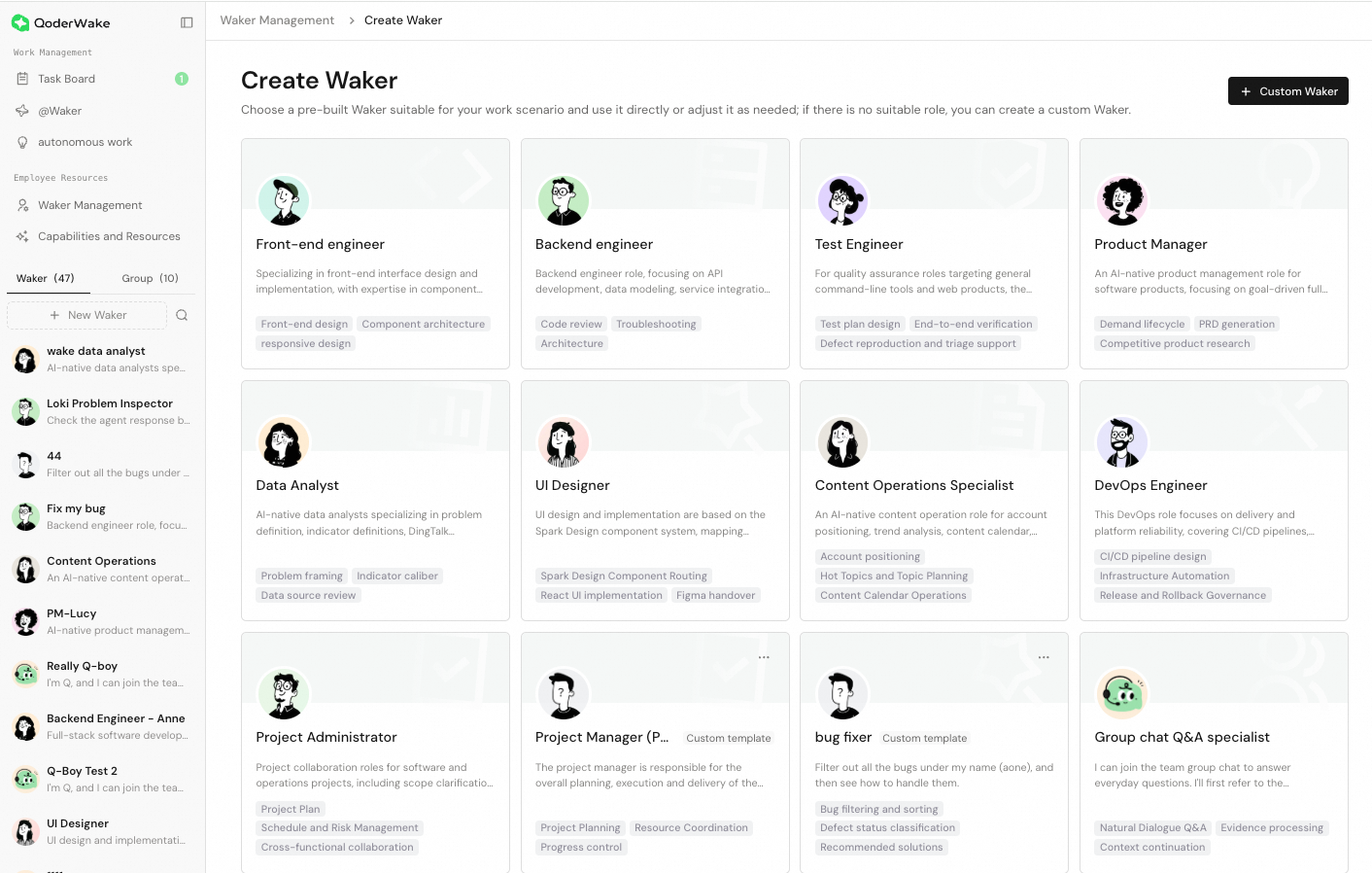
Today, we are officially releasing QoderWake 1.0.From an agent on your desktop to an AI employee embedded in real-world workflows, QoderWake 1.0 introduces a new way for agents to work within organizations. It goes beyond answering questions: it connects knowledge and tools, starts work at the right moment, and makes every execution visible, traceable, and continuously improvable. You can create a Waker that understands its role and goals, collaborate with it through conversations, IM chats, and automated tasks, and use WakerFlow to orchestrate multi-step work.Create Your Own Waker
- Describe a custom role in natural language, generate its configuration automatically, and save it as a reusable template.
Collaborate in IM
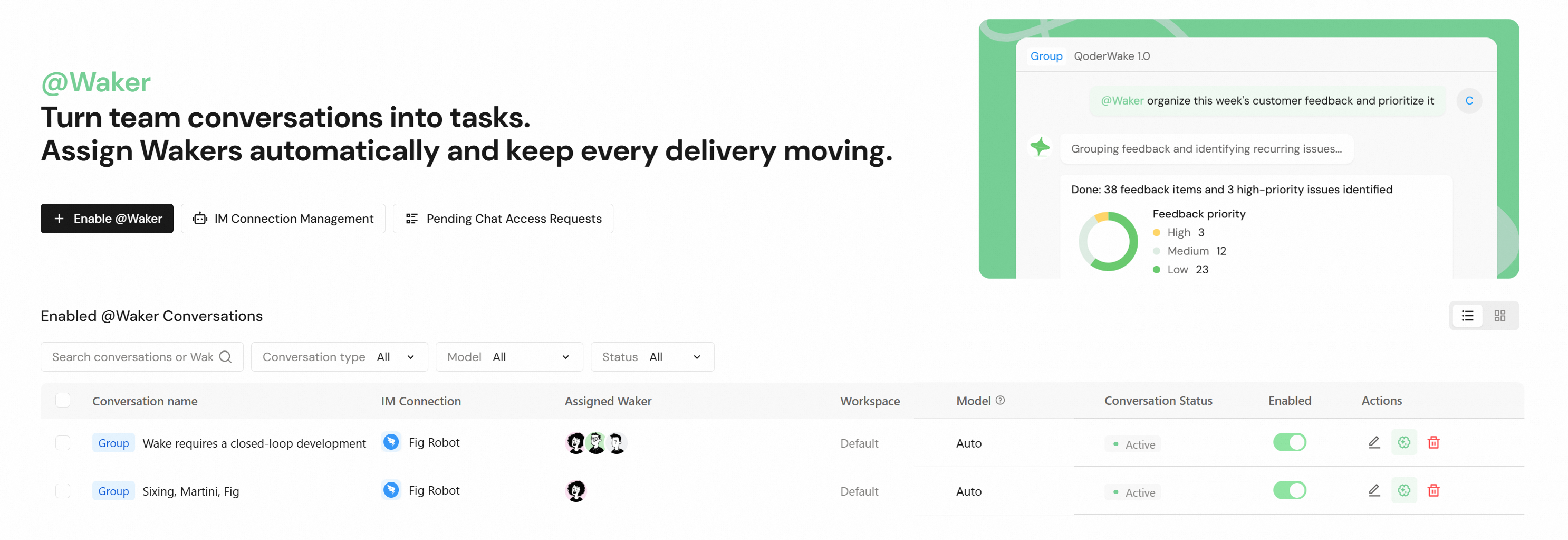
- Connect Wakers to DingTalk, Feishu, WeCom, and other IM platforms through @Waker, enabling them to respond to work requests in group or direct chats.
- Manage IM connections, chat pairings, responding Wakers, working directories, and activation status in one place, with task history and related settings available from pairing details.
- Refine requirements at any time with improved message queuing, steering, interruption, and recovery, even while long-running tasks are in progress.
Build Waker Groups for Complex Work
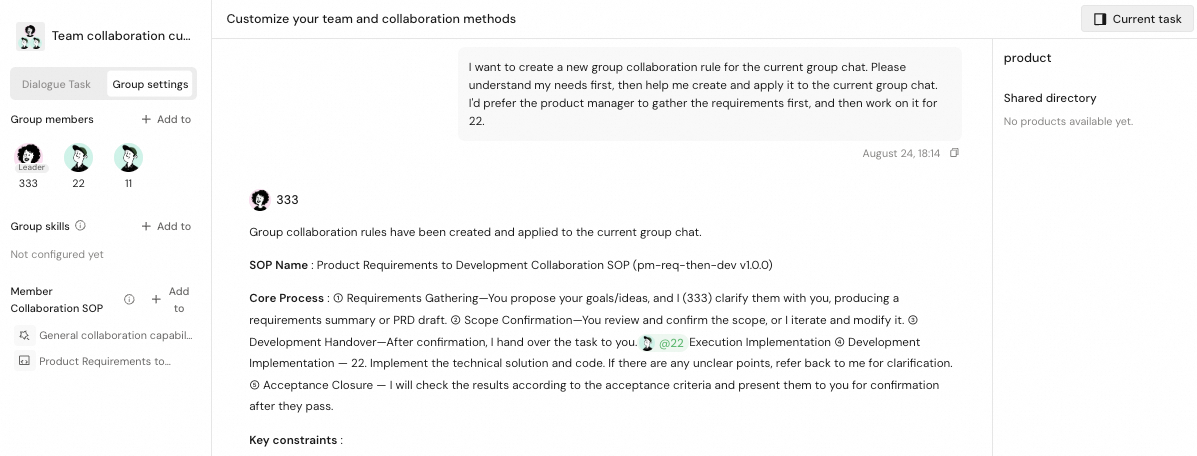
- Add multiple local or remote Wakers to one Waker group. A default lead can receive tasks, while specific members can also be engaged through @mentions.
- Configure a model and working directory for each member, and define responsibilities and collaboration patterns with group skills and collaboration SOPs.
- Create and switch between tasks within a Waker group, track each member's progress, and review deliverables organized by member and shared workspace.
Let Work Start Automatically
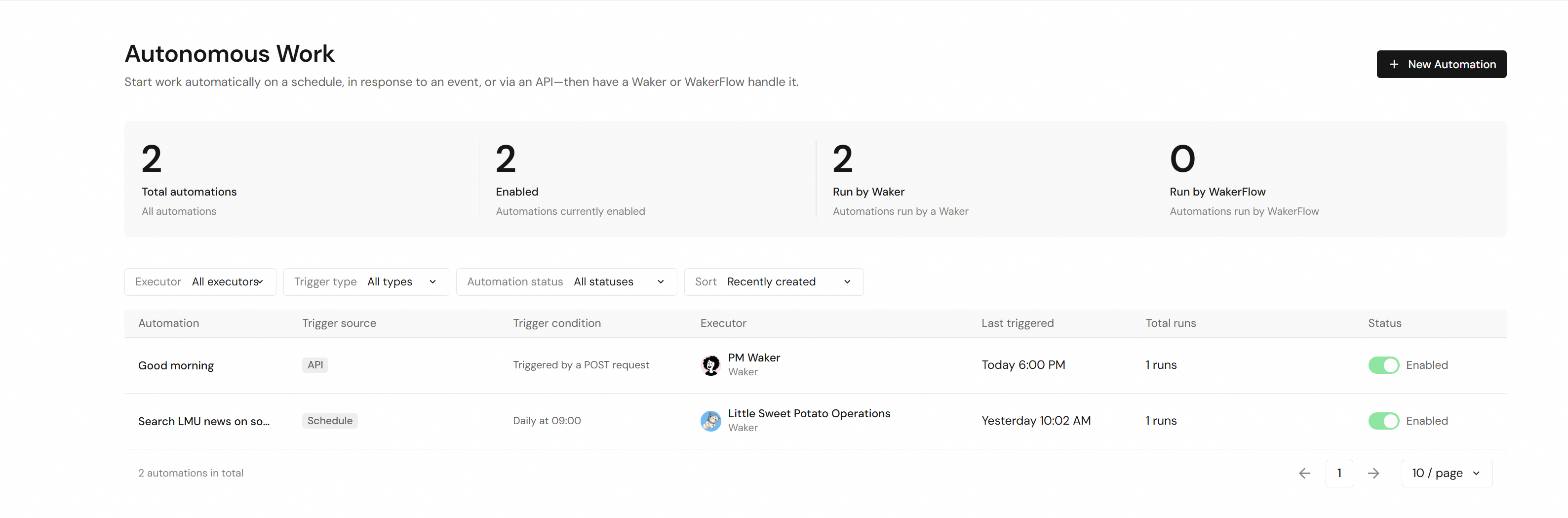
- A new unified Autonomous Work hub can trigger Wakers or WakerFlows on a schedule, in response to events, or through an API.
- View, filter, enable, disable, duplicate, and manage work rules in one place, with execution history available on each detail page.
- A unified task board provides list and kanban views for tracking conversations, group work, WakerFlows, and automated tasks.
Orchestrate Complex Processes with WakerFlow
- Generate runnable WakerFlows from natural-language descriptions, break complex work into steps, and assign them to different Wakers.
- Run workflows manually or trigger them through schedules, events, and APIs. Execution records show each node's inputs, reasoning, tool calls, outputs, and errors.
- Review and roll back version history, then continue improving a workflow through conversation based on its latest run.
Capabilities, Resources, Memory, and Learning
- A new Capabilities & Resources hub brings together skills, connectors, knowledge bases, WakerFlows, and public projects.
- Discover capabilities in the skill and connector marketplaces, then install, authorize, and enable them for selected Wakers.
- A new Memory & Learning area for each Waker provides access to global memory, the memory timeline, and self-evolving skill management.
- Improved knowledge-base creation, binding, sharing, and source management make organizational knowledge easier for Wakers to use.
Experience and Reliability Improvements
- Improved support for light and dark themes and narrow windows, together with interaction refinements across Wakers, WakerFlow, the resource hub, and the task board.
- Faster long-conversation loading, startup recovery, task-status synchronization, and task-board initial rendering.
- Fixed issues involving duplicate IM pairing saves, expert-assistance responses, misplaced topic replies, missed automated runs, WakerFlow importing and editing, and unread-status synchronization.
- Stronger permission, authentication, error-reporting, and runtime reliability controls provide clearer failure reasons and recovery guidance.
- Improved installation and update behavior on slow networks, with a more reliable Windows installation and hot-update flow.
Waker recovers from stalled group chat replies, and subtask results now return to the main task
Bug Fixes
- Fixed stalled @Waker replies blocking later group-chat messages; the Waker now recovers automatically and subsequent @Waker messages are processed normally.
- Fixed legitimate commands with output redirection such as 2>&1 being wrongly rejected in IM conversations; they now run normally with security unchanged.
- Fixed delegated subtasks silently ending the main task early and losing results; subtask results now return to the main task.
- Fixed credential-free public MCP connectors being unusable in @Waker tasks; verified connectors now work normally.
Fixed missing replies to some DingTalk personal-account direct messages
Bug Fixes
- Fixed an issue where Waker read some DingTalk personal-account direct messages but did not reply; these messages now receive replies.
Clearer Message Sources and Full Delivery of Long DingTalk Replies
Improvements
- Message Source Display: Console conversations now show which group chat or direct chat each IM message came from and its sender.
- Windows Language Behavior: Fresh Windows installs now follow the system language, as do AI replies when the reply language is unset or unavailable.
Bug Fixes
- Fixed the first direct message after DingTalk pairing going unanswered and false permission errors when selecting multiple Wakers during first-time Feishu setup.
- Fixed Console conversations showing send and stop buttons together, falsely reporting busy sessions on switch, or marking recovering sessions as interrupted.
- Fixed DingTalk replies over 2,000 characters being truncated: Waker now sends a preview plus the full content as a file.
- Fixed QoderWake falsely reporting insufficient disk space on large drives at startup and failing to restart after updates in certain Linux environments.
Waker group artifact panel partitioning and accuracy, plus sessions start despite tool conflicts
Improvements
- Artifact panel partitioning: The Waker group artifact panel partitions artifacts by the producing Waker and shows a separate shared directory section.
- Artifact list accuracy: Same-named files in different members' private directories no longer hide each other, and runtime noise files no longer appear.
Bug Fixes
- Fixed: Locating artifacts produced by a Waker running on a remote device attempted local locating or did nothing; a dismissible notice appears.
- Fixed: Locating local artifacts on macOS opened only the folder and treated failures as success; the artifact is now selected, failures reported.
- Fixed: Conflicting built-in or user tool configurations could stop chat sessions from starting; sessions start normally, with only conflicting tools temporarily unavailable.
Group Chat @Waker Message Handling and Task File Delivery Fixes
Bug Fixes
- Fixed an issue where Waker occasionally missed group chat @-mentions or misidentified task executors on multi-mentions, so both are now handled correctly.
- Fixed an issue where Waker task files failed or were wrongly rejected in IM chats, so files now arrive as download links.
- Fixed an issue where same-sender messages went unprocessed after a Waker IM task was stopped, so follow-up messages are now handled normally.
- Fixed an issue where false low-space reports blocked QoderWake startup or upgrade, so warnings now appear only when space is truly low.
- Fixed an issue where QoderWake updates repeatedly prompted restarts and reported failures late, so problems are now fixed automatically and reported faster.
DingTalk Document Commands and Reliability Fixes
What's New
- Waker DingTalk Document Operations: Waker can now handle a full range of DingTalk document tasks, including creating, editing, exporting, adding comments, and managing permissions on documents.
Bug Fixes
- Fixed an issue where enabling @Waker in a Feishu group chat would trigger processing of years-old historical messages, causing noticeable slowdowns; @Waker in Feishu now only processes messages sent after it was enabled.
- Fixed an issue where Waker could not execute DWS commands in Linux sandbox or NFS environments due to IPC endpoint unavailability; DWS commands now work reliably on Linux.
- Fixed an issue where the expert assistance status during @Waker group chat tasks could become inconsistent; expert request status is now reliably derived, and expert replies are correctly matched and delivered.
- Fixed an issue where @Waker would fail to process IM group chat messages that contained credential-like text patterns; such messages are now handled normally.
- Fixed an issue where upgrading QoderWake in a Linux environment with systemd user manager unavailable would fail to restart; QoderWake now restarts successfully using the installed binary in this scenario.
Expert answers in IM group chats now reach askers directly
Bug Fixes
- Fixed the Waker replying with a reaction or forwarding question in IM group chats; askers now receive expert answers directly as text.
- Fixed @Waker expert assistance: selecting a pending request by number could misroute the expert's answer; it now reaches the chosen request.
Smoother @Waker setup and pairing, more reliable Console conversations
Improvements
- @Waker Setup & Pairing: Improved the @Waker pairing flow and pairing-code display, plus pre-submission checks and structured rejection guidance for Feishu multi-Waker pairing.
- @Waker Attachment Context: @Waker can now read images and files shared in IM conversations as task context, with more stable attachment handling.
- Reply Language Default: When no reply language is set, AI replies now follow the system language instead of defaulting to English.
Bug Fixes
- Fixed Console conversations stopping replies after an unexpected task interruption or skill and connector configuration changes; conversations now respond normally.
- Fixed the Console model selector stuck on "Loading models" in old sessions, blocking sends; models can now be selected normally.
New group experience officially released, with more reliable scheduled tasks and group skill sync
What's New
- New group experience officially released: Create a group in the Console to use it: pick Waker members, assign a Leader, and configure member models and default working directories; groups support multi-conversation discussions, @mentions, group skills, and group management.
Improvements
- Workflow Customization: artifacts appear without refreshing; resuming after a stop skips unfinished questions; ended sessions turn read-only with a back link.
Bug Fixes
- Fixed silent missed triggers for scheduled tasks: missed tasks run automatically, and scheduling failures create visible failed-run records.
- Fixed an issue where group skills were wrongly deleted or reappeared on other devices during cross-device sync.
- Fixed first-message file loss in new group tasks: files attach to the task, display in messages, readable by the Waker.
- Fixed DWS becoming unavailable after hot updates on Windows: DWS capabilities remain available after hot-update upgrades.
- Fixed repeated approval failures when the Console session expires: approvals complete normally after the session recovers automatically.
Prompt delivery of @Waker attachment replies in supported group chats
Bug Fixes
- Fixed an issue where @Waker attachment replies in supported group chats arrived about two minutes late or were falsely reported as failed; files and text now arrive promptly.
@Waker Official Launch, with Session and Login Stability Fixes
What's New
- @Waker Official Launch: @Waker is officially launched. Mention @Waker in a supported group chat to start a task and receive results in the group.
Improvements
- macOS Installer: Reinstalling the same version no longer shows an overwrite confirmation and automatically repairs missing content; downgrades ask for explicit confirmation.
Bug Fixes
- Fixed @Waker sessions failing to start because command-line connector configurations were incorrectly flagged.
- Fixed file and image delivery in group or direct chats being wrongly marked as failed due to transient errors.
- Fixed Web Console hanging on the redirecting screen after a successful sign-in; login completes automatically and failures return to a retryable state.
- Fixed new web chat, scheduled task, and workflow sessions failing to start after upgrades or Skill and plugin configuration changes.
Faster Session Stop and Permission Approval Fixes
Improvements
- Faster Session Stop: Clicking Stop on a session now responds immediately; stopping an offline remote Waker returns right away with a clear reason.
Bug Fixes
- Fixed "always allow for this task" failing after restart, and tools set to Allow in Waker settings prompting again in new conversations.
- Fixed IM messages staying stuck in the queue after a session was stopped or deleted; new messages now process normally.
- Fixed workflow customization getting stuck or failing to continue after being stopped midway; customization now continues normally after a stop.
- Fixed Windows upgrades timing out when leftover processes occupied the required port; cleanup runs after your confirmation, and restarts are more reliable.
More Reliable DingTalk Message Responses from Waker
Bug Fixes
- Fixed an issue where DingTalk direct messages to Waker could go unanswered, drop mid-conversation, or receive duplicate replies; messages are reliably answered.
- Fixed an issue where DingTalk messages could not trigger Waker replies after the computer woke from sleep; new messages work without restart.
- Fixed missing feedback when Console approval card submissions failed; the card now clearly indicates expired approvals or retryable failures and stays visible.
- Fixed workflow customization sessions getting stuck in a stopping state when stopped; stopping now completes and new customizations can start.
- Fixed failures in built-in DingTalk capabilities in Waker tasks — group member lists, knowledge base browsing, and to-do lists now work reliably.
Automatic Long-Term Memory and Offline Device Unbinding
Improvements
- Automatic Long-Term Memory: Wakers now save stable information into long-term memory after replying, with clear notices for created, updated, or deleted memories.
- Offline Device Unbinding: Offline devices can be unbound in Environment & Devices settings, and signing in again on that device restores its data automatically.
- Composer Undo and Redo: Undo and redo shortcuts now work in the conversation input box, including right after pasting content or inserting references.
- Richer Feishu Replies: Feishu channel replies can now include images and files directly, and group replies can mention the original requester.
Bug Fixes
- Fixed an issue where saving invalid IM channel credentials overwrote working ones; failed saves now roll back and keep the original connection.
- Fixed an issue where Windows upgrades stuck in a half-updated state blocked new sessions; updates now complete automatically.
Sessions Stay Alive Through Idle Timeouts and Resume More Reliably
Improvements
- Idle Session Recovery: Idle timeouts no longer end the conversation; only background resources are released, and sending a new message resumes it automatically.
- Longer Startup Window: Session startup now waits up to 45 seconds instead of 30, reducing spurious startup failures in slower environments.
Bug Fixes
- Fixed messages sent after a session timeout being silently ignored; normal conversations now recover automatically and process the new message.
- Fixed a startup failure that could occur when resuming an existing conversation from an idle or stopped state.
- Fixed false startup failures when a new message arrived during session cleanup; the message now runs automatically once cleanup completes.
Console Chat Upgrades and More Flexible Tool Approvals
Improvements
- Console Chat: Pasted long text folds into a removable card, long messages collapse by default, and a back-to-latest button is added.
- Tool Approval: Approval requests pop up on any Console page, remote conversations support direct approval, and always-allow stops repeat prompts within a task.
- Instant Settings: Changes to skills, connectors, or project settings take effect on the next message without interrupting the ongoing conversation.
Bug Fixes
- Fixed an issue where stopping a reply left the conversation stuck running and generated content disappeared after refresh.
- Fixed an issue where a DingTalk bot with invalid credentials stayed connecting indefinitely; a clear failed status with guidance now shows.
DingTalk QR Code Setup and Clear Quota-Exhausted Notices
Improvements
- DingTalk QR Setup: Configure a DingTalk bot channel by scanning a QR code to auto-fill credentials, with manual entry still available anytime.
- Quota Exhausted Alerts: Sessions, workflow run details, and IM replies now clearly report exhausted quota and guide you to upgrade, without retrying.
- Session Catch-Up: Switching back to a running task now loads all messages produced while away at once, without duplicate bubbles or lingering cursors.
Bug Fixes
- Fixed scheduled tasks being wrongly marked failed or stuck in running after a restart; interrupted tasks now resume and complete normally.
- Fixed IM bots sending duplicate replies to messages they had already answered after a session was restored following a restart.
- Fixed noticeable product-wide sluggishness with very large local history data; session detail pages and similar views now load much faster.
Direct Connector Links and Smoother Console Sessions
Improvements
- Connector Link Navigation: Connector links in conversations now open the installed connector's settings directly, and legacy addresses redirect automatically.
- IM Channel Setup: Saving an IM bot configuration now completes immediately, and certificate issues on enterprise networks show clear recovery guidance.
Bug Fixes
- Fixed an issue where switching conversations reloaded the whole console page, so session switching now updates in place.
- Fixed an issue where the console defaulted to English on Chinese macOS and Windows, so it now opens in the system language.
- Fixed an issue where image processing and terminal features failed in the macOS installer edition, so both now work normally.
- Fixed an issue where automated tasks received triggers but stayed stuck running after a background service restart, so they now execute properly.
Connector Market Arrives with Group Collaboration Fixes
What's New
- Connector Market: Browse featured connectors in the new Market tab of the console Connectors page, with one-click install to a Waker plus authorization and enable/disable management.
Bug Fixes
- Fixed an issue where image questions in IM groups could get no reply; a clear notice now appears when message reading fails.
- Fixed an issue where switching accounts on one device could lose IM bot settings and pairings; configs now restore per account.
- Fixed an issue where console sessions still started with auto-selected models after saving a model preference; saved preferences now apply.
- Fixed an issue where team group tasks could repeatedly fail or stay stuck in a running state for a long time.
Claim Model Credits in the Upgraded Usage Panel
Improvements
- Credits Usage View: The console usage panel now offers a Credits view with model promotion credit progress, remaining balance, end date, and details link.
- One-Click Credit Claiming: Claim model credit promotions in the console usage panel with instant balance refresh; unavailable promotions appear disabled, and failed claims support retry.
- Benefit Notification Card: A console card appears when a claimable Qwen3.8-Max limited-time benefit is available, opening the usage panel to claim; dismissed cards stay hidden.
Bug Fixes
- Fixed authorization errors when loading promotion credits in the usage panel triggering a console re-login prompt.
Sign-In Protection and One-Click Updates
Improvements
- One-Click Updates: Checking for updates in Settings now downloads and installs new versions directly, and the restart card activates them in one click.
- Remote Sign-In Recovery: Self-hosted deployments can optionally allow designated remote console pages to recover sign-in or sign out; disabled by default.
- Sign-In Protection: Account sign-in is now better protected against unexpected sign-outs, and previous sign-in states expire immediately after switching accounts.
Bug Fixes
- Fixed an issue where the page still showed a signed-out state after re-signing in, so the page now recovers once sign-in completes.
- Fixed an issue where some local features stopped working in self-hosted environments after sign-in protection was enabled.
Q&A Specialist Officially Released
What's New
- Q&A Specialist Officially Released: The Q&A Specialist is now available, answering questions in DingTalk and Feishu group chats based on your knowledge bases and designated experts. A three-step quickstart gets it running, and experts can correct answers directly in the chat to update knowledge in real time with undo support.
Improvements
- Chat Attachments: Drag or paste files and images into the console chat input to add attachments in direct and group conversations.
- Task Board: The task board offers one place to review task progress and act on pending approvals in the approval workspace.
Bug Fixes
- Fixed an issue where session and task statuses in the history panel stayed in progress, so they now refresh within seconds of completion.
Everyday Experience and Reliability Improvements
Improvements
- File Attachments: Drag or paste local files and images directly into single and group chat inputs, with clear per-file failure feedback.
- Upgrade Suggestions: Console and CLI now show a version upgrade suggestion when your installed QoderWake version is outdated.
Bug Fixes
- Fixed group chat messages briefly appearing duplicated after sending, and tasks awaiting answers being misjudged as failed or stuck.
- Fixed conversation and automation task lists staying stuck on running instead of refreshing status promptly after completion.
IM Channels Recover Automatically After Availability Changes
Improvements
- IM Channel Recovery: Enabled IM channels can now recover after availability changes, reducing unexpected interruptions.
Streamline DingTalk Pairing and Channel Management
Improvements
- Batch Pairing Setup: Select multiple conversations in the add-pairing dialog and apply one Waker, model, and working directory together.
- Pending Request Actions: Batch-approve or ignore multiple pending pairing requests on the current page, each sharing one Waker, model, and directory.
- Message Suffix: Append an editable suffix to outbound replies and narration on the DingTalk personal-account channel, on by default.
Smoother issue feedback
Improvements
- Issue Feedback: The feedback dialog in Console now opens instantly with an editable form, so you no longer wait on a full-screen loading state; runtime details and the automatic screenshot are gathered in the background, and a contact email you have already filled in is kept instead of being overwritten by results that arrive later.
Steadier logins, session status, and IM page polish
Improvements
- IM Page Copy: English wording across the IM pages now reads more naturally and idiomatically.
- New Project Dialog: Opening the New Project dialog from within pairing, approval, or edit dialogs now stays clickable and editable, with focus returning correctly after it closes.
- Paired List Layout: Actions in the public IM paired list now stay neatly aligned across languages.
Bug Fixes
- Fixed login sometimes staying stuck; a single login click now recovers, and background and automation connections reconnect automatically.
- Fixed paired sessions using older DingTalk bots being hidden from the public IM paired list; they now appear correctly.
- Fixed finished remote-control sessions still showing as Running; reopening the session or the Session History list now shows the correct status.
Experience polish: responsive card layouts, DingTalk channel guidance, and clearer macOS quit prompts
Improvements
- Responsive Card Layouts Across Management Pages: Card lists on the management pages now adapt to the available screen width, showing more cards per row on wide and ultra-wide displays and staying tidy on narrow screens. This covers My Wakers, My Groups, WakerFlow, Public Projects, Knowledge Bases, and the Approval Workbench.
- Card Type Guidance for DingTalk Bot Channels: When setting up a DingTalk bot channel, the card type option now explains the difference between the standard card and AI card modes and links to the bot management console, so administrators can choose the right mode and reach the settings directly.
- Clearer Quit and Restart Confirmation on macOS: On macOS, the quit and restart confirmation now reflects only sessions that are actually busy, so idle sessions no longer raise an unnecessary interruption warning. The Chinese interface also renames "Trigger tasks" to "自动任务" for clarity.
Clearer prompts, responsive Console layouts, and quit/restart stability
Improvements
- Sensitive-Content Message: When a conversation is blocked for sensitive content, a clear localized message now appears suggesting a model switch or a new session—no more cryptic upstream errors.
- DingTalk Pairing: Adding a DingTalk pairing now uses a single search box that finds contacts or group chats by name or ID, with a simple toggle between single chat and group chat.
- Responsive Card Layouts: My Wakers, My Groups, Workflows, Public Projects, and Knowledge Notebooks pages now adapt to the screen width, showing more columns on wide screens.
- Login Stability: The Console no longer triggers a logout on temporary network hiccups, and browser sessions stay valid across a client restart or upgrade (until an explicit logout or session expiry).
Bug Fixes
- Fixed an issue where quitting or restarting could hang for a long time if a background task stalled.
- Fixed an issue on Windows where skills with special line endings could prevent sessions from starting.
- Fixed "Launch at Login" on Windows desktop so it works reliably and no longer registers itself multiple times.
Unified multi-instance management and access policies for IM channel bots
Improvements
- Multi-instance bot management: Weixin, WeCom bots, and QQ bots now use the same grouped multi-instance management as DingTalk and Feishu. You can add, identify, and independently manage multiple bots of the same type, with instance counts, expand/collapse, and a more/collapse control once there are over 5 instances. Each instance can be edited, enabled or disabled, and deleted on its own.
- Feishu bot shown by default: The Feishu bot channel now appears in the console by default — its group is shown when configured, and the add entry is shown when it isn't.
- Paired and open access policies: Weixin, WeCom bots, and QQ bots now support two access policies. Open mode responds through a default Waker, while paired mode uses the unified pairing approval, manual add, and session management flow so a single bot can dispatch to multiple Wakers by conversation.
- Optional working directory: When configuring pairing (approval, manual add, pairing code, or session edit) or an open-mode bot, the working directory is now optional; leaving it empty uses the responding Waker's default IM working directory. Open mode only requires choosing the default responding Waker, with model and working directory as optional overrides.
- Safer Waker deletion: Deleting a Waker that is still the default delivery target of an open-mode public bot is now blocked. The affected channels are listed so you can rebind, switch, or remove them first, avoiding an unusable public connection.
Bug Fixes
- Fixed an issue where replies from public multi-instance bots in open mode could fail to be delivered.
New Qwen3.8-Max-Preview off-peak option, richer model descriptions, and reliability fixes
Improvements
- Qwen3.8-Max-Preview: The new Qwen3.8-Max-Preview model is now selectable in the model picker, and it joins the off-peak lineup at a deep off-peak discount so long-running tasks cost far less during off-peak hours.
- Clearer Model Descriptions: Model hover cards now show curated, model-specific descriptions for more models, including Qwen3.8-Max-Preview, DeepSeek-V4, GLM-5.2, Kimi, and MiniMax.
Bug Fixes
- Fixed running sessions with new activity not showing an unread indicator in the task list, so the unread count always maps to a session that can be opened.
- Fixed session creation sometimes failing with a "Daemon is reconnecting" message caused by a stuck background connection; the daemon now recovers on its own.
Realtime Unread Badges, Workflow Studio Status Cleanup, and IM Channel Fixes
Improvements
- Realtime Unread Badges: Chat list entries, Waker and group badges, and Session History unread counts now update in real time and stay in sync across devices.
- Clearer Workflow Studio Run Status: When a WakerFlow run fails or is stopped, employees, actions, sub-flow calls, and awaiting-input nodes no longer stay stuck as "dispatching" or "running," making it clear at a glance when a run has actually ended.
- Session History Icon Polish: A session wrapping up normally no longer briefly flashes a red error icon.
- Smoother Group Composer and Navigation: Sending a message in a group now clears the draft, attachments, and selected members right away and restores them if the send fails, and switching between past sessions in the same group stays stable without flashing or reshuffling the list.
- Windows Install and Authorize: On Chinese Windows, the DWS CLI "Install and Authorize" failure message is now readable instead of garbled, and finishing the install no longer shows a false failure.
Bug Fixes
- Fixed a DingTalk direct-message issue where sent messages could be routed back to the sender's own account; the "self" account can no longer be added as a direct-message target, and older self entries no longer trigger tasks.
- Fixed an IM channel issue where saving settings could drop a channel's existing Waker binding or routing, so inbound messages now reach the right Waker.
More Reliable DingTalk and Feishu Group Replies
Improvements
- DingTalk Group Replies: When you @mention the bot in a DingTalk group, its reply now @notifies you directly and highlights your name.
- Cleaner Reply Cards: The bot no longer pops an empty "..." card first, and it won't send two reminder cards for the same question.
Bug Fixes
- Fixed DingTalk, Feishu, and other IM channel replies being lost, stuck on an empty "processing" card, duplicated for the same message, or skipped when a question arrived late.
IM-Style Navigation, Skill Marketplace Search, and Team Group Collaboration
Improvements
- IM-Style Navigation: Console app shell redesigned with two-level IM-style rail, resizable Chat sidebar, and refined management page button hierarchy
- Skill Marketplace: Keyword search, category filtering, sorting, pagination, and rich-text SKILL.md editing with version history for installed skills
- Global Task Board: Pending WakerFlow approval cards visible on the unified task board
- Team Group Collaboration: Structured multi-step planning with dynamic replanning; real-time progress indicators show member activity in team groups
- IM Channel Management: Multi-target binding lets one bot route messages to different Wakers or groups by conversation; per-Waker page adds session filtering, inline editing, and pairing code generation
- Global Settings: Language, theme, auto-launch, network diagnostics, and device environment management in a dedicated settings page
Bug Fixes
- Fixed MCP connectors with static header authentication failing to connect due to expired or missing OAuth tokens
Smoother WakerFlow status, clearer device management, and steadier DingTalk connections
Improvements
- WakerFlow: Node status now shows readable text instead of only color dots, with final states displayed as "Completed / Failed", and workflow titles you renamed are no longer overwritten by model-generated names.
- Device Management: Eligible device cards (offline or unknown non-current devices) now offer a "Remove Device" action.
Bug Fixes
- Fixed DingTalk bot connections that could appear falsely online and fail to recover after dropping; connections are now more stable and reconnect automatically.
Global IM channels with multi-target routing, plus Console experience upgrades
What's New
- Global IM Channel and Multi-Target Routing: An IM bot is now set up as a global channel and managed from the redesigned public IM pairing page, so a single bot can route different chats or groups to different Wakers or Team group chats. When approving or manually adding a pairing you can choose its delivery target, and the paired list lets you view, edit, enable or disable, and delete each pairing with search and status filters.
Improvements
- WakerFlow Quick Actions: The WakerFlow detail chat now offers one-tap quick actions—"Test Run" (available when the flow has a script) and "Diagnose Recent Run" (shown when a recent run exists)—so you can try a flow or troubleshoot its latest run without leaving the page.
- Inline Artifact Card: Direct chat now shows a compact artifact card right below the reply that produced it (file/code-change counts, expand or collapse, open), so you no longer need to open the "Current Task" panel first.
- Fullscreen and Detail Dialogs: Fullscreen dialogs (such as memory version management and Skill details) now fill the browser viewport and follow viewport resizing, and the "Role Template Details" drawer on the create-employee page scrolls independently without moving the background page.
Bug Fixes
- Fixed the final part of an answer sometimes appearing only after switching conversations or refreshing, especially when the window was not focused; a reply now shows in full as soon as it finishes.
Automation session recovery, plan retry, and model runtime tuning
Improvements
- Model Runtime Tuning: In both direct and group model selectors, you can now open an Edit entry on the active model to adjust options such as its context window and thinking mode. In a group, the settings you save actually take effect for the current group conversation, instead of only being shown.
- Clearer Group Task List: The task list on a group's detail page now shows each task's step number, sorts tasks by step and then by plan order, and keeps status labels on a single line in your Console language.
- One-Click Plan Recovery: When a group's plan generation fails, it retries once automatically. If it still fails, the plan card gives you a "recreate plan" button so you can start over without losing the conversation, and a failed or cancelled plan no longer swallows the next message you send.
- More Reliable Mark-All-Read: When you mark all read on a Waker or group, the unread badge only clears after every remote session has actually advanced, and stale unread notifications are briefly ignored so the unread you just cleared isn't refilled by outdated data.
- Steadier Automation Runs: When an automation task stays silent in the background for a long time, gets stuck on a tool call, or its background service restarts, it now tries to recover on its own instead of failing early. Sessions that were reset in the background or ended normally also report a stopped state, so Console no longer keeps showing them as running.
- More Reliable Install and Sandbox Deploy: Installation and sandbox deployment now retry transient network errors while staying compatible with older environments, and write each file atomically so a failed download can no longer leave a broken, partial file behind. The installer also picks the correct QoderWake package on more complex release manifests.
Bug Fixes
- Fixed the automation task entry and automation history tab occasionally disappearing in local Waker conversations; they now stay visible whenever you are in a local Waker session.
- Fixed valid images under 2 MB being rejected on avatar upload because the size was checked after encoding; the limit now applies to the original file you choose.
WakerFlow is officially released , API session continuity, and team Plan-stage collaboration
What's New
- WakerFlow Released: The WakerFlow workflow studio is now available. Run buttons open a parameter configuration dialog, and execution records refresh automatically when you open the tab.
Improvements
- API Trigger Session Continuity: A new
wakeSessionUniqueIdparameter lets you route multiple API trigger calls to the same automation session with sequential execution. - Smoother Agent Execution: Agent now enters planning mode and runs tool steps automatically, reducing confirmation prompts. Exiting plan mode still requires your confirmation.
- Team Group Plan-stage: Team groups use unified Plan-stage routing with auto-confirm when requirements are clear, failure recovery, mid-execution follow-ups, and a debug timeline showing plan execution stages.
- DingTalk Integration: DingTalk authentication now recovers automatically without interruption; attribution line updated to "send from my qoderwake".
- Remote Session Context: Remote Waker conversations now pass employee context correctly on page requests and follow-ups.
- Homepage Memory Display: Homepage memory section shows the most recent 50 entries without date filter limitation, and pending summary events refresh correctly.
Bug Fixes
- Fixed some Windows users remaining on outdated versions after updates.
- Fixed task board swimlane view not showing all task types reliably when pagination is involved.
- Fixed background services not releasing system resources after sessions ended, which could affect performance.
Task Board Officially Launched
What's New
- Task Board: The Task Board is now officially launched — manage and track tasks across your Wakers from the sidebar navigation.
Improvements
- Automation History: Trigger inputs now appear in conversation history for automation runs.
Bug Fixes
- Pressing Enter during IME composition no longer triggers message send.
DingTalk Meeting Notes MCP, Browser Relay MCP, Configuration Changes Without Interruption
Improvements
- Usage Panel Upgrade Prompt: The upgrade entry at the bottom of the usage panel now displays persistently for individual users not on the highest tier, rather than only when quota is exhausted; a "View Details" link is added to the top-right corner
- Mark All as Read: Right-click menu on Waker and group chats supports clearing all unread badges in one click
- DingTalk Meeting Notes MCP: Query and read DingTalk meeting note summaries, transcriptions, and action items directly in Waker conversations (5 new tools)
- Browser Extension Relay MCP: With Browser Connector enabled, Waker can retrieve page content and perform browser actions through the browser extension
- Configuration Changes Without Interruption: Installing or modifying Skills, MCP, or Connectors no longer interrupts the current conversation; new configurations take effect automatically in the next turn
- DingTalk Batch Mode Performance: Faster message response when multiple DingTalk conversations are configured
- DingTalk Missing Configuration Handling: When DingTalk direct message configuration is incomplete, the service now stops explicitly with a prompt instead of silently skipping messages
Bug Fixes
- Fixed Feishu channel replies losing message card content when the server closes the streaming connection early
- Fixed file picker opened from modals such as "Create from Public Project" not allowing click interaction with the directory list
Model selector and interaction experience improvements
Improvements
- Model Selector: Unavailable models are shown in a disabled state instead of hidden; disabled models are excluded from default/preferred model auto-selection.
- Group Unread Badge: Unread badge now includes historical unreads; background task sessions contribute to the corresponding Waker's unread count.
- Subscription Plan: Improved subscription plan information display.
- Plan Mode: Automatically approved when entering plan mode without manual confirmation.
- Error Handling: Improved error code display and page loading experience.
Bug Fixes
- Fixed Linux file picker hanging for 120 seconds when no display session is available by falling back to the browser picker.
Smarter automation inputs, unread badges, and group question forms
Improvements
- Smarter Automation Inputs: Automations triggered via API now support template variables in the task prompt, so you can pass dynamic data from external services instead of writing fixed instructions every time.
- Unread Badges: Session history and task lists now show unread message counts, with separate badges for conversations and scheduled tasks so you can quickly spot what needs attention.
- Group Question Forms: Multi-question forms in Team Groups now display your completion progress and highlight any required questions you missed when you try to submit.
Bug Fixes
- Fixed tool approval notifications not reaching you in IM channels, which could cause action results to go missing.
- Fixed sessions getting stuck on "thinking" and never returning a response.
- Fixed cancelled sessions not stopping promptly, which could leave stale sessions running in the background.
- Fixed Waker creation occasionally timing out before completing.
- Fixed the restart notification incorrectly reporting failure when background tasks were still finishing up.
- Fixed files from earlier conversations sometimes returning a "not found" error.
- Fixed newly created public projects not appearing in the Waker project list.
- Fixed Windows tray update handoff and terminal display issues on first launch.
Reliability, cleaner responses, and group improvements
Improvements
- Group Loads Faster: First-screen loading no longer fires redundant requests, and task states no longer bleed between sessions.
- Unread Badge: Displays 99+ for large counts; clicking the badge navigates directly to pending sessions for quick triage.
- Chat Input Stays Editable: The input box remains editable while a task is blocking, so you can prepare your next message.
- Cleaner Model Responses: Irrelevant DingTalk tool guidance no longer appears in regular conversations, and MCP tools activate correctly without cluttering context.
- Update Reliability: Daemon restarts reliably on macOS and Windows, and DingTalk dependencies auto-upgrade silently to keep IM and MCP tools available.
Bug Fixes
- Fixed DingTalk group replies @mentioning the wrong person when multiple senders are active.
- Fixed sessions with an empty workspace path crashing on startup.
- Fixed macOS daemon not restarting promptly after a hot update.
- Fixed Windows pending updates not being applied during restart.
- Fixed incorrect version display in the Windows app shell.
- Fixed unstable unread navigation in Console groups.
Thinking-indicator reliability fix
Bug Fixes
- Fixed the "thinking" indicator getting stuck indefinitely when a completion event was missed.
Unread Message Display, Artifacts Panel Toggle, Multi-Tab State Sync
Improvements
- Unread Message Display: The Console chat list now shows unread message counts for Waker and group conversations; opening a conversation automatically marks it as read.
- Artifacts Panel Toggle: The conversation artifacts side panel can now be collapsed or expanded, giving more room to the chat area when closed.
- Multi-Tab State Sync: Worker running-state changes now sync in real time across multiple open Console browser tabs.
Bug Fixes
- Fixed duplicate "thinking" status bars rendering simultaneously in a conversation.
- Fixed an issue where follow-up messages sent within 5 minutes via DingTalk were silently ignored.
- Fixed a 409 error when calling the restart API on Windows, which previously caused Waker restarts to fail.
- Fixed team group incorrectly marking the entire task as failed when certain non-essential members could not respond, and adjusted reply rules so these members no longer block task completion.
Clearer resource package display
Improvements
- Resource Package Display: Organization resource packages now show three clear states — available with a defined limit, available with unlimited usage, or unavailable — each with precise values and hover tooltips for guidance.
Minor stability and display fixes
Bug Fixes
- Stability: Fixed minor experience and display issues.
More reliable session handling
Improvements
- Session Idle Timeout: Sessions waiting for your response no longer expire from idle timeout — you can return later and pick up where you left off.
Bug Fixes
- Fixed a rare issue where concurrent session operations could launch duplicate processes, causing unstable behavior.
Model preference stability, DingTalk channel enhancements, and group plan reliability
Improvements
- Question Card Skip All: Skip remaining unanswered questions at once, submitting defaults while preserving already-answered preferences.
- Model Configuration Persistence: Reasoning effort and context window settings are now retained across all model sources.
- Waker Creation: Bio/description field is no longer required when creating a new Waker.
- Model Preference Stability: Switching between history sessions no longer briefly flashes an incorrect model; previously selected models are properly remembered.
- DingTalk Channel: Support for AI card and ordinary card modes; model override per channel; configuration changes take effect immediately without manual restart.
- Group Plan Execution: Confirmed plans execute more faithfully with correct task assignments; question card submissions more reliable; input locked while questions are pending.
Bug Fixes
- Fixed single-chat usage limit errors silently retrying instead of showing an immediate error message.
- Fixed model reasoning and context settings being lost in certain fallback scenarios.
Model Configuration, Group Improvements, and Reliability Fixes
Improvements
- Model Runtime Configuration: Model selector now supports viewing and configuring Reasoning Effort and Context Window, with a detailed model info panel.
- Group Experience: History loads on demand; execution artifacts and errors are displayed inline within the message stream.
- Automation Task Reliability: Scheduled tasks now include a self-recovery watchdog, and first-response latency for IM Channels is reduced.
Bug Fixes
- Fixed certain usage limit errors causing silent retries instead of showing an immediate error message.
- Fixed importing configuration archives failing when file paths contain non-English characters.
- Fixed sessions being interrupted by a false "stuck" detection while the Waker is using tools.
- Fixed long-running conversations occasionally losing their connection after periods of inactivity.
IM message localization, input drag-and-drop, and management polish
Improvements
- IM Message Localization: System status and error messages in IM channels (queue waiting, approval blocks, media limits, processing failures, connection errors, etc.) now display in the user's configured language instead of fixed English text.
- Input Field Drag-and-Drop: Conversation and group chat input fields now support dragging images or files directly in. Images are uploaded as compressed thumbnails, non-image files are attached as file context references, and a guidance prompt is shown when the file path cannot be resolved.
- Management Page Pagination: The Waker Management page now paginates both the Waker list and the group list (12 per page).
Bug Fixes
- Fixed an issue where custom-role Wakers without an avatar could display a blank placeholder; they now consistently show a default avatar.
Cleaner file changes, and faster automation
Improvements
- Cleaner File Change Lists: File change lists no longer show irrelevant system files (such as
.DS_Store), and historical changes display more reliably. - Faster Automation Cleanup: When a scheduled automation finishes, any leftover background processes are stopped immediately — no more waiting for a timeout.
Windows release, clearer session errors, and Group polish
What's New
- Windows Release: QoderWake for Windows is now officially available — download it from the official website.
Improvements
- Visible Session Errors: When a session terminates due to an unexpected process exit, the console now shows the specific error instead of a generic disconnect notice.
- Capped Group Auto-Summary: Leader auto-summary replies in group conversations are now capped, reducing noise on the conversation timeline.
- Readable Model Names in Selector: The team model dropdown now shows readable model names when metadata is available, instead of raw model identifiers.
- Subpath Deployment: Apps deployed under a URL subpath now load all assets correctly without extra web server rewrite rules.
- Action Suggestion Resilience: When a group action suggestion responds too slowly, the system automatically skips it and continues processing the message — no more stalled conversations.
Connector Stability & Group Polish
Improvements
- DWS Connector Probe: Connectors load without auth popups and recover from Keychain errors or cache expiry.
- Console Restart: macOS users can restart and upgrade the daemon from Console even without LaunchAgent.
- Leader Output: Leader responses in group are more concise.
- Feedback Log Collection: Feedback ZIP is smaller and faster with a 40 MiB cap.
- Multi-Filesystem Workspace: Projects with multiple filesystem sources now resolve a unified workspace across all session types including group.
- Historical Group Sessions: Past group sessions now show their own historical state independently.
Bug Fixes
- Fixed expired plan change confirmations blocking progress; they now become read-only.
- Fixed session list not correctly identifying which Waker owns each conversation.
- Fixed group sessions disconnecting permanently on credential expiry; they now reconnect seamlessly.
Default Page and Session Auto-Recovery
Improvements
- Console Default Page: Opening Console now lands on the Management page, providing an at-a-glance overview of all Wakers with an empty-state guide when no Waker exists.
- Session Auto-Recovery After Daemon Restart: Running sessions are automatically resumed after an unexpected daemon restart, so in-progress tasks continue without manual intervention.
Waker Group release, DingTalk knowledge base integration, and IM mention preservation
What's New
- Waker Group: Waker Group is now live — Wakers can collaborate as a team.
- DingTalk Knowledge Base, Docs & Calendar: The DingTalk MCP integration now supports knowledge base search and browsing, document listing/search/reading, calendar events, and meeting room management.
Improvements
- Manual Group ID for DingTalk Personal Mode: You can now manually configure conversation ID or open conversation ID for DingTalk personal channels, with setup checks confirming whether the binding is in place.
- IM Channel Message Localization: System messages such as thinking placeholders and pairing prompts now follow your daemon language settings, supporting both Chinese and English.
- Earlier DWS Authorization: DingTalk message permissions are now granted during DWS setup instead of at runtime, making first-time replies and triggers faster and more reliable.
- IM Mention Preservation: Inbound IM messages now preserve @mention context for the model, with DingTalk mentions automatically resolving to user names via DWS when possible.
- More Accurate Running Task Detection: The system status API now distinguishes idle conversations from actually running tasks, so the update/restart prompt no longer mistakes idle sessions for active work.
Bug Fixes
- Fixed DingTalk text callbacks stripping @mentions and leaving the model with broken sentences — mentions are now restored as readable text in the right places.
- Fixed leftover hidden self-evolution skill records from other accounts blocking the current account from rebuilding them.
- Fixed DWS login errors showing raw JSON in the console — now displayed as readable login prompts.
- Fixed the update/restart prompt counting idle conversations as running tasks.
Smoother Project Creation and Project Source Setup
Improvements
- Project Source: When adding a project source, selecting a valid local directory or entering a valid Git repository URL on the last row enables the Save button and submits that source, with no need to click "Add" first.
Bug Fixes
- Fixed an issue where creating a new project in the working directory picker did not automatically select it with the correct working directory. The newly created project is now selected automatically so that tasks you send afterward run in the right working directory.
Project context source editing fixes
Bug Fixes
- Removing an extra blank context source draft row while creating a project no longer accidentally deletes context sources you have already added.
Smoother update reminders
Improvements
- Update Reminder: A dismissible reminder now appears in the bottom-right corner when a newer version has already been downloaded and is ready to install, letting you update now, close it, or be reminded later; once dismissed it stays hidden until an even newer version is ready.
API trigger, launch at login, and a lighter idle footprint
What's New
- API Trigger: You can now configure an API trigger for an automation and start a Waker on demand by sending a request to its endpoint, in addition to the existing automation triggers.
Improvements
- Launch at Login: A new System setting starts the QoderWake background service automatically after you log in to your system. The macOS menu-bar "Launch at Login" toggle and the Console setting now reflect the same state.
- Automatic MCP Connector Recovery: Remote MCP connectors whose OAuth client has expired now reconnect automatically and transparently, with a "Re-auth" button as a fallback if recovery does not succeed.
- Refined Usage Panel: The usage overview now opens as a fixed overlay anchored to the app rail and refreshes each time you open it, and the global update/restart prompt no longer overlaps settings surfaces.
Bug Fixes
- Fixed opening or refreshing an invalid or unavailable Console link, such as a missing session or resource, showing a blank or error page; it now redirects back to the conversation home.
- Fixed high CPU usage while the app is idle, noticeably lowering resource use when no tasks are running.
Smarter restart prompts, fresher Waker home content, and more reliable Console navigation
Improvements
- Smarter Restart Prompt: After an update, the restart prompt now warns about possible interruption only when a conversation is actually in progress, so idle sessions no longer trigger false alerts.
Bug Fixes
- Fixed the "About Me" section on the Waker home page (core strengths, working style, delivery commitments) showing stale cached content after it was edited elsewhere.
- Fixed Console deep links such as session pages and the Waker home page failing with a blank screen or error when opened directly or refreshed.
Global Settings, IM run file summaries, and steadier sessions
What's New
- Global Settings: Added a dedicated Global Settings page in the settings menu, where you can set the AI's default reply language (independent of the interface language, applied to new sessions), enable "prevent system sleep while running," and access network diagnostics and app updates in one place, with light/dark theme support.
Improvements
- Run File Summary: IM channel final replies now include a summary of the files changed in this run, shown as relative paths so you can confirm the delivery scope.
- Update Restart Prompt: After an update completes, the console now shows a unified restart prompt that tells you whether any session or automated task is still running before you restart, helping you decide when to restart.
- Session Stability: The console no longer stays stuck in a "thinking…" loading state forever after the underlying process ends unexpectedly, and new sessions can still be created reliably when occasional network or registration errors occur at startup.
Bug Fixes
- Fixed an issue where IM channels such as DingTalk would sometimes return a subagent's intermediate content as the final reply; only the true final result is now returned.
Skill marketplace self-evolution, memory growth timeline, and background memory
What's New
- Skill Marketplace & Self-Evolution: Upload your own Skills and choose whether to allow self-evolution, both at upload time and from the detail page, with a clear "self-evolution" label. Marketplace Skills stay protected and read-only. When self-evolution produces a conflict, a prompt panel appears above the input box where you can ignore it or resolve it now, using a side-by-side AB diff with manual editing.
- Memory Growth Timeline: The Waker home page now shows a fishbone timeline of memory and Skill evolution. Each memory event is its own node, and clicking a node opens the memory version panel in place. Skill lifecycle governance milestones appear on the same timeline.
- Background Memory During Idle Turns: Between conversation turns, the Waker now distills core memory on its own, capturing user profile, project and account definitions, long-term goals, and constraints without an explicit memory action in the main conversation.
Improvements
- Skill Lineage View: The lineage view now shows Project to Waker Skill contributions, with reference count and usage count displayed separately. The project-level Skill UI has been removed.
- /wake Session Identity: IM sessions started with
/wakenow carry the same sender identity and workspace context as regular IM sessions. - Larger IM File Support: IM channels now accept files up to 100 MB, raised from 20 MB, across DingTalk, Feishu, WeCom Bot, and WeChat. Oversized files now return a clear message asking you to try a smaller file instead of failing silently.
Bug Fixes
- Fixed an issue where the Waker list's "last conversation time" was incorrectly refreshed by trigger or automation runs; it now reflects real conversation activity.
- Fixed a false "startup failed" error reported for sessions while the process was actually running.
- Fixed ordered and unordered list markers not displaying correctly in console memory previews.
IM new task command, conversation control enhancements, and stability fixes
What's New
- IM New Task Command: Send
/wakein any IM channel to start a new task — subsequent messages automatically flow into the new task without manual setup.
Improvements
- IM Sender Identity Awareness: IM conversations now record sender identity, allowing the Waker to recognize which channel and user each message comes from.
- IM Control Mode Restrictions: New tasks in IM can only be created via dedicated commands — direct shell execution and file operations are blocked.
- IM File Permission Tuning: Permission checks now allow safe system temp directories and special device paths (e.g.
/dev/null), reducing false blocks. - IM Session Interaction Limits: IM sessions no longer trigger interactive prompts, avoiding unresolvable blocking in async messaging scenarios.
- CLI Upgrade: Qoder CLI upgraded to 1.0.14.
Bug Fixes
- Fixed inconsistent error handling when an IM session is blocked — blocked sessions are now properly terminated, and the next message can start a new session automatically.
- Fixed IM replies being sent to the wrong context in certain scenarios.
- Fixed file/folder picker being triggered multiple times in succession, causing duplicate dialogs.
- Fixed disabled or removed MCP services being re-enabled by the sync mechanism.
- Fixed inaccurate status display after MCP authentication failure — now correctly marked as auth failed.
IM channel workspace setup and session permission improvements
Improvements
- IM Channel Working Directory: All IM channels (DingTalk Bot, DingTalk Personal, DingTalk AI Assistant, Feishu, WeChat, WeCom) now support setting a working directory — choose a local folder or bind an existing project. If not set, the default directory is used.
- Project Picker in IM Settings: The working directory selector shows both private and public projects, and lets you create a new project on the spot. Once selected, the available models refresh accordingly.
- Seamless Directory Switching: After changing an IM channel's working directory, existing sessions pick up the new directory on the next message — no need to recreate the channel.
- Smarter Permission Checks: IM session permissions now recognize the configured working directory, reducing unnecessary access blocks when directories change.
Bug Fixes
- Fixed an issue in IM group chats where the final reply could incorrectly use the next sender's context when multiple users send messages in quick succession.
- Fixed DingTalk Personal channel authorization errors failing silently — the channel status now shows a re-authorization link for easy resolution.
- Added validation to prevent saving invalid working directory paths.
DingTalk progress narration, model selector cleanup, and Ubuntu file picker fix
What's New
- DingTalk Progress Narration: DingTalk user channels now support a "progress narration" mode, available in DingTalk user channel settings. When enabled, the digital worker sends real-time progress messages as it works, so you no longer have to wait for the final result.
Improvements
- Model Selector Cleanup: The model dropdown now only shows user-facing model names. If your previously selected model goes offline, it switches to an available one automatically.
Bug Fixes
- Fixed file/folder picker and image attachments not responding on Ubuntu Desktop.
- Fixed Waker name being unexpectedly cleared when opening the Edit Waker modal on Firefox.
DingTalk channel improvements and a smoother setup experience
Improvements
- DingTalk Channel Edit Page: IM channel settings now have a dedicated edit page, so updating an existing DingTalk channel is clearer and more straightforward.
- Simpler DingTalk Plugin Setup: The console now pulls DingTalk plugin configuration automatically, cutting down the manual steps when setting up DingTalk.
- Safer macOS Upgrades: When upgrading the macOS DMG runtime, the CLI now asks before overwriting an existing install, so you won't lose data by accident.
- Faster Lightweight SDK Startup: Lightweight SDK spawns now skip MCP server connections they don't need, so quick SDK operations start up faster.
- More Accurate IM Session Permissions: Plugin workspace directories are now resolved at runtime, making permission checks more reliable across different deployment setups.
- Quota Exhaustion Guidance: When you run out of credits, the prompt now links straight to the renewal or upgrade page — no more hunting around.
Bug Fixes
- Fixed the Linux release binary failing to start on older distributions by realigning the glibc version.
- Fixed the CLI not properly guarding cross-Waker changes and mutation resource links, which could lead to unintended side effects.
IM Channel Security Enhanced, DingTalk User Matching, Memory & Skill Self-Evolution
Improvements
- IM Channel Security Enhanced: IM sessions now enforce permission boundaries, ensuring conversations and commands stay within allowed workspaces for safer Agent operations.
- DingTalk Channel User Matching: The DingTalk channel now supports nickname-based identity resolution and message filtering for more accurate user matching.
- Memory & Skill Self-Evolution: Multiple improvements to the memory and Skill self-evolution pipeline for greater stability and efficiency.
IM channel expansion, scheduled automation, and stronger session reliability
What's New
- More IM Channels: Wakers can now connect through Feishu, WeChat, and WeCom Bot, in addition to the existing DingTalk channels.
- Skill Marketplace Search: The CLI and console now support searching and filtering Skill Marketplace entries more easily.
Improvements
- IM Channel Experience: IM replies now handle streaming, media, pairing/open-access policies, and rapid consecutive messages more reliably.
- Session Recovery: Console sessions recover better from SSE reconnects, daemon restarts, gateway fallback, and idle/restart windows.
- Memory System: Project memory now supports custom sections, improved locale initialization, and more accurate usage-state attribution.
Issue Fixes
- Fixed IM channel replies being lost when the same sender sends multiple messages quickly.
- Fixed worker/model errors being silently dropped in IM channels; users now receive clearer failure messages.
- Fixed SSE reconnect scenarios that could leave the console stuck in a thinking or pending state.
- Fixed duplicate output rendering after reconnect or event replay.
- Fixed stop-button behavior when a session requires restart.
- Fixed quota-exceeded errors so they render as friendly user-facing cards.
- Fixed oversized image reads that could trigger BAD_REQUEST failures when many images are attached.
- Fixed Skill reference completion to use the correct Skill display name.
- Fixed other known issues.
Multiple Wakers can now collaborate within the same project; Memory & Skills upgrades
What's New
- Public Projects: You can now create "public projects," letting all Wakers under a single account share the context and artifacts within a project.
- GitHub Triggers: Triggers now fire correctly even for repositories where the current account is not a collaborator.
Improvements
- Skill Management: Streamlined the workflow, with the accompanying Skill templates polished to match.
- Memory Self-Evolution: Memory now evolves automatically based on usage, and templates adapt to the system language.
Bug Fixes
- After logging out and signing back in with the same account, digital employees no longer show up empty in the console or in qoderwake waker list.
- On macOS, a failed "launch at startup" registration no longer blocks the rest of the installation.
- Fixed a scenario where GitHub event triggers were previously failing.
- Fixed other known issues.
0.0.10
QoderWake is now open for public beta.
QoderWake is an AI digital worker runtime platform that lets you build a team of "digital workers" (Wakers) on your local machine. Each worker has a role, a name, a persona, and specialized skills — ready to chat or get work done whenever you need them. This public beta supports macOS (13+) and mainstream Linux distributions. Windows support is not yet available.AI Employee
- Create multiple workers, each with independent identity, memory, skills, and workspace
- Built-in role templates (Software Engineer, QA, Product Manager, Data Analyst, Content Operations, etc.), with full support for custom roles
- Assign tasks through natural language conversation, with real-time visibility into thinking process, code output, and tool invocations
- Workers proactively ask for approval before performing sensitive operations, with three-tier permission policies (Allow / Ask / Deny)
Automated Triggers
- Multiple trigger types including scheduled, GitHub Webhook, and more
- Run history, calendar view, monthly statistics, and execution limits
- "Test pull" before saving — read-only validation of data source connectivity
Skills & Tool Integration
- Built-in skills ready out of the box, one-click install from the skill marketplace, custom skill uploads, and automatic skill distillation
- MCP protocol support for connecting external tools, with full OAuth 2.0 authorization flow
- Fine-grained on/off control at the individual tool level
Long-term Memory
- Persistent memory across sessions, organized by sections (user preferences, project knowledge, key decisions, etc.)
- Personal memory (per worker) and project-level shared memory
- Built-in semantic search, daily auto-consolidation, version snapshots and rollback
Multi-channel Access
- Web Console: Local visual management interface covering all operations, with dark theme and language switching
- IM Channels: Connect workers to IM platforms (e.g. DingTalk) for direct interaction in group chats or private messages
- CLI: Full-featured command-line tool including process management, diagnostics, and backup/restore