

QoderWake のリリース履歴です。
QoderWake のリリース履歴を新しいバージョンから順に掲載します。
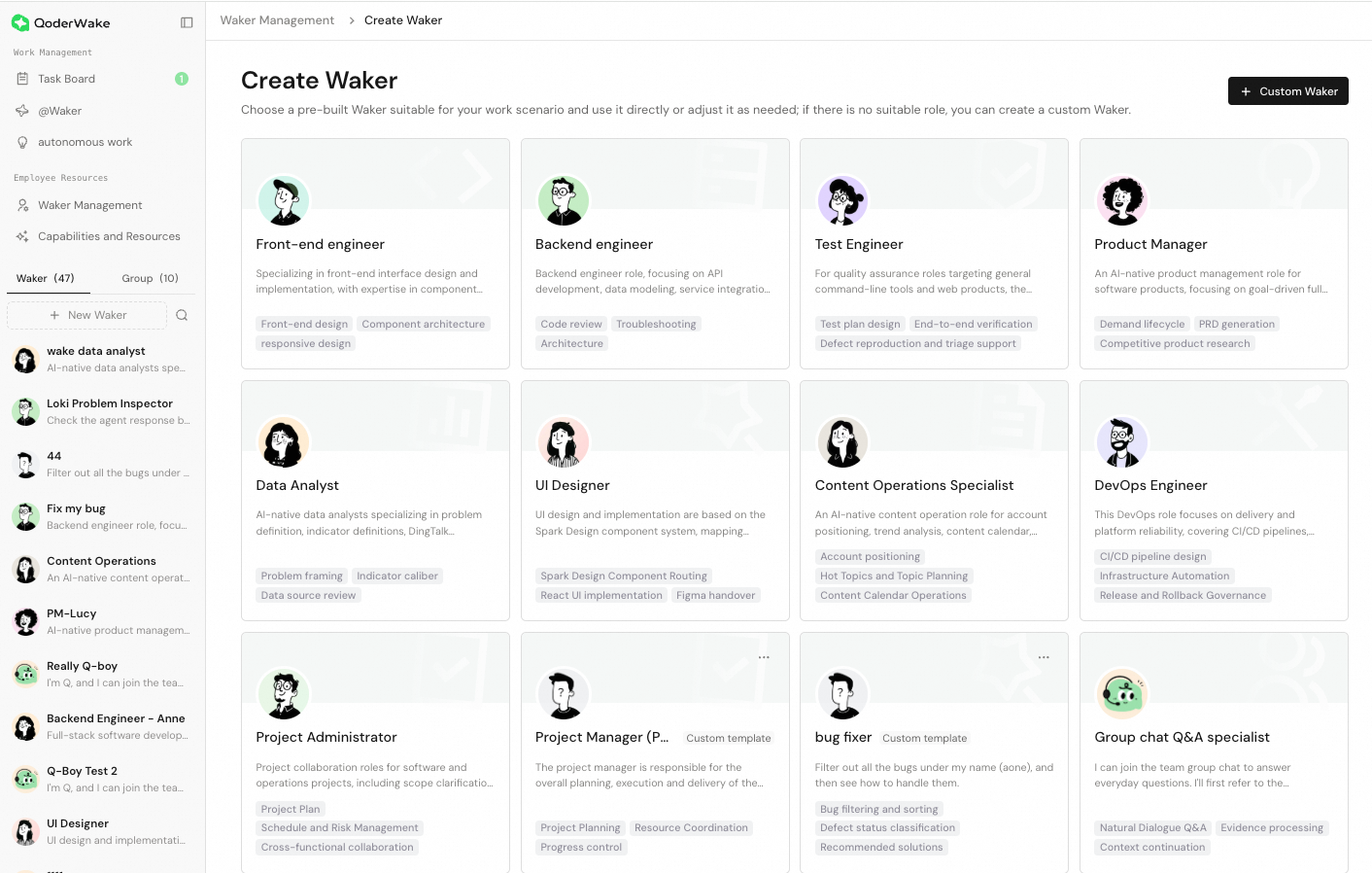
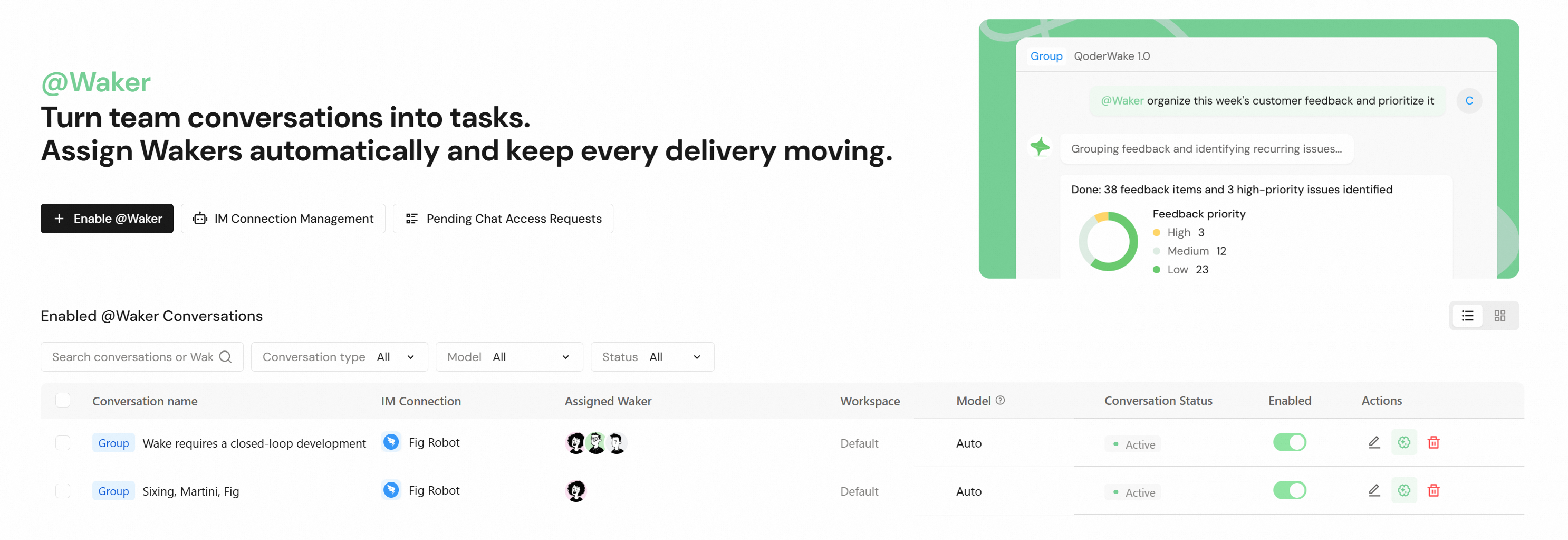
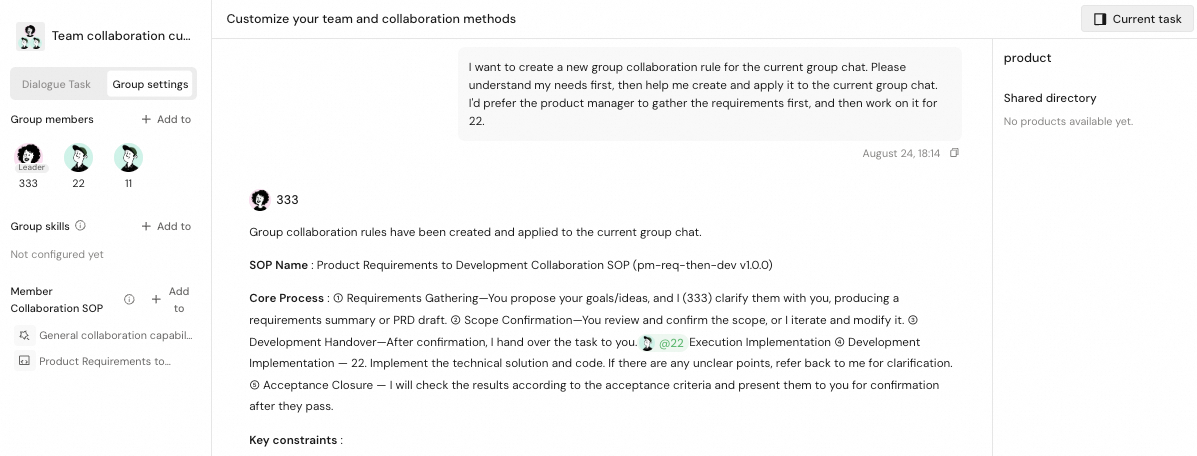
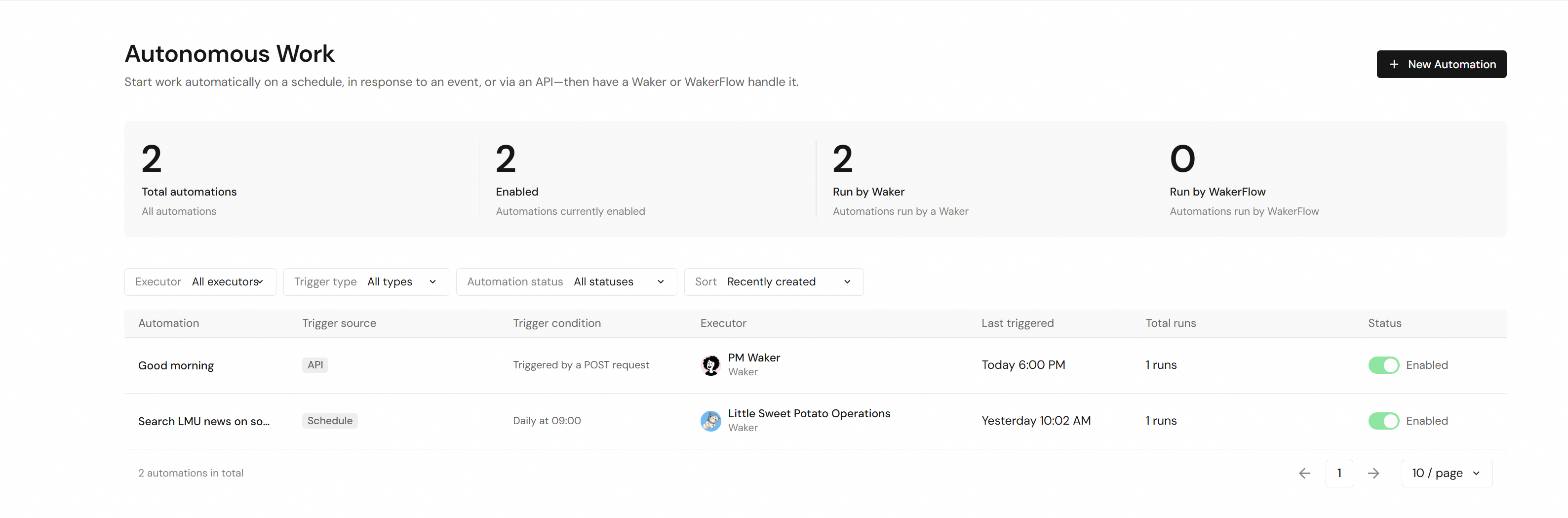
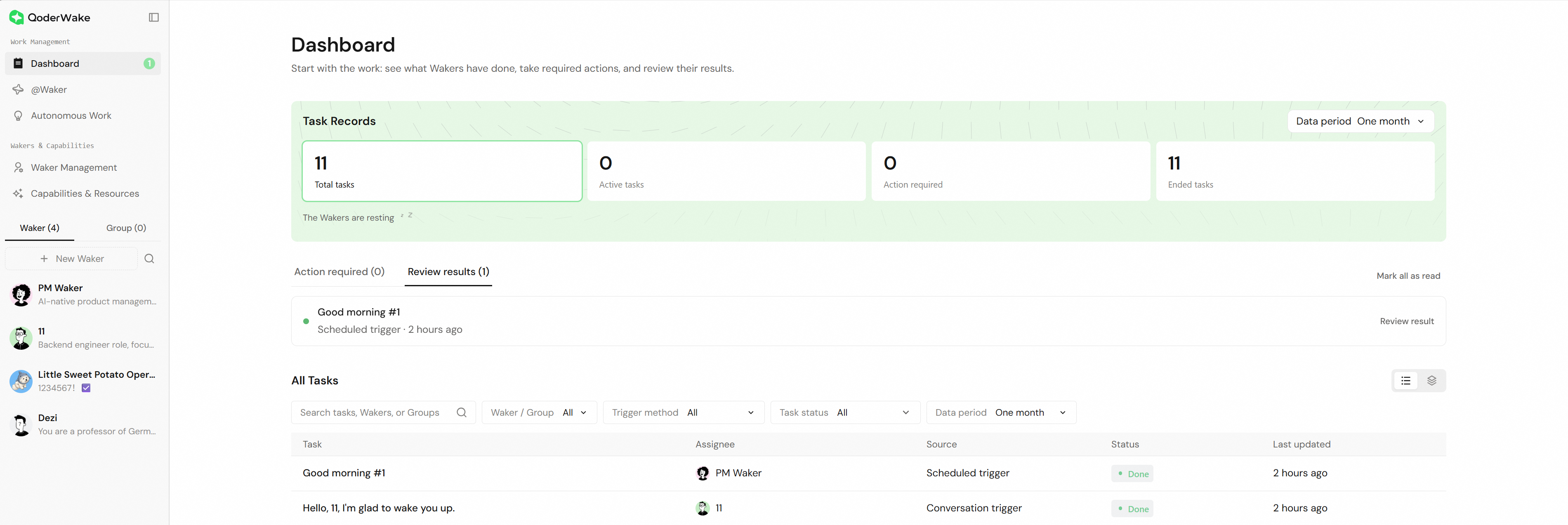
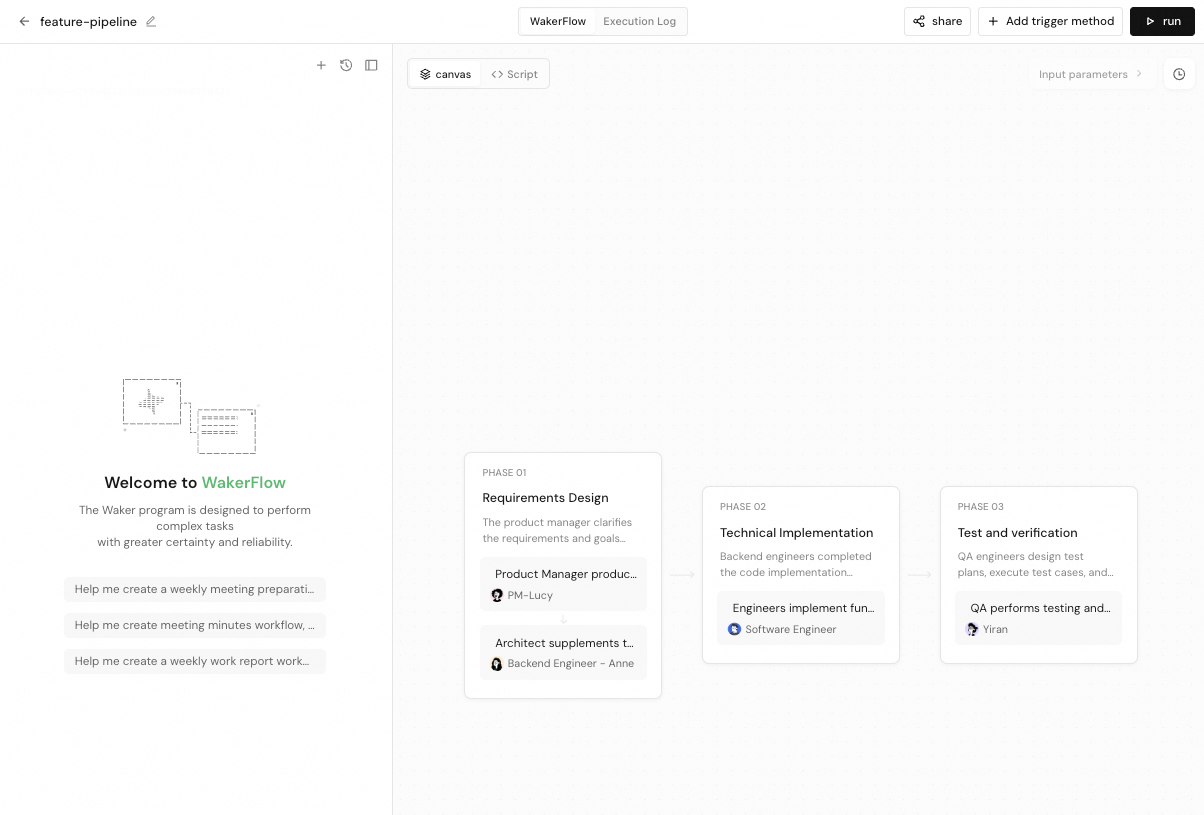
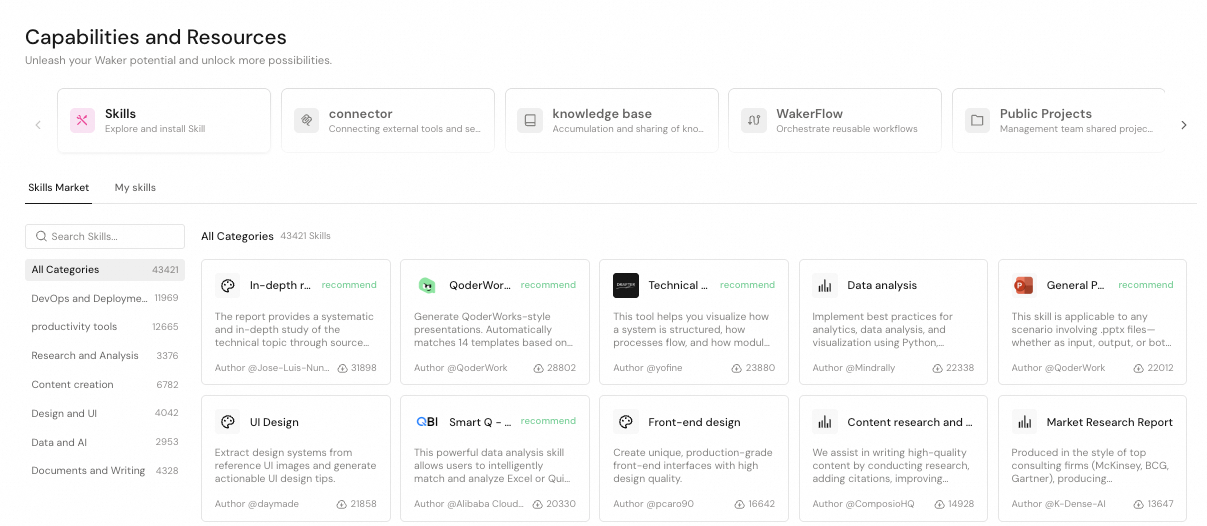


パーソナルアバター、Wakey アシスタント、操作の録画学習
新機能
- パーソナルアバター:許可された範囲で DingTalk の仕事情報やコミュニケーションの特徴を学習し、個人の記憶を持つデジタルアバターを作成できます。アバターは記憶を継続的に蓄積し、設定したチャットで返信を支援できます。
- Wakey アシスタント:フローティングボタンからいつでも会話を開始できる、QoderWake 内蔵アシスタントを追加しました。現在のページの内容を理解・参照し、Waker や関連機能の設定と管理を支援します。
- 録画学習:対応する macOS デバイスで操作を録画し、Waker が実際の操作から再利用可能な Skill を作成できるようになりました。
改善
- 実行環境の管理:Waker の作成、チャットチャネルの接続、タスクの実行時に、ローカルまたはリモートのデバイスを選択できます。
- リモート Waker:設定、タスク状態の表示、チャット接続の操作を改善しました。
- 安定性:セッションの起動、Connector の障害分離、アプリの更新処理を改善しました。
修正
- DingTalk、Feishu、WeCom の一部のメッセージ接続と状態同期の問題を修正しました。
グループチャット Q&A、IM 接続、メッセージ処理の改善
改善
- グループチャット Q&A:専門家への相談時に最近のグループメッセージと Q&A 記録を参照し、専門家間の引き継ぎ、回答の配信、ナレッジの更新に対応しました。
- 返信設定:グループチャット Q&A の最終回答の表現を調整できる、カスタム返信スタイルを追加しました。
- 実行時の安定性:リソース負荷の処理とバックグラウンドプロセスの継続性を改善し、誤った制限や中断を減らしました。
修正
- 専門家の回答が元のグループに戻らないことがある問題と、一部の引き継ぎが重複・中断する問題を修正しました。
- 組織のペアリングが誤って自動ペアリングを開始・繰り返す問題と、初回設定で構成済みの IM 接続が一覧に表示されない問題を修正しました。
- Skill 管理によって同期が繰り返される可能性がある問題を修正しました。
- メッセージ履歴の読み込み中に、WeCom のリアルタイムメッセージが影響を受ける可能性がある問題を修正しました。
- ナレッジベースへのローカルファイルのアップロードが失敗することがある問題を修正しました。
グループタスク、メッセージ処理、実行時の安定性の改善
改善
- Waker グループ:長時間の作業を安定して進められるよう、グループメッセージの配信、実行中の追加指示、タスクリストの管理を改善しました。
- @Waker:進捗のストリーミング表示を改善し、以前の更新が省略された場合に通知するとともに、履歴が多い会話での停止を減らしました。
- 起動と更新:起動時の検証、復旧、インストールに必要な容量の確認を改善し、誤った失敗判定や更新の中断を減らしました。
- Qoder CLI:同梱の Qoder CLI を更新しました。
修正
- Windows で Skill のパスが長い場合に、Waker グループが起動しない可能性がある問題を修正しました。
- 復旧時にグループへの追加メッセージが重複したり、未読のまま残ったりする問題を修正しました。
- DingTalk で送信した単一ファイルの添付名が判別できなくなる問題と、Linux で一部のファイル送信が失敗する問題を修正しました。
- グループ一覧を開く前に、チャットサイドバーのグループ数が 0 と表示される可能性がある問題を修正しました。
- Windows のトレイからの再起動でタスク中断の確認が省略される問題と、グループタスクの失敗が表示されない問題を修正しました。
- グループタスクの準備中に発生した一部のエラーにより、タスクを開始できない問題を修正しました。
自動タスク、グループ連携、プラグインの改善
改善
- 自動タスク:モデルのコンテキスト長と思考の強度を設定できるようにしました。
- 新規会話:ページや Waker を切り替えて戻った際に、未送信の下書きを保持します。
- Waker グループ:グループタスクの実行、履歴の読み込み、状態表示を改善しました。
- プラグイン管理:Waker を通じて認証の問題を診断し、インストールに問題があるプラグインをアンインストールできるようにしました。
- セッションと @Waker:起動、メッセージ処理、成果物の整理を改善し、遅延や無関係なファイルの混入を減らしました。
修正
- 1 つの Connector の異常がセッションの起動を妨げる可能性がある問題を修正しました。
- macOS で DingTalk を通じたローカルファイル送信が失敗する問題を修正しました。
- アカウント切り替え後にリモート会話が異常終了する可能性がある問題を修正しました。
- ナレッジベースへの資料アップロードと、厳選ナレッジベースのディレクトリプレビューの問題を修正しました。
- Credits が不足した際にエラーが繰り返し表示される問題を修正しました。
- 一部の DingTalk ボットとの個別チャットで、誤った自動接続が開始される可能性がある問題を修正しました。
- 過去のセッションが自動削除され、リモートでの引き継ぎに影響する可能性がある問題を修正しました。
プラグイン、@Waker、会話体験の改善
改善
- プラグインとリソースの管理:プラグイン、Skill、Connector のインストール、認証、管理の入口を統一しました。
- 会話操作:選択したテキストを引用して質問を続けたり、ターンの目次から過去の内容に移動したりできるようにしました。
- IM チャネル:ストリーミング出力とタスク状態の通知に対応しました。
- 新規チャットの自動接続:接続ルールと確認フローを設定できるようにしました。
- QoderWake CLI:QoderWake CLI をリリースしました。コマンドラインからセッション、ワークフロー、トリガー、IM チャネルなどを管理できます。
- フィードバックとモデル選択:フィードバック ID のコピーに対応し、モデル一覧の読み込みを改善しました。
修正
- 自動更新が実行中のタスクに影響する可能性がある問題を修正しました。
- リモート Waker を停止できない問題、メッセージ更新の異常、Skill がデバイス間で表示されない問題を修正しました。
- セッション復元時や別のデバイスでの利用時に、モデル選択が変わる可能性がある問題を修正しました。
- DingTalk の接続復旧と、新規チャット接続後に返信できない場合がある問題を修正しました。
- Connector の認証、プロキシ環境での OAuth コールバック、起動エラー表示の問題を修正しました。
- Windows のアップグレードとプラグインデータ移行の互換性の問題を修正しました。
- 会話の切り替えでメモリ使用量が累積する問題と、異常なセッションデータがサービス起動を妨げる問題を修正しました。
リモート Waker の操作とセッション起動の改善
改善
- リモート Waker の操作:実行中のリモート Waker のメッセージ表示と操作体験を改善しました。
- セッション起動:セッション起動時の待機を減らしました。
修正
- 遅延したイベントによって、完了または停止済みのリモート Waker が再び実行中と表示される問題を修正しました。
- アップグレード成功後の再起動中に、サービスの復旧を待たずにネットワークエラーと誤判定される問題を修正しました。
- セッション成果物の収集時に、同じファイルの番号付きコピーが複数作成される問題を修正しました。
- システムの一時的な高負荷がバックグラウンドサービスの停止と誤判定され、不要な再起動が行われる問題を修正しました。
IM のセッション間メッセージとセッションの安定性向上
改善
- IM のセッション間メッセージ:Waker は現在の IM セッションから、対応する別のセッションへメッセージを送信できます。
- DingTalk メッセージ同期:DingTalk 個人アカウントの新規メッセージの同期待機を短縮し、不要な履歴の全件再処理を避けるようにしました。
- カスタム Connector の再認証:認証済みのカスタム HTTP/SSE Connector に再認証の入口を表示し、認証情報の更新が必要な際に認証を復旧しやすくしました。
修正
- 応答が生成される前の一時的な接続中断でセッションが停止する問題を修正し、自動復旧できるようにしました。
- グループチャット Q&A のストレージ処理が停止した後、後続メッセージが処理中のままになる問題を修正しました。
- Connector の更新、アップグレード、引き継ぎ中に、会話の停止、設定の消失、未処理操作の残留が発生する問題を修正しました。
- 再起動後の Waker の引き継ぎとグループ実行の復旧を修正しました。
- 一部のネットワーク環境で MCP の追加、インポート、コピーが失敗する問題と、中国の環境で Connector にアクセスできない問題を修正しました。
- DingTalk グループチャットのペアリングが個別チャットのペアリングに干渉する問題を修正しました。
- Waker 間の操作で、無効な対象に対して確認を求めた後にエラーになる問題を修正しました。
- グループのアバター画像が大きい場合のグループ作成とアバター表示の異常を修正しました。
WakerFlow の完全な会話表示と Connector の安定性向上
新機能
- WakerFlow の完全な会話表示:実行詳細で Waker ノードの入力、思考、ツール呼び出し、出力、エラーをすべて確認できます。実行中は自動更新され、閉じると元の位置に戻ります。
改善
- グループチャットでの回答精度の向上:グループチャット Q&A 担当が、宛先を指定した挨拶、通常の質問、専門家による補足、訂正、ナレッジの更新をより正確に区別し、表示する回答を正しい会話に送信します。
- DingTalk のフィードバック改善:AI Card のレイアウトを広げ、@Waker の状態リアクションは重ねて追加せず、前の状態を置き換えるようになりました。
- Connector 変更時の継続性:Connector のインストール、認証、設定変更で現在の会話が中断されなくなり、新しい設定は次のターンから適用されます。
- Connector の状態同期:起動、インストール、認証、ページ切り替え後も、Connector 一覧、インストール状態、有効な Waker 数が同期されます。
修正
- 新規 Waker の最初の会話が Connector の初期化や移行によって中断される問題を修正しました。
- アップグレード後のカスタム Connector を修正しました。有効なログイン状態と元の URL を保持し、ツール検出を自動復元します。不正な設定を隔離して無関係な会話への影響を防ぎ、Waker 間のコピーの独立性を保ちます。
- 会話が停止したままになる問題を修正しました。長時間動作のない実行は復旧可能な状態に戻り、会話再開時の一時的な競合は 1 回自動再試行されます。
- グループチャット Q&A の専門家が元のメッセージを引用しない場合に会話を正しく引き継げない問題と、送信済みの DingTalk メッセージが失敗と表示される問題を修正しました。
- コマンド保護を無効にした際、権限コンポーネントの異常によって他の安全承認がスキップされる可能性がある問題を修正しました。
- Windows の PowerShell 制限付き言語モードで更新に失敗した際、ロールバックが既存のインストールに影響する問題を修正しました。
デスクトップのファイル操作と安全性を高めた自動更新
改善
- デスクトップのファイル操作:macOS と Windows で、ワークスペース操作の入力として許可されたローカルファイルを使用し、ダウンロード結果を選択した場所に保存できます。
- 自動更新の安全性向上:ローカルタスクの実行中はインストールと再起動を延期し、タスク完了後にアプリがアイドル状態になると更新を再開します。
- キュー内メッセージの優先処理:セッションの一時停止中に、次に処理するメッセージを選択できます。残りのメッセージの順序は維持されます。
修正
- 自動でキューに入れた長時間タスクで認証の更新が必要になった場合も、現在の進捗を保持して実行を完了できるようにしました。
- 長時間の @Waker タスクで正常に提出された結果が、成功状態を維持するように修正しました。
- DingTalk の個人・組織ペアリングを切り替えたり作成し直したりした後、現在のペアリングが即座に有効になり、ダイレクトメッセージに応答するように修正しました。
- 組織とペアリングした DingTalk ボットが、許可された組織メンバーのダイレクトメッセージに正常に応答するように修正しました。
DingTalk の音声応答とタスク体験の改善
新機能
- DingTalk の音声応答:Waker が DingTalk グループチャットの音声リクエストを処理できます。初期状態では無効で、「応答方式」で手動で有効にする必要があります。有効化後の関連する新しい音声にのみ応答し、無関係な音声には応答しません。
改善
- タスクの固定:会話、自動化、グループチャットのタスクをメニューから固定でき、更新や再起動後も順序を保持します。
- ペアリングの一括処理:IM ペアリング申請を一括で許可または無視できます。一括許可では Waker、モデル、作業ディレクトリを一度だけ設定し、失敗した項目は再試行できます。
- フラットな会話履歴:会話履歴をフラットな一覧にし、各項目に @Waker、Chat などのソースを表示します。
- 継続的な Waker グループ:メンバーの停止後に結果が提出されたかを確認し、必要に応じて続行します。進捗のない状態が繰り返された場合は一時停止を案内し、新しいリクエストで再開できます。
修正
- DingTalk 個人アカウントのダイレクトメッセージでタスクを重複して受け付ける問題を修正し、既存のタスクは元の会話に保持されるようにしました。
- グループチャットのタスク完了後に成果物が表示されない問題を修正しました。共有ディレクトリのファイルを表示し、一時的な更新エラー時には前回の結果を保持します。
WakerFlow の履歴を完全に読み込み、Waker 詳細ページでのナレッジベース一括バインドを再開できるように
改善
- WakerFlow の履歴読み込み:WakerFlow の実行履歴とバージョン履歴をページ単位で完全に読み込めるようになり、更新に失敗した場合も既存の記録を保持します。
- 詳細ページでのバインドの再開:Waker 詳細ページでナレッジベースを一括バインドする際、未完了の選択を保持し、再度開いたときは残りの項目のみを処理します。
- IM セッションの更新:グローバルの @Waker セッションページを開くと、再び利用可能になった IM チャネルに対応するセッションが更新されます。
- 単一 Waker のルーティング:既存の @Waker ペアリングを編集する際、Waker が 1 つの場合も直接回答するか Work に引き渡すかを選択できます。
- DingTalk 操作の拡張:Waker が、対応済みの表、カレンダー、チャット、DING、ドキュメント、議事録、ToDo、ナレッジスペースの操作をより幅広く処理できるようになりました。
修正
- API Trigger を連続して呼び出した場合の挙動を修正しました。同一セッションでは順番に実行され、異なるセッションでは同時に実行されます。
- Waker が DingTalk ドキュメントを読み取る際の問題を修正し、現在の権限に応じた内容を返すようにしました。
- Console、IM、API からローカルタスクを新規作成する際の問題を修正しました。ログイン資格情報が明確に失効している場合、QoderWake は資格情報を更新して 1 回再試行します。
- @Waker が委任したサブタスクの結果の提出を修正し、最終的な回答はメインの Waker が取りまとめて提供するようにしました。
- 組織のペアリングの復元を修正し、再度有効にしたときに元の応答先を保持するようにしました。
Connector の編集可能な診断ドラフト
改善
- Connector の診断:Connector のインストールまたは設定に失敗したとき、「Waker に診断を任せる」を選択すると、対象の Waker セッションに関連するエラー情報を含む編集可能な診断ドラフトを準備できます。
- Action の最適化:WakerFlow の実行詳細で、失敗した Action を選択してエラーの詳細を確認したうえで最適化を選択すると、その Action に対する編集可能な最適化ドラフトを準備します。
- スクリプトのコンテキスト:WakerFlow のスクリプトノードが、現在の実行、トリガー元、実行範囲を読み取れるようになり、スクリプトのロジックを調整できます。
修正
- ローカルセッションのモデルセレクターを修正し、モデルカタログやログイン ID が変わった後も現在利用可能なモデルを表示し、利用できないモデルは選択できないままにしました。
幅を調整できるセッション成果物バーと、よりスムーズなセッションの追従
改善
- 成果物バーと変更行数:セッションの成果物バーが調整後の幅を記憶し、対応するワークスペースファイルでは追加・削除された行数を表示します。
修正
- セッションのメッセージ一覧を修正し、最下部にいるときは新しい出力に追従し続け、セッションを再度開いたときは最新の返信の位置を表示するようにしました。
- ダイレクトセッションと Waker グループのモデルセレクターを修正し、対象のリモート Waker で実際に利用できるモデルを表示するようにしました。
- セッションの実行中に後続のメッセージを送信した際、現在のセッションの権限の選択を引き継ぐように修正しました。
- Skill の追加を修正し、リンク済みの Skill は引き続き利用でき、アップロードした Skill パッケージのインストールが完了するようにしました。
- デスクトップアプリの起動時の復元を修正し、保存済みのローカル作業を保持したままアプリが開き続けるようにしました。
v1.0.3 Waker 共有の正式リリース
新機能
- Waker 共有の正式リリース:Waker 管理ページまたは Waker Home から共有 ID を作成し、共有 ID を使って選択したプロフィールと機能を新しい Waker としてインポートできます。
改善
- ローカルコネクターの編集:ローカルコネクターを編集する際、変更した設定のみを保存し、その他の設定はそのまま保持します。
- ローカルセッションの画像プレビュー:ローカルセッションの画像成果物がサムネイルで表示され、クリックするとセッション内で拡大表示できます。
- Waker グループのタスク管理:Waker グループのタスクの名前変更と削除に対応し、現在のタスクを削除すると利用可能なタスクが自動的に選択されます。
修正
- 応答生成中に会話履歴を閲覧する際の問題を修正しました。上にスクロールしても現在の閲覧位置が保持されます。
- タスク単位のファイル編集の承認を修正しました。「このタスク内では常に許可」を選択すると、同じ範囲の編集で再確認されません。
- WakerFlow のカスタマイズ会話を通常停止した後の挙動を修正しました。同じ会話で続けてメッセージを送信し、処理できます。
v1.0.2:セマンティックなセッションタイトルと Waker ごとの IM 設定
改善
- セマンティックなセッションタイトル:新しいローカルセッションで最初のテキストを送信し、初回の応答が成功すると簡潔なセマンティックタイトルが生成されます。手動で設定したタイトルは変更されません。
- 一時停止後の入力:ローカルセッションで応答を一時停止した後も入力を続けられます。メッセージは表示されたまま、再開後に元の順序で処理されます。
- 長いコマンドの承認:セッションのコマンド承認カードを展開してスクロールし、長いリクエストを確認できます。コマンド全体をコピーすることもできます。
- Waker ごとの設定:IM ペアリングで Waker ごとにモデルを選択できます。選択したモデルが対応している場合のみコンテキストウィンドウと思考の強度を設定でき、以降のメッセージは各 Waker の設定を引き継ぎます。
- リモートの添付ファイル:リモートセッションで一般的な Office 文書や圧縮ファイルを追加し、リクエストとともに送信できます。
修正
- 複数 Waker のスキルインストールダイアログを修正しました。インストールや再試行の際に有効な対象のみを送信し、完了済みの結果を保持します。
- 「能力とリソース」のコネクターを Waker 間でコピーする際の問題を修正しました。コピーされた設定は独立し、関連付けも正しくなります。
- Waker、ワークスペース、モデルを選択してリモートセッションを新規作成する際の問題を修正しました。詳細ページで選択したコンテキストが表示され続けます。
- 自律作業の実行履歴を修正しました。最終ステータスがすぐに表示され、詳細を開くと該当するセッションに移動できます。
- スキルの新しいバージョンの作成を修正しました。有効なファイルがすべて保持されます。
スキル管理とリモート Waker 作成の改善
改善
- クイックアクション:WakerFlow の詳細ページで複数のクイックアクションを続けて選択しても下書きが保持され、選択した順に追加されます。
- 設定画面からの戻り:設定画面を離れると直前のページに直接戻るため、同じ操作を繰り返す必要が減りました。
修正
- スキルのインストールとアップロードを修正しました。「マイスキル」がすぐに更新され、中国語のファイル名を含む圧縮ファイルもアップロードできます。
- セッション画像の複数選択を修正しました。1 枚が処理できない場合でも、送信可能な他の画像は保持されます。
- コネクターのインストールを修正しました。ディレクトリ情報が変更されている場合は、先に更新してからインストールを続行します。
- リモート Waker の作成を修正しました。再度開くと以前の進捗を引き継ぎ、元の Waker を使用します。
- 過去の会話の切り替えを修正しました。選択した内容の読み込みが完了してから表示されます。
QoderWake 1.0 正式リリース
本日、QoderWake 1.0 を正式にリリースしました。デスクトップ上のエージェントから、実際の業務現場で働くデジタル社員へ。QoderWake 1.0 は、エージェントが組織の中で働くための新しい方法を提供します。単に質問に答えるだけでなく、知識とツールをつなぎ、適切なタイミングで作業を開始し、すべての実行を可視化・追跡でき、継続的に改善できる状態にします。役割と目標を理解する Waker を作成し、会話、IM チャット、自動タスクを通じて継続的に協働しながら、WakerFlow で複数ステップの作業をオーケストレーションできます。自分だけの Waker を作成
- 自然言語でカスタムの役割を記述すると設定が自動生成され、再利用可能なテンプレートとして保存できます。
IM でいつでも協働
- @Waker を通じて Waker を DingTalk、Feishu、WeCom などの IM プラットフォームに接続し、グループチャットやダイレクトチャットで業務リクエストに応答できます。
- IM 接続、チャットのペアリング、応答する Waker、作業ディレクトリ、有効・無効の状態を一元管理でき、ペアリングの詳細からタスク履歴と関連設定を確認できます。
- メッセージのキューイング、割り込み、中断、復帰を改善し、長時間実行タスクの途中でもいつでも要件を追加できます。
Waker グループで複雑な作業に対応
- 複数のローカルまたはリモートの Waker を 1 つの Waker グループに追加できます。既定のリーダーがタスクを受け取り、@メンションで特定のメンバーを参加させることもできます。
- メンバーごとにモデルと作業ディレクトリを設定し、グループスキルと協働 SOP で役割分担と協働方法を明確にできます。
- Waker グループ内でタスクを作成・切り替えながら、各メンバーの進捗を確認し、メンバー別および共有ワークスペース別に整理された成果物を確認できます。
作業を自動的に開始
- 新しく統合された「自律作業」ハブから、スケジュール、イベント、API で Waker や WakerFlow を自動的に起動できます。
- 作業ルールの表示、絞り込み、有効化、無効化、複製、管理を 1 か所で行え、各詳細ページで実行履歴を追跡できます。
- 統合されたタスクボードでは、会話、グループ作業、WakerFlow、自動タスクの状況をリストまたはカンバンで確認できます。
WakerFlow で複雑なプロセスをオーケストレーション
- 自然言語の記述から実行可能な WakerFlow を生成し、複雑な作業を複数のステップに分解して異なる Waker に割り当てられます。
- 手動実行のほか、スケジュール、イベント、API による起動にも対応します。実行記録では各ノードの入力、思考、ツール呼び出し、出力、エラーを確認できます。
- バージョン履歴の確認とロールバックに対応し、直近の実行結果をもとに会話でワークフローを改善し続けられます。
能力、リソース、記憶と学習
- 新しい「能力とリソース」ハブに、スキル、コネクター、ナレッジベース、WakerFlow、公開プロジェクトをまとめました。
- スキルとコネクターのマーケットプレイスで能力を見つけ、選択した Waker にインストール、認可、有効化できます。
- Waker ごとに新しい「記憶と学習」エリアを追加し、グローバル記憶、記憶のタイムライン、自己進化するスキルの管理にアクセスできます。
- ナレッジベースの作成、バインド、共有、ソース管理を改善し、組織の知識を Waker がより使いやすくなりました。
体験と信頼性の改善
- ライトテーマ、ダークテーマ、狭いウィンドウへの対応を改善し、あわせて Waker、WakerFlow、リソースハブ、タスクボードの操作性を細かく調整しました。
- 長い会話の読み込み、起動時の復帰、タスクステータスの同期、タスクボードの初期表示を高速化しました。
- IM ペアリングの重複保存、専門家アシスタンスの応答、トピック返信の位置ずれ、自動実行の抜け、WakerFlow のインポートと編集、未読ステータスの同期に関する問題を修正しました。
- 権限、認証、エラー通知、実行時の信頼性に関する制御を強化し、失敗の原因と復旧手順をより明確にしました。
- 低速なネットワークでのインストールと更新の挙動を改善し、Windows のインストールとホットアップデートの流れをより安定させました。
グループチャットの返信停滞から Waker が自動復帰し、サブタスクの結果がメインタスクに戻るように
修正
- @Waker の返信が停滞して以降のグループチャットのメッセージが処理されない問題を修正しました。Waker は自動的に復帰し、以降の @Waker メッセージも正常に処理されます。
- IM 会話で 2>&1 などの出力リダイレクトを含む正当なコマンドが誤って拒否される問題を修正しました。セキュリティの水準は変えずに正常に実行されます。
- 委任したサブタスクがメインタスクを早期に終了させ、結果が失われる問題を修正しました。サブタスクの結果はメインタスクに返されます。
- 認証情報が不要な公開 MCP コネクターが @Waker のタスクで利用できない問題を修正しました。検証済みのコネクターは正常に動作します。
DingTalk 個人アカウントの一部ダイレクトメッセージに返信されない問題を修正
修正
- Waker が DingTalk 個人アカウントの一部のダイレクトメッセージを読み取っても返信しない問題を修正しました。これらのメッセージにも返信されます。
メッセージの送信元表示の明確化と、DingTalk の長い返信の完全な配信
改善
- メッセージの送信元表示:コンソールの会話で、各 IM メッセージがどのグループチャットまたはダイレクトチャットから送られたか、また送信者は誰かを表示します。
- Windows の言語挙動:Windows の新規インストールではシステム言語に従います。返信言語が未設定または利用できない場合の AI の返信も同様です。
修正
- DingTalk のペアリング後、最初のダイレクトメッセージに返信されない問題と、Feishu の初回設定で複数の Waker を選択した際に権限エラーが誤表示される問題を修正しました。
- コンソールの会話で送信ボタンと停止ボタンが同時に表示される、切り替え時にセッションがビジーと誤表示される、復帰中のセッションが中断済みと表示される問題を修正しました。
- DingTalk の返信が 2,000 文字を超えると切り詰められる問題を修正しました。Waker はプレビューとあわせて全文をファイルとして送信します。
- 大容量ドライブで起動時にディスク容量が不足していると誤表示される問題と、一部の Linux 環境で更新後に再起動できない問題を修正しました。
Waker グループの成果物パネルの分割と精度向上、ツール設定の競合があってもセッションを開始
改善
- 成果物パネルの分割:Waker グループの成果物パネルで、成果物を生成した Waker ごとに分割して表示し、共有ディレクトリは別のセクションで表示します。
- 成果物リストの精度:異なるメンバーのプライベートディレクトリにある同名のファイルが互いに隠れることがなくなり、実行時のノイズファイルも表示されなくなりました。
修正
- リモートデバイスで動作する Waker が生成した成果物の場所を開こうとするとローカルを検索する、または何も起こらない問題を修正しました。閉じられる通知が表示されます。
- macOS でローカルの成果物の場所を開くとフォルダーのみが開き、失敗しても成功として扱われる問題を修正しました。成果物が選択され、失敗は通知されます。
- 組み込みまたはユーザー定義のツール設定が競合するとチャットセッションを開始できない問題を修正しました。セッションは正常に開始され、競合するツールのみが一時的に利用できなくなります。
グループチャットの @Waker メッセージ処理とタスクファイル配信の修正
修正
- Waker がグループチャットのメンションを取りこぼす、複数のメンションがある場合にタスクの実行者を誤認する問題を修正し、いずれも正しく処理されるようにしました。
- IM チャットで Waker のタスクファイルが失敗する、または誤って拒否される問題を修正し、ファイルがダウンロードリンクとして届くようにしました。
- Waker の IM タスクを停止した後、同じ送信者のメッセージが処理されない問題を修正し、以降のメッセージも正常に処理されるようにしました。
- 空き容量不足の誤検知により QoderWake の起動やアップグレードがブロックされる問題を修正し、実際に空き容量が少ない場合のみ警告が表示されるようにしました。
- QoderWake の更新で再起動が繰り返し求められ、失敗の通知が遅れる問題を修正し、問題が自動的に解決され、より早く通知されるようにしました。
DingTalk ドキュメント操作コマンドと信頼性の修正
新機能
- Waker の DingTalk ドキュメント操作:Waker がドキュメントの作成、編集、エクスポート、コメントの追加、権限管理を含む DingTalk ドキュメント業務全般に対応しました。
修正
- Feishu のグループチャットで @Waker を有効にすると数年前の履歴メッセージまで処理され、動作が大幅に遅くなる問題を修正しました。Feishu の @Waker は有効化後に送信されたメッセージのみを処理します。
- Linux のサンドボックスや NFS 環境で IPC エンドポイントが利用できず、Waker が DWS コマンドを実行できない問題を修正しました。Linux でも DWS コマンドが安定して動作します。
- @Waker のグループチャットタスク中に専門家アシスタンスのステータスが不整合になる問題を修正しました。専門家へのリクエストのステータスが確実に判定され、専門家の返信も正しく紐付けて届きます。
- 認証情報のような文字列パターンを含む IM グループチャットのメッセージを @Waker が処理できない問題を修正しました。こうしたメッセージも正常に処理されます。
- systemd ユーザーマネージャーが利用できない Linux 環境で QoderWake をアップグレードすると再起動に失敗する問題を修正しました。この場合もインストール済みのバイナリで正常に再起動します。
IM グループチャットの専門家の回答が質問者に直接届くように
修正
- Waker が IM グループチャットでリアクションや質問の転送によって応答する問題を修正しました。質問者は専門家の回答をテキストで直接受け取れます。
- @Waker の専門家アシスタンスで、保留中のリクエストを番号で選択すると専門家の回答が誤った宛先に送られる問題を修正しました。選択したリクエストに届きます。
@Waker の設定とペアリングをよりスムーズに、コンソールの会話をより安定に
改善
- @Waker の設定とペアリング:@Waker のペアリングの流れとペアリングコードの表示を改善し、Feishu で複数の Waker をペアリングする際の送信前チェックと拒否理由の案内を追加しました。
- @Waker の添付ファイルのコンテキスト:@Waker が IM 会話で共有された画像やファイルをタスクのコンテキストとして読み取れるようになり、添付ファイルの処理も安定しました。
- 返信言語の既定値:返信言語が未設定の場合、AI の返信は英語ではなくシステム言語に従います。
修正
- 予期しないタスクの中断や、スキルとコネクターの設定変更の後にコンソールの会話が応答を停止する問題を修正しました。会話は正常に応答します。
- 古いセッションでコンソールのモデルセレクターが「モデルを読み込み中」のままになり送信できない問題を修正しました。モデルを正常に選択できます。
新しいグループ体験を正式リリース、定期タスクとグループスキルの同期をより確実に
新機能
- 新しいグループ体験を正式リリース:コンソールでグループを作成して利用できます。Waker メンバーを選び、リーダーを割り当て、メンバーごとのモデルと既定の作業ディレクトリを設定できます。グループは複数の会話でのディスカッション、@メンション、グループスキル、グループ管理に対応します。
改善
- ワークフローのカスタマイズ:更新しなくても成果物が表示され、停止後に再開すると未完了の質問をスキップします。終了したセッションは読み取り専用になり、戻るリンクが表示されます。
修正
- 定期タスクのトリガーが通知なく失われる問題を修正しました。実行されなかったタスクは自動的に実行され、スケジュールの失敗は失敗した実行記録として表示されます。
- デバイス間の同期でグループスキルが誤って削除される、または他のデバイスで再表示される問題を修正しました。
- 新しいグループタスクで最初のメッセージのファイルが失われる問題を修正しました。ファイルはタスクに添付され、メッセージに表示され、Waker が読み取れます。
- Windows でホットアップデート後に DWS が利用できなくなる問題を修正しました。ホットアップデートによる更新後も DWS の機能を利用できます。
- コンソールのセッションが期限切れになると承認が繰り返し失敗する問題を修正しました。セッションが自動的に復帰した後、承認は正常に完了します。
対応するグループチャットで @Waker の添付ファイル返信が速やかに届くように
修正
- 対応するグループチャットで @Waker の添付ファイル返信が約 2 分遅れて届く、または失敗と誤表示される問題を修正しました。ファイルとテキストが速やかに届きます。
@Waker を正式リリース、セッションとログインの安定性を修正
新機能
- @Waker の正式リリース:@Waker を正式にリリースしました。対応するグループチャットで @Waker をメンションするとタスクを開始し、結果をグループで受け取れます。
改善
- macOS インストーラー:同じバージョンを再インストールする際に上書きの確認が表示されなくなり、不足しているコンテンツを自動的に修復します。ダウングレードでは明示的な確認を求めます。
修正
- コマンドラインのコネクター設定が誤って検出され、@Waker のセッションを開始できない問題を修正しました。
- 一時的なエラーにより、グループチャットやダイレクトチャットでのファイルと画像の配信が失敗と誤表示される問題を修正しました。
- サインインに成功しても Web コンソールがリダイレクト画面で止まる問題を修正しました。ログインは自動的に完了し、失敗した場合は再試行できる状態に戻ります。
- アップグレードやスキル・プラグインの設定変更の後、新しい Web チャット、定期タスク、ワークフローのセッションを開始できない問題を修正しました。
セッション停止の高速化と権限承認の修正
改善
- セッション停止の高速化:セッションの停止をクリックするとすぐに反応します。オフラインのリモート Waker を停止した場合も、明確な理由とともにすぐに結果が返されます。
修正
- 再起動後に「このタスク内では常に許可」が機能しない問題と、Waker の設定で許可にしたツールが新しい会話で再度確認を求める問題を修正しました。
- セッションを停止または削除した後も IM メッセージがキューに残る問題を修正しました。新しいメッセージは正常に処理されます。
- ワークフローのカスタマイズを途中で停止すると止まったままになる、または続行できない問題を修正しました。停止後も正常に続行できます。
- 残存プロセスが必要なポートを占有していると Windows のアップグレードがタイムアウトする問題を修正しました。ユーザーの確認後にクリーンアップが実行され、再起動もより確実になります。
DingTalk メッセージ応答の信頼性を向上
修正
- DingTalk のダイレクトメッセージで Waker が応答しない、会話が途中で中断する、または重複して返信することがある問題を修正し、メッセージを安定して受信・応答できるようにしました。
- PC がスリープから復帰した後、DingTalk メッセージが Waker の応答をトリガーできない問題を修正しました。復帰後は再起動せずに新しいメッセージを処理できます。
- コンソールの承認カードの送信に失敗しても通知が表示されない問題を修正しました。承認が期限切れであるか再試行可能であることを明示し、カードは表示したままになります。
- ワークフローのカスタマイズセッションが停止時に「停止中」のままになることがある問題を修正し、正常に停止して新しいカスタマイズを開始できるようにしました。
- Waker タスクで DingTalk グループメンバー一覧、ナレッジベースの参照、ToDo 一覧の呼び出しに失敗することがある問題を修正し、安定して利用できるようにしました。
長期記憶の自動蓄積とオフラインデバイスの連携解除
改善
- 長期記憶の自動蓄積:Waker は応答後、安定した情報を長期記憶に自動保存します。記憶の作成、更新、削除時には明確な通知が表示されます。
- オフラインデバイスの連携解除:「環境とデバイス」設定でオフラインデバイスの連携を解除できます。そのデバイスで再度サインインすると、元のデータが自動的に復元されます。
- 入力欄の元に戻す・やり直し:会話の入力欄で元に戻す・やり直しのショートカットを使用できます。テキストの貼り付けや参照の挿入直後でも正常に元に戻せます。
- Feishu の返信機能を強化:Feishu チャネルの返信に画像やファイルを直接添付でき、グループチャットでは最初の質問者にメンションできます。
修正
- 無効な IM チャネル認証情報を保存した際に、有効な認証情報が上書きされる問題を修正しました。保存に失敗した場合は自動的にロールバックし、元の接続を維持します。
- Windows のアップグレードが不完全な状態で停止した後、新しいセッションを開始できない問題を修正しました。更新は自動的に完了するようになりました。
アイドルタイムアウト後も会話を継続し、より安定して再開
改善
- アイドルセッションの自動復帰:セッションがアイドルタイムアウトになっても会話は終了せず、バックグラウンドリソースのみを解放します。新しいメッセージを送信すると自動的に処理を再開します。
- 起動待機時間を延長:セッション起動時の初期化待機時間の上限を 30 秒から 45 秒に延長し、遅い環境で起動失敗と誤判定される問題を減らしました。
修正
- セッションのタイムアウト後に送信したメッセージが処理されないことがある問題を修正しました。通常の会話は自動的に復帰し、新しいメッセージを処理します。
- アイドル状態または停止状態から既存の会話を再開する際、起動に失敗することがある問題を修正しました。
- 新しいメッセージとバックグラウンドクリーンアップが同時に発生した場合に起動失敗と誤表示される問題を修正しました。メッセージはクリーンアップ完了後に自動的に実行されます。
コンソールでの会話体験を改善し、ツール権限の承認をより柔軟に
改善
- コンソールでの会話:貼り付けた長文を削除可能なカードとして折りたたみ、長いメッセージはデフォルトで折りたたんで表示し、「最新メッセージに戻る」ボタンを追加しました。
- ツール権限の承認:承認リクエストをコンソールの任意のページで処理でき、リモート会話から直接許可または拒否できます。「常に許可」を選択すると、同じタスク内では繰り返し確認されません。
- 設定の即時反映:スキル、コネクター、プロジェクト設定への変更は、進行中の会話を中断せず、次のメッセージから反映されます。
修正
- 返信を停止しても会話が実行中のまま表示され、生成済みの内容が更新後に失われる問題を修正しました。
- DingTalk ボットの認証情報が無効な場合にチャネルが「接続中」のままになる問題を修正し、対処方法を含む明確な失敗ステータスを表示するようにしました。
DingTalk ボットの QR コード接続と Credits 枯渇時の明確な案内
改善
- DingTalk QR コード接続:DingTalk ボットチャネルの設定時に QR コードを読み取ると認証情報が自動入力され、接続を完了できます。いつでも手動入力へ切り替えられます。
- Credits 枯渇時の案内:会話、ワークフローの実行詳細、IM 返信で Credits を使い切った場合に明確な案内とアップグレード導線を表示し、不要な再試行を行わないようにしました。
- 会話メッセージの補完:実行中のタスクへ戻ると、離れていた間の全メッセージを会話ページで一度に読み込み、重複した吹き出しや残ったカーソルが表示されないようにしました。
修正
- 再起動後、成功した自動タスクが失敗と誤判定されたり、実行中のまま止まったりする問題を修正しました。中断されたタスクは自動的に再開して完了します。
- 再起動後に会話を復元した際、IM ボットが回答済みメッセージへ重複返信する問題を修正しました。
- ローカル履歴データが多い場合に製品全体が著しく遅くなる問題を修正し、会話詳細などのページ読み込みを高速化しました。
Direct Connector Links and Smoother Console Sessions
Improvements
- Connector Link Navigation: Connector links in conversations now open the installed connector's settings directly, and legacy addresses redirect automatically.
- IM Channel Setup: Saving an IM bot configuration now completes immediately, and certificate issues on enterprise networks show clear recovery guidance.
Bug Fixes
- Fixed an issue where switching conversations reloaded the whole console page, so session switching now updates in place.
- Fixed an issue where the console defaulted to English on Chinese macOS and Windows, so it now opens in the system language.
- Fixed an issue where image processing and terminal features failed in the macOS installer edition, so both now work normally.
- Fixed an issue where automated tasks received triggers but stayed stuck running after a background service restart, so they now execute properly.
Connector Market Arrives with Group Collaboration Fixes
What's New
- Connector Market: Browse featured connectors in the new Market tab of the console Connectors page, with one-click install to a Waker plus authorization and enable/disable management.
Bug Fixes
- Fixed an issue where image questions in IM groups could get no reply; a clear notice now appears when message reading fails.
- Fixed an issue where switching accounts on one device could lose IM bot settings and pairings; configs now restore per account.
- Fixed an issue where console sessions still started with auto-selected models after saving a model preference; saved preferences now apply.
- Fixed an issue where team group tasks could repeatedly fail or stay stuck in a running state for a long time.
Claim Model Credits in the Upgraded Usage Panel
Improvements
- Credits Usage View: The console usage panel now offers a Credits view with model promotion credit progress, remaining balance, end date, and details link.
- One-Click Credit Claiming: Claim model credit promotions in the console usage panel with instant balance refresh; unavailable promotions appear disabled, and failed claims support retry.
- Benefit Notification Card: A console card appears when a claimable Qwen3.8-Max limited-time benefit is available, opening the usage panel to claim; dismissed cards stay hidden.
Bug Fixes
- Fixed authorization errors when loading promotion credits in the usage panel triggering a console re-login prompt.
Sign-In Protection and One-Click Updates
Improvements
- One-Click Updates: Checking for updates in Settings now downloads and installs new versions directly, and the restart card activates them in one click.
- Remote Sign-In Recovery: Self-hosted deployments can optionally allow designated remote console pages to recover sign-in or sign out; disabled by default.
- Sign-In Protection: Account sign-in is now better protected against unexpected sign-outs, and previous sign-in states expire immediately after switching accounts.
Bug Fixes
- Fixed an issue where the page still showed a signed-out state after re-signing in, so the page now recovers once sign-in completes.
- Fixed an issue where some local features stopped working in self-hosted environments after sign-in protection was enabled.
Q&A Specialist Officially Released
What's New
- Q&A Specialist Officially Released: The Q&A Specialist is now available, answering questions in DingTalk and Feishu group chats based on your knowledge bases and designated experts. A three-step quickstart gets it running, and experts can correct answers directly in the chat to update knowledge in real time with undo support.
Improvements
- Chat Attachments: Drag or paste files and images into the console chat input to add attachments in direct and group conversations.
- Task Board: The task board offers one place to review task progress and act on pending approvals in the approval workspace.
Bug Fixes
- Fixed an issue where session and task statuses in the history panel stayed in progress, so they now refresh within seconds of completion.
Everyday Experience and Reliability Improvements
Improvements
- File Attachments: Drag or paste local files and images directly into single and group chat inputs, with clear per-file failure feedback.
- Upgrade Suggestions: Console and CLI now show a version upgrade suggestion when your installed QoderWake version is outdated.
Bug Fixes
- Fixed group chat messages briefly appearing duplicated after sending, and tasks awaiting answers being misjudged as failed or stuck.
- Fixed conversation and automation task lists staying stuck on running instead of refreshing status promptly after completion.
IM Channels Recover Automatically After Availability Changes
Improvements
- IM Channel Recovery: Enabled IM channels can now recover after availability changes, reducing unexpected interruptions.
Streamline DingTalk Pairing and Channel Management
Improvements
- Batch Pairing Setup: Select multiple conversations in the add-pairing dialog and apply one Waker, model, and working directory together.
- Pending Request Actions: Batch-approve or ignore multiple pending pairing requests on the current page, each sharing one Waker, model, and directory.
- Message Suffix: Append an editable suffix to outbound replies and narration on the DingTalk personal-account channel, on by default.
Smoother issue feedback
Improvements
- Issue Feedback: The feedback dialog in Console now opens instantly with an editable form, so you no longer wait on a full-screen loading state; runtime details and the automatic screenshot are gathered in the background, and a contact email you have already filled in is kept instead of being overwritten by results that arrive later.
Steadier logins, session status, and IM page polish
Improvements
- IM Page Copy: English wording across the IM pages now reads more naturally and idiomatically.
- New Project Dialog: Opening the New Project dialog from within pairing, approval, or edit dialogs now stays clickable and editable, with focus returning correctly after it closes.
- Paired List Layout: Actions in the public IM paired list now stay neatly aligned across languages.
Bug Fixes
- Fixed login sometimes staying stuck; a single login click now recovers, and background and automation connections reconnect automatically.
- Fixed paired sessions using older DingTalk bots being hidden from the public IM paired list; they now appear correctly.
- Fixed finished remote-control sessions still showing as Running; reopening the session or the Session History list now shows the correct status.
Experience polish: responsive card layouts, DingTalk channel guidance, and clearer macOS quit prompts
Improvements
- Responsive Card Layouts Across Management Pages: Card lists on the management pages now adapt to the available screen width, showing more cards per row on wide and ultra-wide displays and staying tidy on narrow screens. This covers My Wakers, My Groups, WakerFlow, Public Projects, Knowledge Bases, and the Approval Workbench.
- Card Type Guidance for DingTalk Bot Channels: When setting up a DingTalk bot channel, the card type option now explains the difference between the standard card and AI card modes and links to the bot management console, so administrators can choose the right mode and reach the settings directly.
- Clearer Quit and Restart Confirmation on macOS: On macOS, the quit and restart confirmation now reflects only sessions that are actually busy, so idle sessions no longer raise an unnecessary interruption warning. The Chinese interface also renames "Trigger tasks" to "自动任务" for clarity.
Clearer prompts, responsive Console layouts, and quit/restart stability
Improvements
- Sensitive-Content Message: When a conversation is blocked for sensitive content, a clear localized message now appears suggesting a model switch or a new session—no more cryptic upstream errors.
- DingTalk Pairing: Adding a DingTalk pairing now uses a single search box that finds contacts or group chats by name or ID, with a simple toggle between single chat and group chat.
- Responsive Card Layouts: My Wakers, My Groups, Workflows, Public Projects, and Knowledge Notebooks pages now adapt to the screen width, showing more columns on wide screens.
- Login Stability: The Console no longer triggers a logout on temporary network hiccups, and browser sessions stay valid across a client restart or upgrade (until an explicit logout or session expiry).
Bug Fixes
- Fixed an issue where quitting or restarting could hang for a long time if a background task stalled.
- Fixed an issue on Windows where skills with special line endings could prevent sessions from starting.
- Fixed "Launch at Login" on Windows desktop so it works reliably and no longer registers itself multiple times.
Unified multi-instance management and access policies for IM channel bots
Improvements
- Multi-instance bot management: Weixin, WeCom bots, and QQ bots now use the same grouped multi-instance management as DingTalk and Feishu. You can add, identify, and independently manage multiple bots of the same type, with instance counts, expand/collapse, and a more/collapse control once there are over 5 instances. Each instance can be edited, enabled or disabled, and deleted on its own.
- Feishu bot shown by default: The Feishu bot channel now appears in the console by default — its group is shown when configured, and the add entry is shown when it isn't.
- Paired and open access policies: Weixin, WeCom bots, and QQ bots now support two access policies. Open mode responds through a default Waker, while paired mode uses the unified pairing approval, manual add, and session management flow so a single bot can dispatch to multiple Wakers by conversation.
- Optional working directory: When configuring pairing (approval, manual add, pairing code, or session edit) or an open-mode bot, the working directory is now optional; leaving it empty uses the responding Waker's default IM working directory. Open mode only requires choosing the default responding Waker, with model and working directory as optional overrides.
- Safer Waker deletion: Deleting a Waker that is still the default delivery target of an open-mode public bot is now blocked. The affected channels are listed so you can rebind, switch, or remove them first, avoiding an unusable public connection.
Bug Fixes
- Fixed an issue where replies from public multi-instance bots in open mode could fail to be delivered.
New Qwen3.8-Max-Preview off-peak option, richer model descriptions, and reliability fixes
Improvements
- Qwen3.8-Max-Preview: The new Qwen3.8-Max-Preview model is now selectable in the model picker, and it joins the off-peak lineup at a deep off-peak discount so long-running tasks cost far less during off-peak hours.
- Clearer Model Descriptions: Model hover cards now show curated, model-specific descriptions for more models, including Qwen3.8-Max-Preview, DeepSeek-V4, GLM-5.2, Kimi, and MiniMax.
Bug Fixes
- Fixed running sessions with new activity not showing an unread indicator in the task list, so the unread count always maps to a session that can be opened.
- Fixed session creation sometimes failing with a "Daemon is reconnecting" message caused by a stuck background connection; the daemon now recovers on its own.
Realtime Unread Badges, Workflow Studio Status Cleanup, and IM Channel Fixes
Improvements
- Realtime Unread Badges: Chat list entries, Waker and group badges, and Session History unread counts now update in real time and stay in sync across devices.
- Clearer Workflow Studio Run Status: When a WakerFlow run fails or is stopped, employees, actions, sub-flow calls, and awaiting-input nodes no longer stay stuck as "dispatching" or "running," making it clear at a glance when a run has actually ended.
- Session History Icon Polish: A session wrapping up normally no longer briefly flashes a red error icon.
- Smoother Group Composer and Navigation: Sending a message in a group now clears the draft, attachments, and selected members right away and restores them if the send fails, and switching between past sessions in the same group stays stable without flashing or reshuffling the list.
- Windows Install and Authorize: On Chinese Windows, the DWS CLI "Install and Authorize" failure message is now readable instead of garbled, and finishing the install no longer shows a false failure.
Bug Fixes
- Fixed a DingTalk direct-message issue where sent messages could be routed back to the sender's own account; the "self" account can no longer be added as a direct-message target, and older self entries no longer trigger tasks.
- Fixed an IM channel issue where saving settings could drop a channel's existing Waker binding or routing, so inbound messages now reach the right Waker.
More Reliable DingTalk and Feishu Group Replies
Improvements
- DingTalk Group Replies: When you @mention the bot in a DingTalk group, its reply now @notifies you directly and highlights your name.
- Cleaner Reply Cards: The bot no longer pops an empty "..." card first, and it won't send two reminder cards for the same question.
Bug Fixes
- Fixed DingTalk, Feishu, and other IM channel replies being lost, stuck on an empty "processing" card, duplicated for the same message, or skipped when a question arrived late.
IM-Style Navigation, Skill Marketplace Search, and Team Group Collaboration
Improvements
- IM-Style Navigation: Console app shell redesigned with two-level IM-style rail, resizable Chat sidebar, and refined management page button hierarchy
- Skill Marketplace: Keyword search, category filtering, sorting, pagination, and rich-text SKILL.md editing with version history for installed skills
- Global Task Board: Pending WakerFlow approval cards visible on the unified task board
- Team Group Collaboration: Structured multi-step planning with dynamic replanning; real-time progress indicators show member activity in team groups
- IM Channel Management: Multi-target binding lets one bot route messages to different Wakers or groups by conversation; per-Waker page adds session filtering, inline editing, and pairing code generation
- Global Settings: Language, theme, auto-launch, network diagnostics, and device environment management in a dedicated settings page
Bug Fixes
- Fixed MCP connectors with static header authentication failing to connect due to expired or missing OAuth tokens
Smoother WakerFlow status, clearer device management, and steadier DingTalk connections
Improvements
- WakerFlow: Node status now shows readable text instead of only color dots, with final states displayed as "Completed / Failed", and workflow titles you renamed are no longer overwritten by model-generated names.
- Device Management: Eligible device cards (offline or unknown non-current devices) now offer a "Remove Device" action.
Bug Fixes
- Fixed DingTalk bot connections that could appear falsely online and fail to recover after dropping; connections are now more stable and reconnect automatically.
Global IM channels with multi-target routing, plus Console experience upgrades
What's New
- Global IM Channel and Multi-Target Routing: An IM bot is now set up as a global channel and managed from the redesigned public IM pairing page, so a single bot can route different chats or groups to different Wakers or Team group chats. When approving or manually adding a pairing you can choose its delivery target, and the paired list lets you view, edit, enable or disable, and delete each pairing with search and status filters.
Improvements
- WakerFlow Quick Actions: The WakerFlow detail chat now offers one-tap quick actions—"Test Run" (available when the flow has a script) and "Diagnose Recent Run" (shown when a recent run exists)—so you can try a flow or troubleshoot its latest run without leaving the page.
- Inline Artifact Card: Direct chat now shows a compact artifact card right below the reply that produced it (file/code-change counts, expand or collapse, open), so you no longer need to open the "Current Task" panel first.
- Fullscreen and Detail Dialogs: Fullscreen dialogs (such as memory version management and Skill details) now fill the browser viewport and follow viewport resizing, and the "Role Template Details" drawer on the create-employee page scrolls independently without moving the background page.
Bug Fixes
- Fixed the final part of an answer sometimes appearing only after switching conversations or refreshing, especially when the window was not focused; a reply now shows in full as soon as it finishes.
Automation session recovery, plan retry, and model runtime tuning
Improvements
- Model Runtime Tuning: In both direct and group model selectors, you can now open an Edit entry on the active model to adjust options such as its context window and thinking mode. In a group, the settings you save actually take effect for the current group conversation, instead of only being shown.
- Clearer Group Task List: The task list on a group's detail page now shows each task's step number, sorts tasks by step and then by plan order, and keeps status labels on a single line in your Console language.
- One-Click Plan Recovery: When a group's plan generation fails, it retries once automatically. If it still fails, the plan card gives you a "recreate plan" button so you can start over without losing the conversation, and a failed or cancelled plan no longer swallows the next message you send.
- More Reliable Mark-All-Read: When you mark all read on a Waker or group, the unread badge only clears after every remote session has actually advanced, and stale unread notifications are briefly ignored so the unread you just cleared isn't refilled by outdated data.
- Steadier Automation Runs: When an automation task stays silent in the background for a long time, gets stuck on a tool call, or its background service restarts, it now tries to recover on its own instead of failing early. Sessions that were reset in the background or ended normally also report a stopped state, so Console no longer keeps showing them as running.
- More Reliable Install and Sandbox Deploy: Installation and sandbox deployment now retry transient network errors while staying compatible with older environments, and write each file atomically so a failed download can no longer leave a broken, partial file behind. The installer also picks the correct QoderWake package on more complex release manifests.
Bug Fixes
- Fixed the automation task entry and automation history tab occasionally disappearing in local Waker conversations; they now stay visible whenever you are in a local Waker session.
- Fixed valid images under 2 MB being rejected on avatar upload because the size was checked after encoding; the limit now applies to the original file you choose.
WakerFlow is officially released , API session continuity, and team Plan-stage collaboration
What's New
- WakerFlow Released: The WakerFlow workflow studio is now available. Run buttons open a parameter configuration dialog, and execution records refresh automatically when you open the tab.
Improvements
- API Trigger Session Continuity: A new
wakeSessionUniqueIdparameter lets you route multiple API trigger calls to the same automation session with sequential execution. - Smoother Agent Execution: Agent now enters planning mode and runs tool steps automatically, reducing confirmation prompts. Exiting plan mode still requires your confirmation.
- Team Group Plan-stage: Team groups use unified Plan-stage routing with auto-confirm when requirements are clear, failure recovery, mid-execution follow-ups, and a debug timeline showing plan execution stages.
- DingTalk Integration: DingTalk authentication now recovers automatically without interruption; attribution line updated to "send from my qoderwake".
- Remote Session Context: Remote Waker conversations now pass employee context correctly on page requests and follow-ups.
- Homepage Memory Display: Homepage memory section shows the most recent 50 entries without date filter limitation, and pending summary events refresh correctly.
Bug Fixes
- Fixed some Windows users remaining on outdated versions after updates.
- Fixed task board swimlane view not showing all task types reliably when pagination is involved.
- Fixed background services not releasing system resources after sessions ended, which could affect performance.
Task Board Officially Launched
What's New
- Task Board: The Task Board is now officially launched — manage and track tasks across your Wakers from the sidebar navigation.
Improvements
- Automation History: Trigger inputs now appear in conversation history for automation runs.
Bug Fixes
- Pressing Enter during IME composition no longer triggers message send.
DingTalk Meeting Notes MCP, Browser Relay MCP, Configuration Changes Without Interruption
Improvements
- Usage Panel Upgrade Prompt: The upgrade entry at the bottom of the usage panel now displays persistently for individual users not on the highest tier, rather than only when quota is exhausted; a "View Details" link is added to the top-right corner
- Mark All as Read: Right-click menu on Waker and group chats supports clearing all unread badges in one click
- DingTalk Meeting Notes MCP: Query and read DingTalk meeting note summaries, transcriptions, and action items directly in Waker conversations (5 new tools)
- Browser Extension Relay MCP: With Browser Connector enabled, Waker can retrieve page content and perform browser actions through the browser extension
- Configuration Changes Without Interruption: Installing or modifying Skills, MCP, or Connectors no longer interrupts the current conversation; new configurations take effect automatically in the next turn
- DingTalk Batch Mode Performance: Faster message response when multiple DingTalk conversations are configured
- DingTalk Missing Configuration Handling: When DingTalk direct message configuration is incomplete, the service now stops explicitly with a prompt instead of silently skipping messages
Bug Fixes
- Fixed Feishu channel replies losing message card content when the server closes the streaming connection early
- Fixed file picker opened from modals such as "Create from Public Project" not allowing click interaction with the directory list
Model selector and interaction experience improvements
Improvements
- Model Selector: Unavailable models are shown in a disabled state instead of hidden; disabled models are excluded from default/preferred model auto-selection.
- Group Unread Badge: Unread badge now includes historical unreads; background task sessions contribute to the corresponding Waker's unread count.
- Subscription Plan: Improved subscription plan information display.
- Plan Mode: Automatically approved when entering plan mode without manual confirmation.
- Error Handling: Improved error code display and page loading experience.
Bug Fixes
- Fixed Linux file picker hanging for 120 seconds when no display session is available by falling back to the browser picker.
Smarter automation inputs, unread badges, and group question forms
Improvements
- Smarter Automation Inputs: Automations triggered via API now support template variables in the task prompt, so you can pass dynamic data from external services instead of writing fixed instructions every time.
- Unread Badges: Session history and task lists now show unread message counts, with separate badges for conversations and scheduled tasks so you can quickly spot what needs attention.
- Group Question Forms: Multi-question forms in Team Groups now display your completion progress and highlight any required questions you missed when you try to submit.
Bug Fixes
- Fixed tool approval notifications not reaching you in IM channels, which could cause action results to go missing.
- Fixed sessions getting stuck on "thinking" and never returning a response.
- Fixed cancelled sessions not stopping promptly, which could leave stale sessions running in the background.
- Fixed Waker creation occasionally timing out before completing.
- Fixed the restart notification incorrectly reporting failure when background tasks were still finishing up.
- Fixed files from earlier conversations sometimes returning a "not found" error.
- Fixed newly created public projects not appearing in the Waker project list.
- Fixed Windows tray update handoff and terminal display issues on first launch.
Reliability, cleaner responses, and group improvements
Improvements
- Group Loads Faster: First-screen loading no longer fires redundant requests, and task states no longer bleed between sessions.
- Unread Badge: Displays 99+ for large counts; clicking the badge navigates directly to pending sessions for quick triage.
- Chat Input Stays Editable: The input box remains editable while a task is blocking, so you can prepare your next message.
- Cleaner Model Responses: Irrelevant DingTalk tool guidance no longer appears in regular conversations, and MCP tools activate correctly without cluttering context.
- Update Reliability: Daemon restarts reliably on macOS and Windows, and DingTalk dependencies auto-upgrade silently to keep IM and MCP tools available.
Bug Fixes
- Fixed DingTalk group replies @mentioning the wrong person when multiple senders are active.
- Fixed sessions with an empty workspace path crashing on startup.
- Fixed macOS daemon not restarting promptly after a hot update.
- Fixed Windows pending updates not being applied during restart.
- Fixed incorrect version display in the Windows app shell.
- Fixed unstable unread navigation in Console groups.
Thinking-indicator reliability fix
Bug Fixes
- Fixed the "thinking" indicator getting stuck indefinitely when a completion event was missed.
Unread Message Display, Artifacts Panel Toggle, Multi-Tab State Sync
Improvements
- Unread Message Display: The Console chat list now shows unread message counts for Waker and group conversations; opening a conversation automatically marks it as read.
- Artifacts Panel Toggle: The conversation artifacts side panel can now be collapsed or expanded, giving more room to the chat area when closed.
- Multi-Tab State Sync: Worker running-state changes now sync in real time across multiple open Console browser tabs.
Bug Fixes
- Fixed duplicate "thinking" status bars rendering simultaneously in a conversation.
- Fixed an issue where follow-up messages sent within 5 minutes via DingTalk were silently ignored.
- Fixed a 409 error when calling the restart API on Windows, which previously caused Waker restarts to fail.
- Fixed team group incorrectly marking the entire task as failed when certain non-essential members could not respond, and adjusted reply rules so these members no longer block task completion.
Clearer resource package display
Improvements
- Resource Package Display: Organization resource packages now show three clear states — available with a defined limit, available with unlimited usage, or unavailable — each with precise values and hover tooltips for guidance.
Minor stability and display fixes
Bug Fixes
- Stability: Fixed minor experience and display issues.
More reliable session handling
Improvements
- Session Idle Timeout: Sessions waiting for your response no longer expire from idle timeout — you can return later and pick up where you left off.
Bug Fixes
- Fixed a rare issue where concurrent session operations could launch duplicate processes, causing unstable behavior.
Model preference stability, DingTalk channel enhancements, and group plan reliability
Improvements
- Question Card Skip All: Skip remaining unanswered questions at once, submitting defaults while preserving already-answered preferences.
- Model Configuration Persistence: Reasoning effort and context window settings are now retained across all model sources.
- Waker Creation: Bio/description field is no longer required when creating a new Waker.
- Model Preference Stability: Switching between history sessions no longer briefly flashes an incorrect model; previously selected models are properly remembered.
- DingTalk Channel: Support for AI card and ordinary card modes; model override per channel; configuration changes take effect immediately without manual restart.
- Group Plan Execution: Confirmed plans execute more faithfully with correct task assignments; question card submissions more reliable; input locked while questions are pending.
Bug Fixes
- Fixed single-chat usage limit errors silently retrying instead of showing an immediate error message.
- Fixed model reasoning and context settings being lost in certain fallback scenarios.
Model Configuration, Group Improvements, and Reliability Fixes
Improvements
- Model Runtime Configuration: Model selector now supports viewing and configuring Reasoning Effort and Context Window, with a detailed model info panel.
- Group Experience: History loads on demand; execution artifacts and errors are displayed inline within the message stream.
- Automation Task Reliability: Scheduled tasks now include a self-recovery watchdog, and first-response latency for IM Channels is reduced.
Bug Fixes
- Fixed certain usage limit errors causing silent retries instead of showing an immediate error message.
- Fixed importing configuration archives failing when file paths contain non-English characters.
- Fixed sessions being interrupted by a false "stuck" detection while the Waker is using tools.
- Fixed long-running conversations occasionally losing their connection after periods of inactivity.
IM message localization, input drag-and-drop, and management polish
Improvements
- IM Message Localization: System status and error messages in IM channels (queue waiting, approval blocks, media limits, processing failures, connection errors, etc.) now display in the user's configured language instead of fixed English text.
- Input Field Drag-and-Drop: Conversation and group chat input fields now support dragging images or files directly in. Images are uploaded as compressed thumbnails, non-image files are attached as file context references, and a guidance prompt is shown when the file path cannot be resolved.
- Management Page Pagination: The Waker Management page now paginates both the Waker list and the group list (12 per page).
Bug Fixes
- Fixed an issue where custom-role Wakers without an avatar could display a blank placeholder; they now consistently show a default avatar.
Cleaner file changes, and faster automation
Improvements
- Cleaner File Change Lists: File change lists no longer show irrelevant system files (such as
.DS_Store), and historical changes display more reliably. - Faster Automation Cleanup: When a scheduled automation finishes, any leftover background processes are stopped immediately — no more waiting for a timeout.
Windows release, clearer session errors, and Group polish
What's New
- Windows Release: QoderWake for Windows is now officially available — download it from the official website.
Improvements
- Visible Session Errors: When a session terminates due to an unexpected process exit, the console now shows the specific error instead of a generic disconnect notice.
- Capped Group Auto-Summary: Leader auto-summary replies in group conversations are now capped, reducing noise on the conversation timeline.
- Readable Model Names in Selector: The team model dropdown now shows readable model names when metadata is available, instead of raw model identifiers.
- Subpath Deployment: Apps deployed under a URL subpath now load all assets correctly without extra web server rewrite rules.
- Action Suggestion Resilience: When a group action suggestion responds too slowly, the system automatically skips it and continues processing the message — no more stalled conversations.
Connector Stability & Group Polish
Improvements
- DWS Connector Probe: Connectors load without auth popups and recover from Keychain errors or cache expiry.
- Console Restart: macOS users can restart and upgrade the daemon from Console even without LaunchAgent.
- Leader Output: Leader responses in group are more concise.
- Feedback Log Collection: Feedback ZIP is smaller and faster with a 40 MiB cap.
- Multi-Filesystem Workspace: Projects with multiple filesystem sources now resolve a unified workspace across all session types including group.
- Historical Group Sessions: Past group sessions now show their own historical state independently.
Bug Fixes
- Fixed expired plan change confirmations blocking progress; they now become read-only.
- Fixed session list not correctly identifying which Waker owns each conversation.
- Fixed group sessions disconnecting permanently on credential expiry; they now reconnect seamlessly.
Default Page and Session Auto-Recovery
Improvements
- Console Default Page: Opening Console now lands on the Management page, providing an at-a-glance overview of all Wakers with an empty-state guide when no Waker exists.
- Session Auto-Recovery After Daemon Restart: Running sessions are automatically resumed after an unexpected daemon restart, so in-progress tasks continue without manual intervention.
Waker Group release, DingTalk knowledge base integration, and IM mention preservation
What's New
- Waker Group: Waker Group is now live — Wakers can collaborate as a team.
- DingTalk Knowledge Base, Docs & Calendar: The DingTalk MCP integration now supports knowledge base search and browsing, document listing/search/reading, calendar events, and meeting room management.
Improvements
- Manual Group ID for DingTalk Personal Mode: You can now manually configure conversation ID or open conversation ID for DingTalk personal channels, with setup checks confirming whether the binding is in place.
- IM Channel Message Localization: System messages such as thinking placeholders and pairing prompts now follow your daemon language settings, supporting both Chinese and English.
- Earlier DWS Authorization: DingTalk message permissions are now granted during DWS setup instead of at runtime, making first-time replies and triggers faster and more reliable.
- IM Mention Preservation: Inbound IM messages now preserve @mention context for the model, with DingTalk mentions automatically resolving to user names via DWS when possible.
- More Accurate Running Task Detection: The system status API now distinguishes idle conversations from actually running tasks, so the update/restart prompt no longer mistakes idle sessions for active work.
Bug Fixes
- Fixed DingTalk text callbacks stripping @mentions and leaving the model with broken sentences — mentions are now restored as readable text in the right places.
- Fixed leftover hidden self-evolution skill records from other accounts blocking the current account from rebuilding them.
- Fixed DWS login errors showing raw JSON in the console — now displayed as readable login prompts.
- Fixed the update/restart prompt counting idle conversations as running tasks.
Smoother Project Creation and Project Source Setup
Improvements
- Project Source: When adding a project source, selecting a valid local directory or entering a valid Git repository URL on the last row enables the Save button and submits that source, with no need to click "Add" first.
Bug Fixes
- Fixed an issue where creating a new project in the working directory picker did not automatically select it with the correct working directory. The newly created project is now selected automatically so that tasks you send afterward run in the right working directory.
Project context source editing fixes
Bug Fixes
- Removing an extra blank context source draft row while creating a project no longer accidentally deletes context sources you have already added.
Smoother update reminders
Improvements
- Update Reminder: A dismissible reminder now appears in the bottom-right corner when a newer version has already been downloaded and is ready to install, letting you update now, close it, or be reminded later; once dismissed it stays hidden until an even newer version is ready.
API trigger, launch at login, and a lighter idle footprint
What's New
- API Trigger: You can now configure an API trigger for an automation and start a Waker on demand by sending a request to its endpoint, in addition to the existing automation triggers.
Improvements
- Launch at Login: A new System setting starts the QoderWake background service automatically after you log in to your system. The macOS menu-bar "Launch at Login" toggle and the Console setting now reflect the same state.
- Automatic MCP Connector Recovery: Remote MCP connectors whose OAuth client has expired now reconnect automatically and transparently, with a "Re-auth" button as a fallback if recovery does not succeed.
- Refined Usage Panel: The usage overview now opens as a fixed overlay anchored to the app rail and refreshes each time you open it, and the global update/restart prompt no longer overlaps settings surfaces.
Bug Fixes
- Fixed opening or refreshing an invalid or unavailable Console link, such as a missing session or resource, showing a blank or error page; it now redirects back to the conversation home.
- Fixed high CPU usage while the app is idle, noticeably lowering resource use when no tasks are running.
Smarter restart prompts, fresher Waker home content, and more reliable Console navigation
Improvements
- Smarter Restart Prompt: After an update, the restart prompt now warns about possible interruption only when a conversation is actually in progress, so idle sessions no longer trigger false alerts.
Bug Fixes
- Fixed the "About Me" section on the Waker home page (core strengths, working style, delivery commitments) showing stale cached content after it was edited elsewhere.
- Fixed Console deep links such as session pages and the Waker home page failing with a blank screen or error when opened directly or refreshed.
Global Settings, IM run file summaries, and steadier sessions
What's New
- Global Settings: Added a dedicated Global Settings page in the settings menu, where you can set the AI's default reply language (independent of the interface language, applied to new sessions), enable "prevent system sleep while running," and access network diagnostics and app updates in one place, with light/dark theme support.
Improvements
- Run File Summary: IM channel final replies now include a summary of the files changed in this run, shown as relative paths so you can confirm the delivery scope.
- Update Restart Prompt: After an update completes, the console now shows a unified restart prompt that tells you whether any session or automated task is still running before you restart, helping you decide when to restart.
- Session Stability: The console no longer stays stuck in a "thinking…" loading state forever after the underlying process ends unexpectedly, and new sessions can still be created reliably when occasional network or registration errors occur at startup.
Bug Fixes
- Fixed an issue where IM channels such as DingTalk would sometimes return a subagent's intermediate content as the final reply; only the true final result is now returned.
Skill marketplace self-evolution, memory growth timeline, and background memory
What's New
- Skill Marketplace & Self-Evolution: Upload your own Skills and choose whether to allow self-evolution, both at upload time and from the detail page, with a clear "self-evolution" label. Marketplace Skills stay protected and read-only. When self-evolution produces a conflict, a prompt panel appears above the input box where you can ignore it or resolve it now, using a side-by-side AB diff with manual editing.
- Memory Growth Timeline: The Waker home page now shows a fishbone timeline of memory and Skill evolution. Each memory event is its own node, and clicking a node opens the memory version panel in place. Skill lifecycle governance milestones appear on the same timeline.
- Background Memory During Idle Turns: Between conversation turns, the Waker now distills core memory on its own, capturing user profile, project and account definitions, long-term goals, and constraints without an explicit memory action in the main conversation.
Improvements
- Skill Lineage View: The lineage view now shows Project to Waker Skill contributions, with reference count and usage count displayed separately. The project-level Skill UI has been removed.
- /wake Session Identity: IM sessions started with
/wakenow carry the same sender identity and workspace context as regular IM sessions. - Larger IM File Support: IM channels now accept files up to 100 MB, raised from 20 MB, across DingTalk, Feishu, WeCom Bot, and WeChat. Oversized files now return a clear message asking you to try a smaller file instead of failing silently.
Bug Fixes
- Fixed an issue where the Waker list's "last conversation time" was incorrectly refreshed by trigger or automation runs; it now reflects real conversation activity.
- Fixed a false "startup failed" error reported for sessions while the process was actually running.
- Fixed ordered and unordered list markers not displaying correctly in console memory previews.
IM new task command, conversation control enhancements, and stability fixes
What's New
- IM New Task Command: Send
/wakein any IM channel to start a new task — subsequent messages automatically flow into the new task without manual setup.
Improvements
- IM Sender Identity Awareness: IM conversations now record sender identity, allowing the Waker to recognize which channel and user each message comes from.
- IM Control Mode Restrictions: New tasks in IM can only be created via dedicated commands — direct shell execution and file operations are blocked.
- IM File Permission Tuning: Permission checks now allow safe system temp directories and special device paths (e.g.
/dev/null), reducing false blocks. - IM Session Interaction Limits: IM sessions no longer trigger interactive prompts, avoiding unresolvable blocking in async messaging scenarios.
- CLI Upgrade: Qoder CLI upgraded to 1.0.14.
Bug Fixes
- Fixed inconsistent error handling when an IM session is blocked — blocked sessions are now properly terminated, and the next message can start a new session automatically.
- Fixed IM replies being sent to the wrong context in certain scenarios.
- Fixed file/folder picker being triggered multiple times in succession, causing duplicate dialogs.
- Fixed disabled or removed MCP services being re-enabled by the sync mechanism.
- Fixed inaccurate status display after MCP authentication failure — now correctly marked as auth failed.
IM channel workspace setup and session permission improvements
Improvements
- IM Channel Working Directory: All IM channels (DingTalk Bot, DingTalk Personal, DingTalk AI Assistant, Feishu, WeChat, WeCom) now support setting a working directory — choose a local folder or bind an existing project. If not set, the default directory is used.
- Project Picker in IM Settings: The working directory selector shows both private and public projects, and lets you create a new project on the spot. Once selected, the available models refresh accordingly.
- Seamless Directory Switching: After changing an IM channel's working directory, existing sessions pick up the new directory on the next message — no need to recreate the channel.
- Smarter Permission Checks: IM session permissions now recognize the configured working directory, reducing unnecessary access blocks when directories change.
Bug Fixes
- Fixed an issue in IM group chats where the final reply could incorrectly use the next sender's context when multiple users send messages in quick succession.
- Fixed DingTalk Personal channel authorization errors failing silently — the channel status now shows a re-authorization link for easy resolution.
- Added validation to prevent saving invalid working directory paths.
DingTalk progress narration, model selector cleanup, and Ubuntu file picker fix
What's New
- DingTalk Progress Narration: DingTalk user channels now support a "progress narration" mode, available in DingTalk user channel settings. When enabled, the digital worker sends real-time progress messages as it works, so you no longer have to wait for the final result.
Improvements
- Model Selector Cleanup: The model dropdown now only shows user-facing model names. If your previously selected model goes offline, it switches to an available one automatically.
Bug Fixes
- Fixed file/folder picker and image attachments not responding on Ubuntu Desktop.
- Fixed Waker name being unexpectedly cleared when opening the Edit Waker modal on Firefox.
DingTalk channel improvements and a smoother setup experience
Improvements
- DingTalk Channel Edit Page: IM channel settings now have a dedicated edit page, so updating an existing DingTalk channel is clearer and more straightforward.
- Simpler DingTalk Plugin Setup: The console now pulls DingTalk plugin configuration automatically, cutting down the manual steps when setting up DingTalk.
- Safer macOS Upgrades: When upgrading the macOS DMG runtime, the CLI now asks before overwriting an existing install, so you won't lose data by accident.
- Faster Lightweight SDK Startup: Lightweight SDK spawns now skip MCP server connections they don't need, so quick SDK operations start up faster.
- More Accurate IM Session Permissions: Plugin workspace directories are now resolved at runtime, making permission checks more reliable across different deployment setups.
- Quota Exhaustion Guidance: When you run out of credits, the prompt now links straight to the renewal or upgrade page — no more hunting around.
Bug Fixes
- Fixed the Linux release binary failing to start on older distributions by realigning the glibc version.
- Fixed the CLI not properly guarding cross-Waker changes and mutation resource links, which could lead to unintended side effects.
IM Channel Security Enhanced, DingTalk User Matching, Memory & Skill Self-Evolution
Improvements
- IM Channel Security Enhanced: IM sessions now enforce permission boundaries, ensuring conversations and commands stay within allowed workspaces for safer Agent operations.
- DingTalk Channel User Matching: The DingTalk channel now supports nickname-based identity resolution and message filtering for more accurate user matching.
- Memory & Skill Self-Evolution: Multiple improvements to the memory and Skill self-evolution pipeline for greater stability and efficiency.
IM channel expansion, scheduled automation, and stronger session reliability
What's New
- More IM Channels: Wakers can now connect through Feishu, WeChat, and WeCom Bot, in addition to the existing DingTalk channels.
- Skill Marketplace Search: The CLI and console now support searching and filtering Skill Marketplace entries more easily.
Improvements
- IM Channel Experience: IM replies now handle streaming, media, pairing/open-access policies, and rapid consecutive messages more reliably.
- Session Recovery: Console sessions recover better from SSE reconnects, daemon restarts, gateway fallback, and idle/restart windows.
- Memory System: Project memory now supports custom sections, improved locale initialization, and more accurate usage-state attribution.
Issue Fixes
- Fixed IM channel replies being lost when the same sender sends multiple messages quickly.
- Fixed worker/model errors being silently dropped in IM channels; users now receive clearer failure messages.
- Fixed SSE reconnect scenarios that could leave the console stuck in a thinking or pending state.
- Fixed duplicate output rendering after reconnect or event replay.
- Fixed stop-button behavior when a session requires restart.
- Fixed quota-exceeded errors so they render as friendly user-facing cards.
- Fixed oversized image reads that could trigger BAD_REQUEST failures when many images are attached.
- Fixed Skill reference completion to use the correct Skill display name.
- Fixed other known issues.
Multiple Wakers can now collaborate within the same project; Memory & Skills upgrades
What's New
- Public Projects: You can now create "public projects," letting all Wakers under a single account share the context and artifacts within a project.
- GitHub Triggers: Triggers now fire correctly even for repositories where the current account is not a collaborator.
Improvements
- Skill Management: Streamlined the workflow, with the accompanying Skill templates polished to match.
- Memory Self-Evolution: Memory now evolves automatically based on usage, and templates adapt to the system language.
Bug Fixes
- After logging out and signing back in with the same account, digital employees no longer show up empty in the console or in qoderwake waker list.
- On macOS, a failed "launch at startup" registration no longer blocks the rest of the installation.
- Fixed a scenario where GitHub event triggers were previously failing.
- Fixed other known issues.
0.0.10
QoderWake is now open for public beta.
QoderWake is an AI digital worker runtime platform that lets you build a team of "digital workers" (Wakers) on your local machine. Each worker has a role, a name, a persona, and specialized skills — ready to chat or get work done whenever you need them. This public beta supports macOS (13+) and mainstream Linux distributions. Windows support is not yet available.AI Employee
- Create multiple workers, each with independent identity, memory, skills, and workspace
- Built-in role templates (Software Engineer, QA, Product Manager, Data Analyst, Content Operations, etc.), with full support for custom roles
- Assign tasks through natural language conversation, with real-time visibility into thinking process, code output, and tool invocations
- Workers proactively ask for approval before performing sensitive operations, with three-tier permission policies (Allow / Ask / Deny)
Automated Triggers
- Multiple trigger types including scheduled, GitHub Webhook, and more
- Run history, calendar view, monthly statistics, and execution limits
- "Test pull" before saving — read-only validation of data source connectivity
Skills & Tool Integration
- Built-in skills ready out of the box, one-click install from the skill marketplace, custom skill uploads, and automatic skill distillation
- MCP protocol support for connecting external tools, with full OAuth 2.0 authorization flow
- Fine-grained on/off control at the individual tool level
Long-term Memory
- Persistent memory across sessions, organized by sections (user preferences, project knowledge, key decisions, etc.)
- Personal memory (per worker) and project-level shared memory
- Built-in semantic search, daily auto-consolidation, version snapshots and rollback
Multi-channel Access
- Web Console: Local visual management interface covering all operations, with dark theme and language switching
- IM Channels: Connect workers to IM platforms (e.g. DingTalk) for direct interaction in group chats or private messages
- CLI: Full-featured command-line tool including process management, diagnostics, and backup/restore