> ## Documentation Index
> Fetch the complete documentation index at: https://docs.qoder.com/llms.txt
> Use this file to discover all available pages before exploring further.
# Model Selection
> Understand the available models and choose the right one for your task
QoderWork includes multiple world-class AI models with a flexible selection mechanism that helps you find the best balance between efficiency, quality, and cost.
QoderWork's model list is continuously updated. We regularly introduce excellent new models and retire or replace older ones based on performance and market conditions, keeping the selection high-quality and reliable.
## Available Models
The model selector offers the following options:
| Model | Description | Recommended For |
| :--------------- | :----------------------------------------------------------- | :--------------------------------------------------------------------------------------- |
| **Premium** | Peak performance for complex tasks | Complex analysis, multi-step tasks, research reports, creative writing |
| **Advanced** | Powerful and balanced for key tasks | Important project decisions, high-stakes analysis, tasks needing reliable output quality |
| **Standard** | Smart and efficient for everyday tasks | Simple Q\&A, format conversion, copy editing, information lookups |
| **Qwen3.7-Max** | The most powerful Qwen yet — advanced reasoning capabilities | Tasks demanding top-tier Qwen reasoning quality |
| **Qwen3.7-Plus** | Qwen's everyday workhorse — fast and cost-effective | High-frequency everyday usage, cost-sensitive general tasks |
## How to Choose
Different models are suited to different tasks. Here are some guidelines:
### Tasks Suited for Standard
* Format conversion (PDF to Word, CSV to Excel)
* Simple file organization and renaming
* Basic copy editing and translation
* Templated content generation (e.g., standardized emails)
* Quick information lookups
### Tasks Suited for Advanced
* Important project decisions and high-stakes analysis
* Tasks requiring consistently reliable output quality
* Mid-complexity research and writing
* Work that sits between everyday tasks and deep reasoning
### Tasks Suited for Premium
* Deep data analysis and trend reasoning
* Complex research and competitive analysis
* Long-form writing and creative content
* Multi-step workflow orchestration
* Tasks requiring understanding of complex context
### Tasks Suited for Qwen3.7-Max
* Tasks demanding the strongest Qwen reasoning capability
* Advanced analysis and complex problem solving with Qwen
* Long-form content generation requiring top-tier Qwen quality
## How to Switch
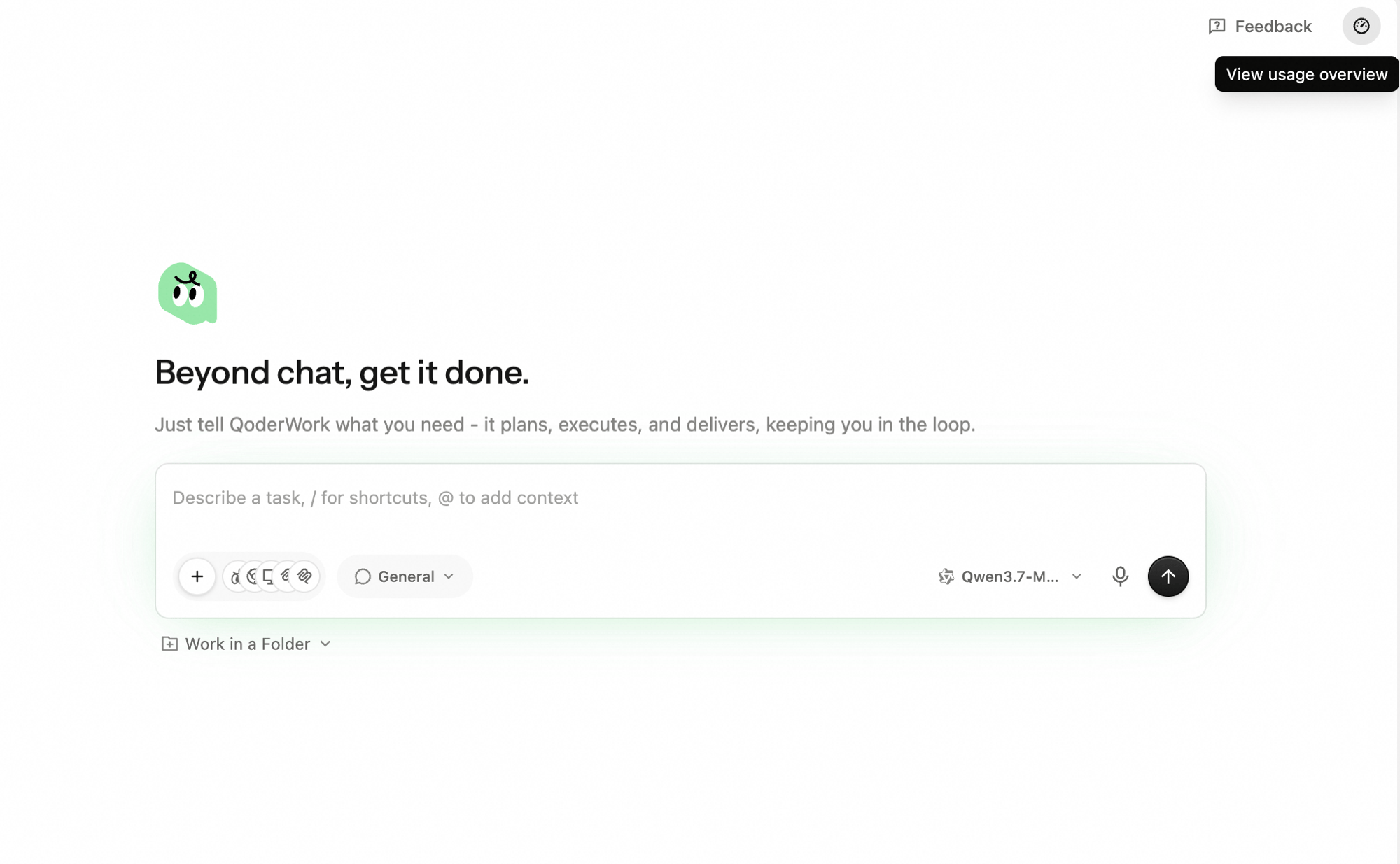
Next to the conversation input box, click the model dropdown.
Select Premium, Advanced, Standard, Qwen3.7-Max, or Qwen3.7-Plus.
Your selection takes effect immediately. The new model applies to all subsequent messages in the current session. No need to start a new session.
## Switching Mid-Task
You can switch models at any point during a task. For example:
1. Start with Standard for the initial data-gathering steps
2. Switch to Premium when you reach the deep analysis phase
3. Switch back to Standard for final formatting and output
Switching models doesn't lose context — the AI continues right where it left off.
## Credits Consumption & Management
Different models consume Credits at different rates. Click the usage icon (⏱) in the top-right corner of the app, then click **View usage overview** to see your balance and breakdown.
 Try running a complete workflow first to understand the cost. For regularly running [Scheduled Tasks](/qoderwork/scheduled-tasks), this step is especially important — it helps you estimate daily/weekly Credits consumption.
When your Credits balance is low:
* Purchase additional Credits in your account settings
* Switch to Advanced or Standard to reduce consumption
* See the [Pricing](/account/pricing) page for details
## Next Steps
Pick models, workspaces, and extensions for new tasks
Use voice input to create tasks quickly
Try running a complete workflow first to understand the cost. For regularly running [Scheduled Tasks](/qoderwork/scheduled-tasks), this step is especially important — it helps you estimate daily/weekly Credits consumption.
When your Credits balance is low:
* Purchase additional Credits in your account settings
* Switch to Advanced or Standard to reduce consumption
* See the [Pricing](/account/pricing) page for details
## Next Steps
Pick models, workspaces, and extensions for new tasks
Use voice input to create tasks quickly