> ## Documentation Index
> Fetch the complete documentation index at: https://docs.qoder.com/llms.txt
> Use this file to discover all available pages before exploring further.
# Get API Key
> Create a Teams OpenAPI key from the Qoder web console.
Organization **admins** can create an **API Key** for OpenAPI access. The key acts with broadly the same API access as the creator, within the product’s permission model—create keys sparingly and limit who can see them.
## Prerequisites
* Sign in with an account that has **organization admin** rights.
* Open the organization **Settings** area.
## Steps
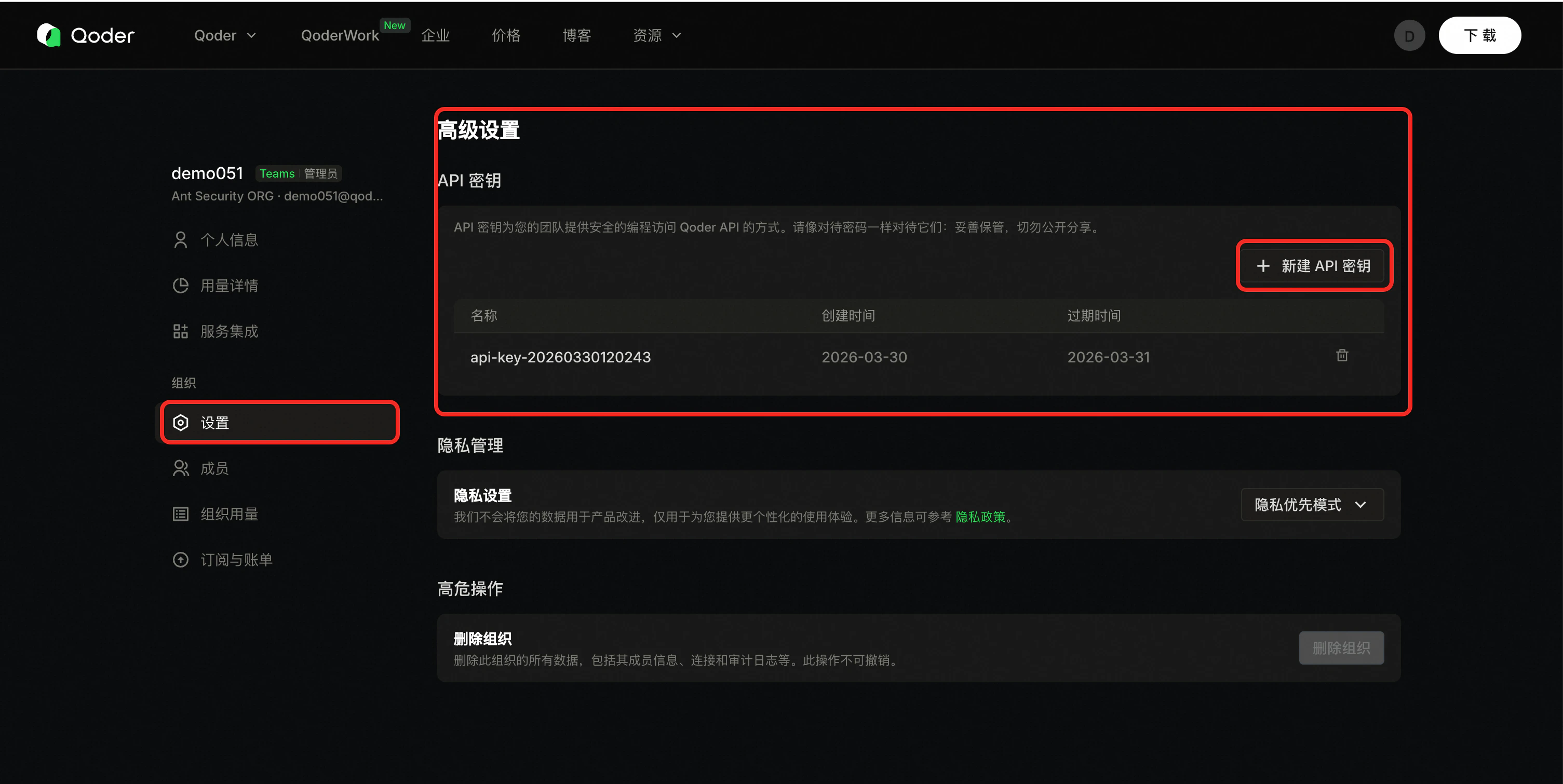
1. Open organization settings (replace `{orgid}`):
`https://qoder.com/organizations/{orgid}/settings`
2. In the left nav, open **Settings**, then **Advanced**, and find **API keys**.
3. Click **Create API key** (or equivalent).
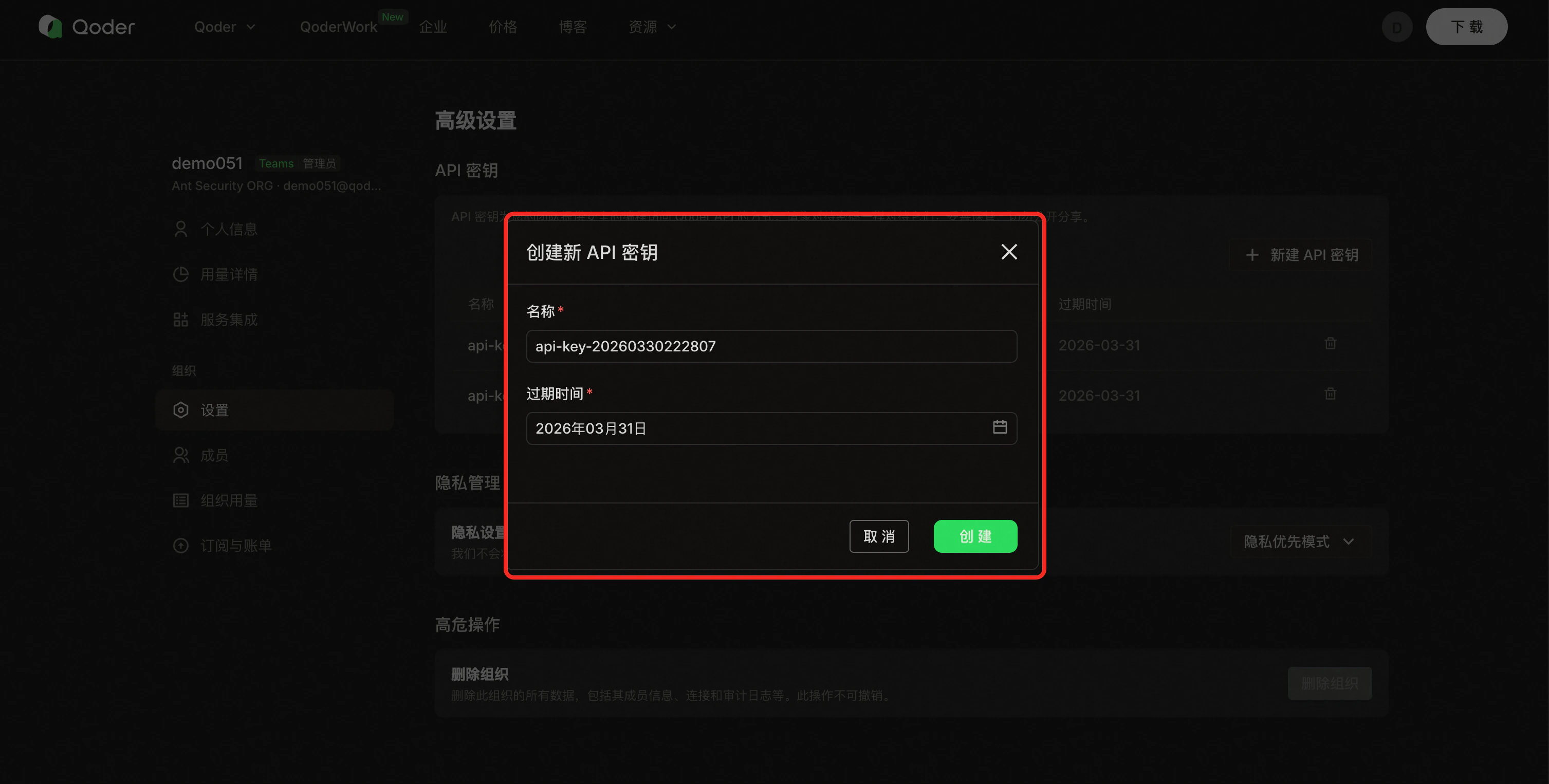
4. Enter a **name** and **expiration**, then create.
5. **Copy the key immediately** and confirm **I have saved this API key** to finish.
## Screenshots
Reference screenshots (UI may vary slightly in production):
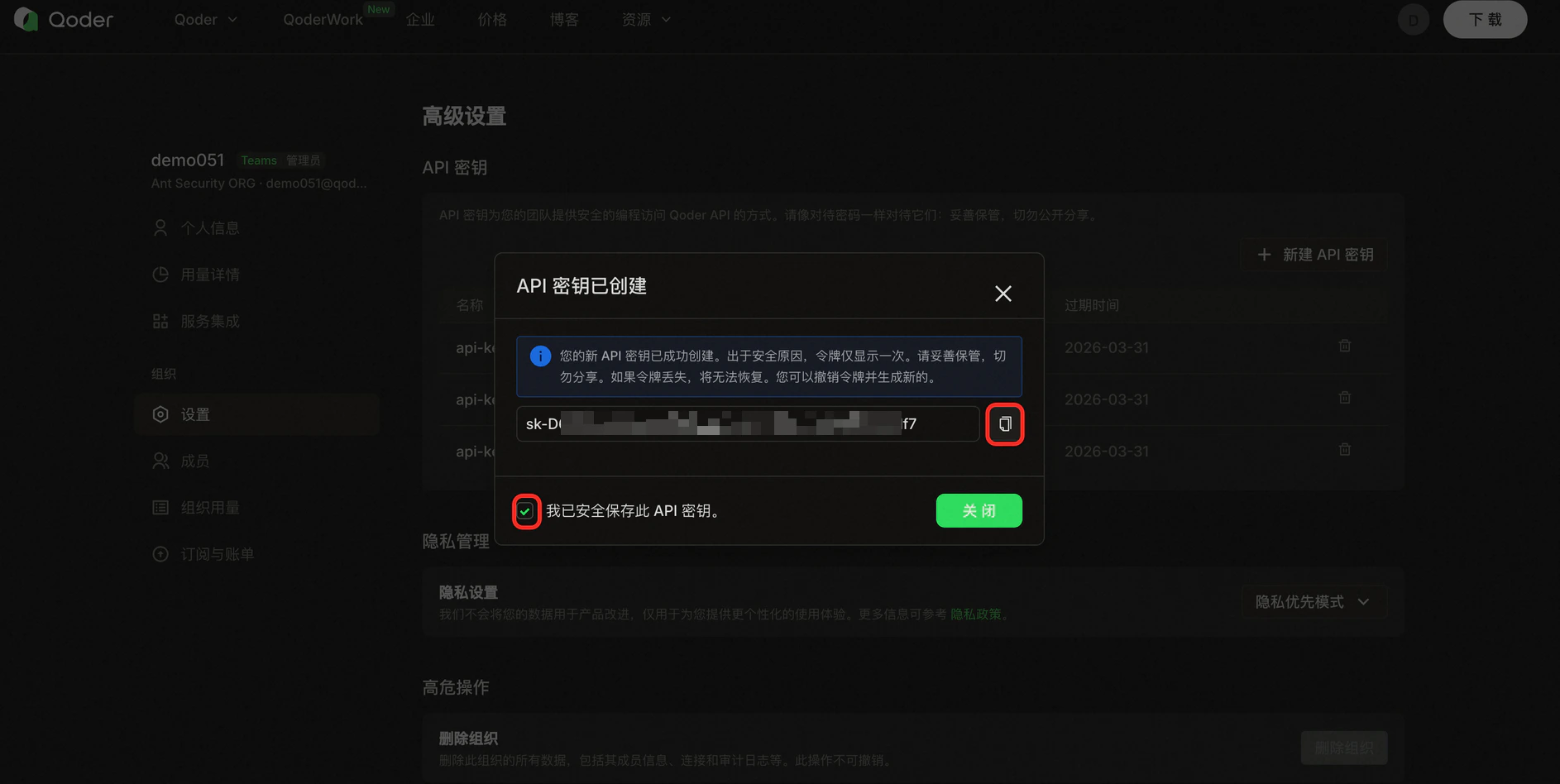 The full secret is shown **only once**. You cannot retrieve it again; revoke and create a new key if lost.
## Form fields
| Field | Description |
| ---------- | ----------------------------------------------------------------------------------------------- |
| Key name | A label to identify the key in the list (length limit per console, often up to 100 characters). |
| Expiration | Choose an expiry up to about **one year**; expired keys stop working. |
## After creation
* Store the key in **environment variables** or a secret manager—do not hard-code.
* Use **separate keys** per system or environment so you can revoke one without affecting others.
* See **[API Key Security](/account/teams/openapi/api-key-security)** for full guidance.
The full secret is shown **only once**. You cannot retrieve it again; revoke and create a new key if lost.
## Form fields
| Field | Description |
| ---------- | ----------------------------------------------------------------------------------------------- |
| Key name | A label to identify the key in the list (length limit per console, often up to 100 characters). |
| Expiration | Choose an expiry up to about **one year**; expired keys stop working. |
## After creation
* Store the key in **environment variables** or a secret manager—do not hard-code.
* Use **separate keys** per system or environment so you can revoke one without affecting others.
* See **[API Key Security](/account/teams/openapi/api-key-security)** for full guidance.